Tip Calibration Manual Tip Calibration
Page 155
© Copyright 2021 Stratasys. All rights reserved.
e. The calibration part will begin the print process and display the current status on the
User Interface. "HEATING" or “COOLING” is followed by "PREPARING" and then
“PRINTING“.
• The Heating/Cooling status displays the current temperature as well as the target
set point.
• The Preparing status will display as the system purges material and detects the
tray level.
• The Printing status displays the number of build layers complete or the amount of
time remaining. Tap the screen to toggle between layers or time.
f. Once the calibration part is complete "DONE" will be displayed on the User Interface.
Remove the build sheet from the platen. You will analyze the part on the build sheet to
determine correction values.
g. Press the Next button in the upper-right corner of the page; the Manual Tip Calibration
page will be displayed.
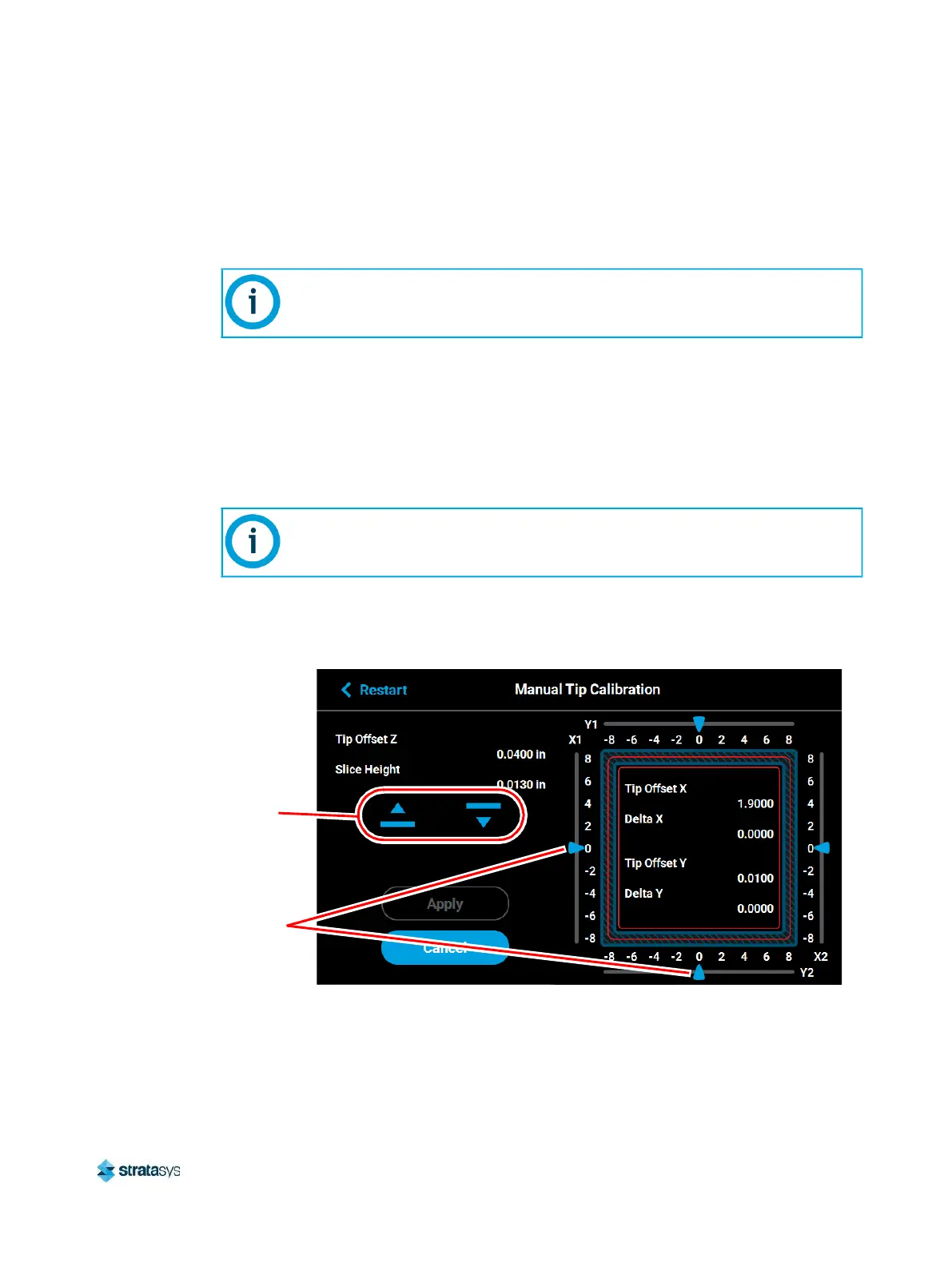
Figure 9: Manual Tip Calibration Page
The amount of time that the printer remains in the Heating/Cooling stage may vary
depending on the current oven chamber temperature.
After removing the build sheet containing the calibration part and closing the oven
door, a message is displayed stating “Is the tray ready for another job?”. Press
No to return to the Manual Tip Calibration screen.
Sliding scale
icons (4)
Up and down
adjustment
buttons for
adjusting the
Z-offset














 To Next Page