Customer Replaceable Units Oven Light
Page 224
© Copyright 2021 Stratasys. All rights reserved.
5. Extract the oven light and cable connector from inside the oven frame and disconnect the
cable connector.
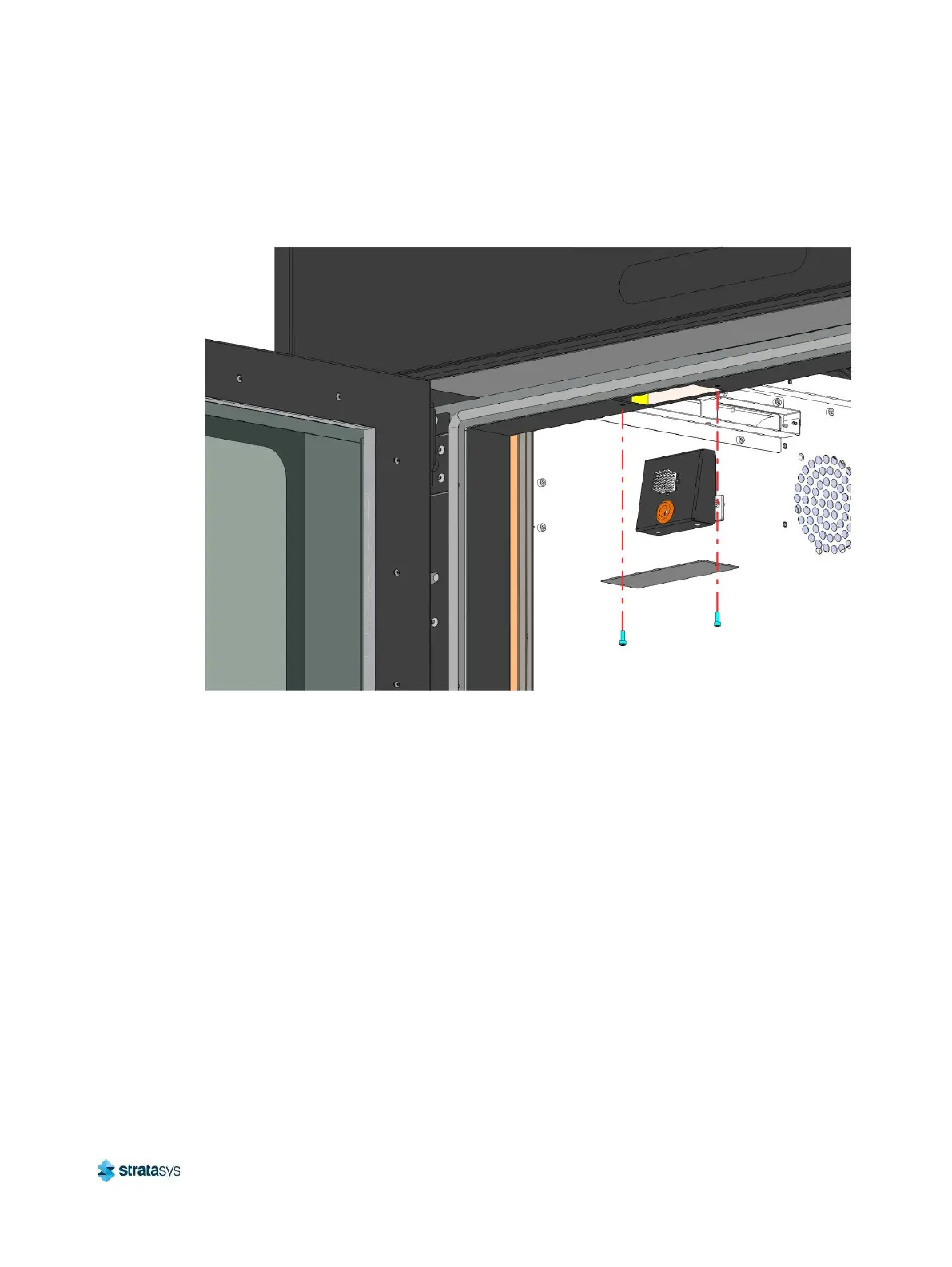
Figure 56: Oven Light Mounting Detail
6. Remove the oven light from the printer.
Installing the Oven Light
1. Connect the oven light cable to the connector inside the oven frame cutout above the oven
enclosure entrance.
2. Insert the oven light into the cutout and align it with its mounts inside the oven frame.
3. From inside the oven, use a 2.5 mm hex wrench to install the screws (2) that secure the
oven light inside the oven frame. See Figure 55.
4. Using a 3 mm hex wrench, install the screws (2) that secure the oven light cover plate to
the bottom of the oven frame above the oven enclosure entrance. Support the plate to
prevent it from falling. See Figure 56.
5. Close the oven door.
6. Power ON the printer.


 To Next Page
 Loading...











