Customer Replaceable Units Filament Ports Assembly
Page 230
© Copyright 2021 Stratasys. All rights reserved.
3. Open the top rear access door. See...
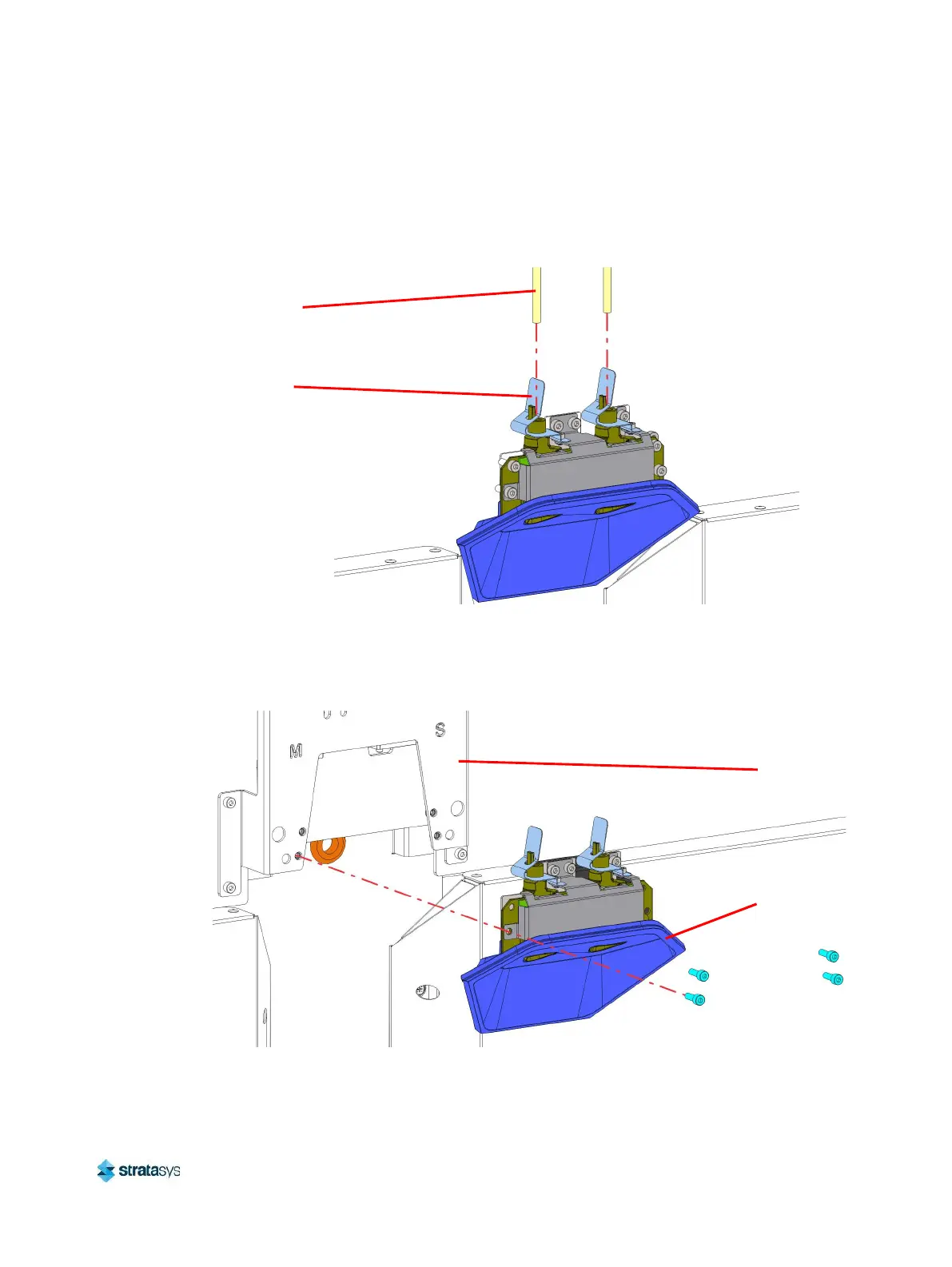
4. Remove the material tubes (2) from the filament ports. Depress the locking tabs on the
filament ports housing to release the ends of the material tubes.
Figure 62: Connecting/Disconnecting material tubes
5. Use a 3 mm hex wrench to remove the mounting screws (4) that secure the filament ports
assembly to the filament support bracket. Gently pull the assembly away from the printer to
access the cables on the back side. See Figure 63.
Figure 63: Filament ports assembly mounting screw locations
Locking
Tab
Material
Tube
Filament
Ports
Assembly
Filament
Support
Bracket














 To Next Page