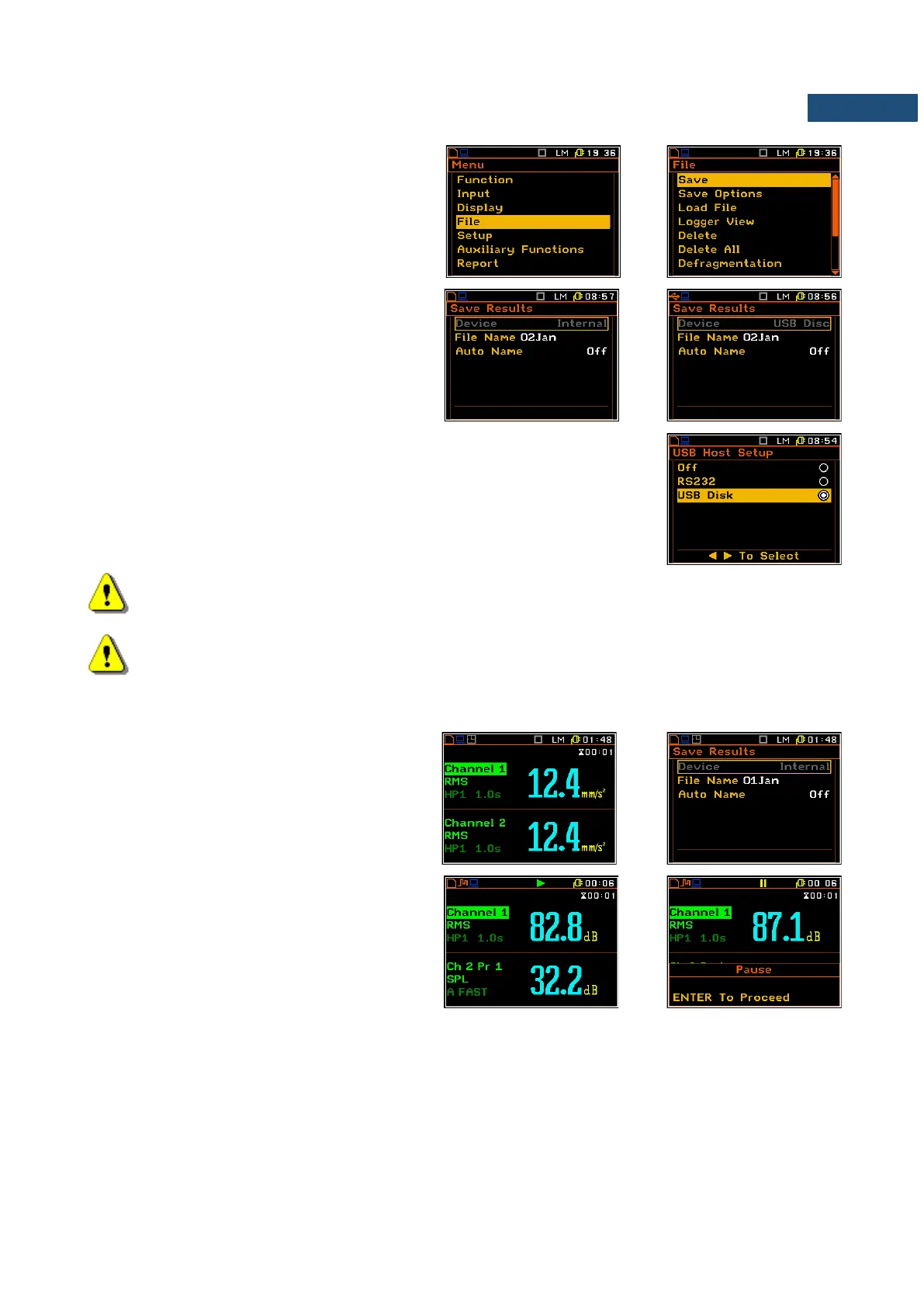
The File menu is used for checking the
contents of the memory and for operating on
files such as: save, load, delete, create new
catalogue and perform defragmentation etc.
The Device position in the Save list (path:
<Menu> / File / Save) shows the memory type
currently active in the instrument.
When the USB memory stick is connected to
the instrument, the data storing in the internal
instrument’s memory is not available any
more.
To activate the USB memory stich the user should switch on the USB Disk
option in the USB Host Setup list (path: <Menu> / Setup / USB Host Setup).
Note: The USB disk when connected to the USB Host socket switches off the instrument’s internal
flash memory. All file functions and remote commands are redirected to the USB disk. The internal
flash memory is activated after disconnecting the USB disk from the instrument.
Note: The disconnection of the USB disk during the data transmission can cause the lost
of data saved in the USB disk as well as in the instrument’s internal flash memory.
There are two options for storing result data in the internal or external memory. One option is to press <Save>
key immediately after the measurement. Another option is to create new file in the Save list.
After pressing the <Save> key the Save list
appears. In the Save list the user can enter a
name for the result file or choose automatic
name generation option.
The <S/P> key, pressed during the
measurement run activates pause. To
continue the measurement the user should
press <ENTER>.
The setup files can be saved with the <S/P> key, or with the use of the Setup Manager list.



 To Next Page