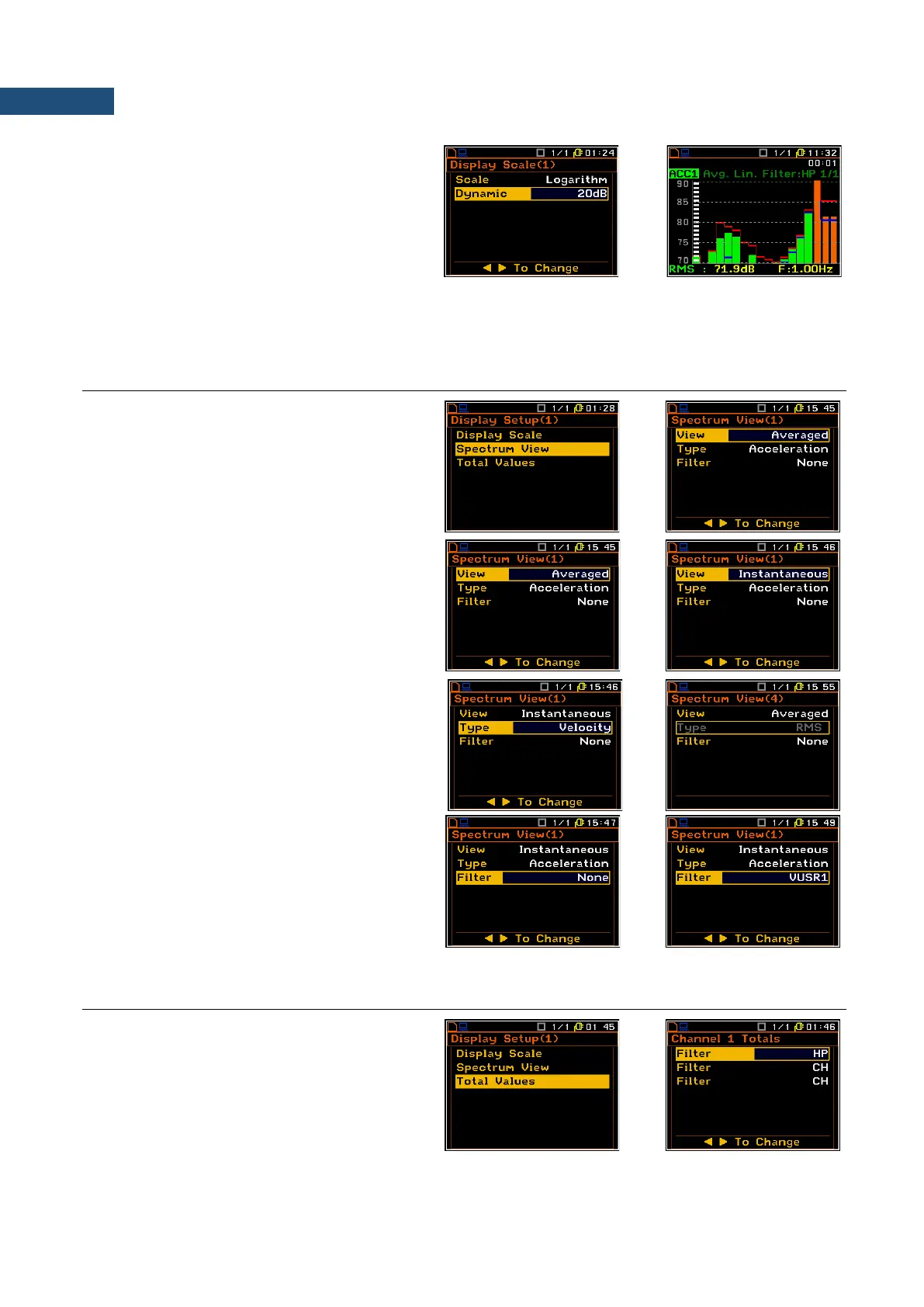
Scaling the vertical axis
If Scale is set to Logarithmic then the
Dynamic position enables the user to select
the required dynamic range scaling of the
graphical presentation mode. The user can
obtain double, four and eight times expansion
of the vertical axis (the default vertical axis
corresponds to 80 dB, after expansion it
corresponds to 40 dB, 20 dB and 10 dB –
respectively).
10.7 SETTING PARAMETERS OF THE SPECTRUM PRESENTATION – SPECTRUM VIEW
In the Spectrum View list the user can set up
the screen view in the spectrum presentation
mode and to set: spectrum type to view (View),
type of spectrum for vibration input (Type),
applied filter (Filter), minimum and maximum
spectrum (Minimum and Maximum).
In the View position the user can select the
different type of spectrum such as: Averaged
or Instantaneous.
The spectrum Type can be selected only for
vibration inputs and available values are:
Acceleration, Velocity and Displacement.
For sound input this position cannot be
changed and is always RMS.
Filter position defines additional user defined
weighning filter to be imposed on spectrum,
measured with defined HP, LIN, A or C filters.
As soon as any user filter is defined for
Total Values calculation (path: <Menu> /
Display / Display Setup / Channel x / Total
Values) this user filter can be selected in the
Filter position.
10.8 SETTING PARAMETERS FOR TOTAL VALUES – TOTAL VALUES
The Total Values position enables the user to
program parameters for the calculation of
total values. There are three total values
calculated for each channel and for all three
total values it is possible to define weighting
filter, type of signal measurement
(acceleration, velocity or displacement) as
well as calibration factor.



 To Next Page