10 1/1 AND 1/3 OCTAVE ANALYSER
The instrument operates as a real-time 1/1-octave or 1/3-octave analyser in a very similar way to the level
meter and, in addition, 1/1-octave or 1/3-octave analysis is performed in parallel with the level meter
measurements. All digital band-pass filters (fifteen 1/1-octave filters with centre frequencies from 16 kHz down
to 1 Hz and forty five 1/3-octave filters with centre frequencies from 20 kHz down to 0.80 Hz; in base two
system) work in real-time with the weighting filters (LIN, A, B, C or HP) and the linear RMS detector.
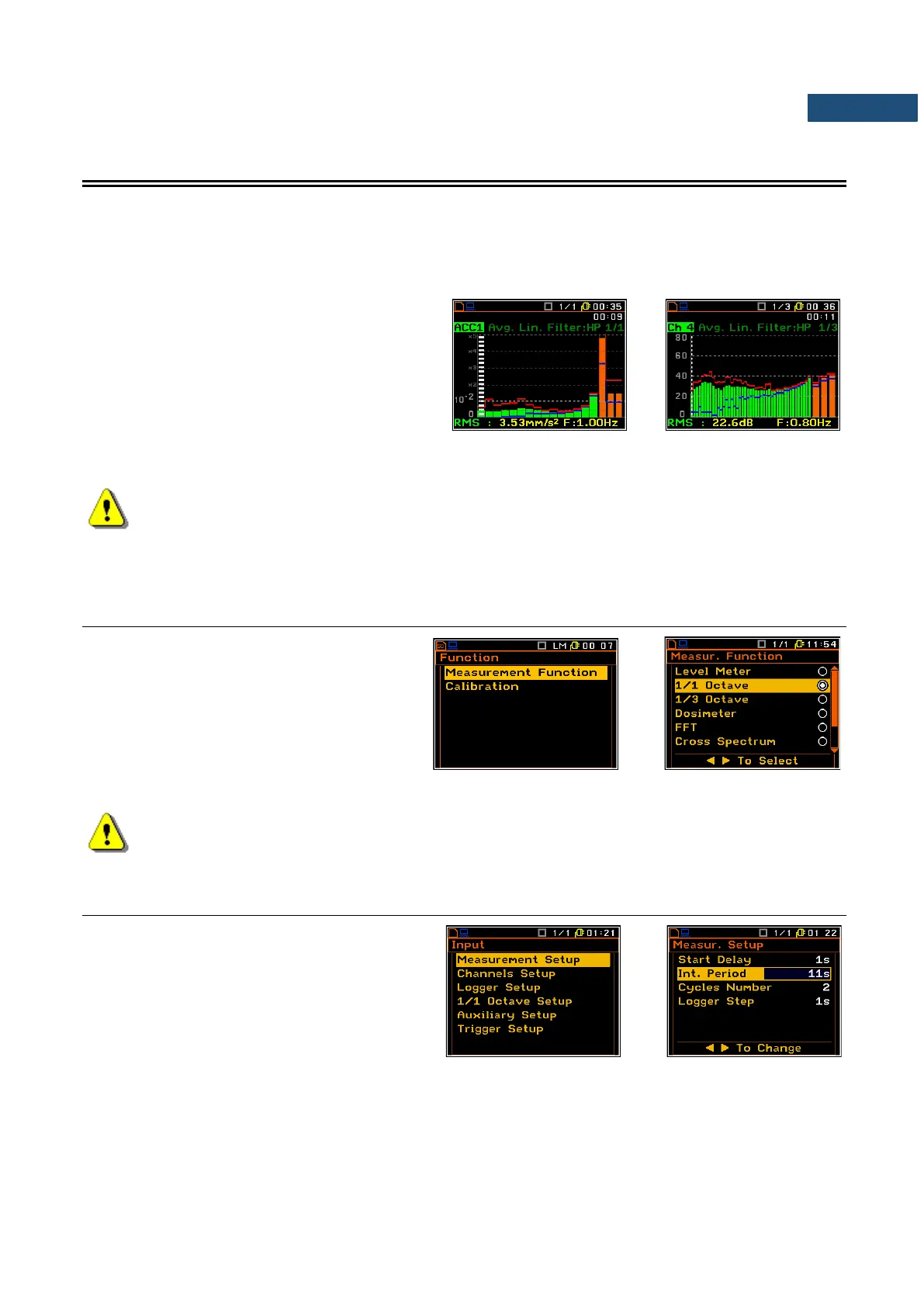
The results of 1/1-octave and 1/3-octave analysis
(also called spectrum analysis) can be examined
by the user on a display in the Spectrum
presentation mode. The availability of this mode
can be switched on or off by the user (path:
<Menu> / Display / Display Modes).
1/1-octave and 1/3-octave spectrum for all centre frequencies of pass-band filters together with three
Total values measured with weighting filters selected by the user are presented in the Spectrum view.
Note: Total RMS (LEQ) results are measured with their own weighting filters regardless of settings
made for channels in the Input section (path: <Menu> / Input / Channels Setup / Channel x).
Additionally, spectra are always linearly averaged. Thus, the Total values for the 1/1-octave or 1/3-
octave analysis can be different from similar main results (if RMS Integration was set as
Exponential).
10.1 SELECTING 1/1 OCTAVE OR 1/3 OCTAVE ANALYSIS FUNCTION
In order to select the 1/1 Octave or
1/3 Octave analysis function the user has to
enter the Function list by pressing the
<Menu> key, then select the Measurement
Function position and open it by pressing
<ENTER>. In the Measur. Function list the
user has to highlight the 1/1 Octave or
1/3 Octave option, mark it by ► key and
then press <ENTER>.
Note: It is not possible to change the current function while a measurement is taking place.
In this case the instrument displays for about 2 seconds the text ”Measurement in Progress”. In
order to change the current measurement function the instrument must be stopped!
10.2 CONFIGURING 1/1- OR 1/3-OCTAVE ANALYSER
The execution of 1/1 Octave or 1/3 Octave
analysis depends on settings made in the
Measurement Setup list. The Spectra are
averaged during the period defined by
Int. Period and repeated as defined in the
Cycles Number position.



 To Next Page