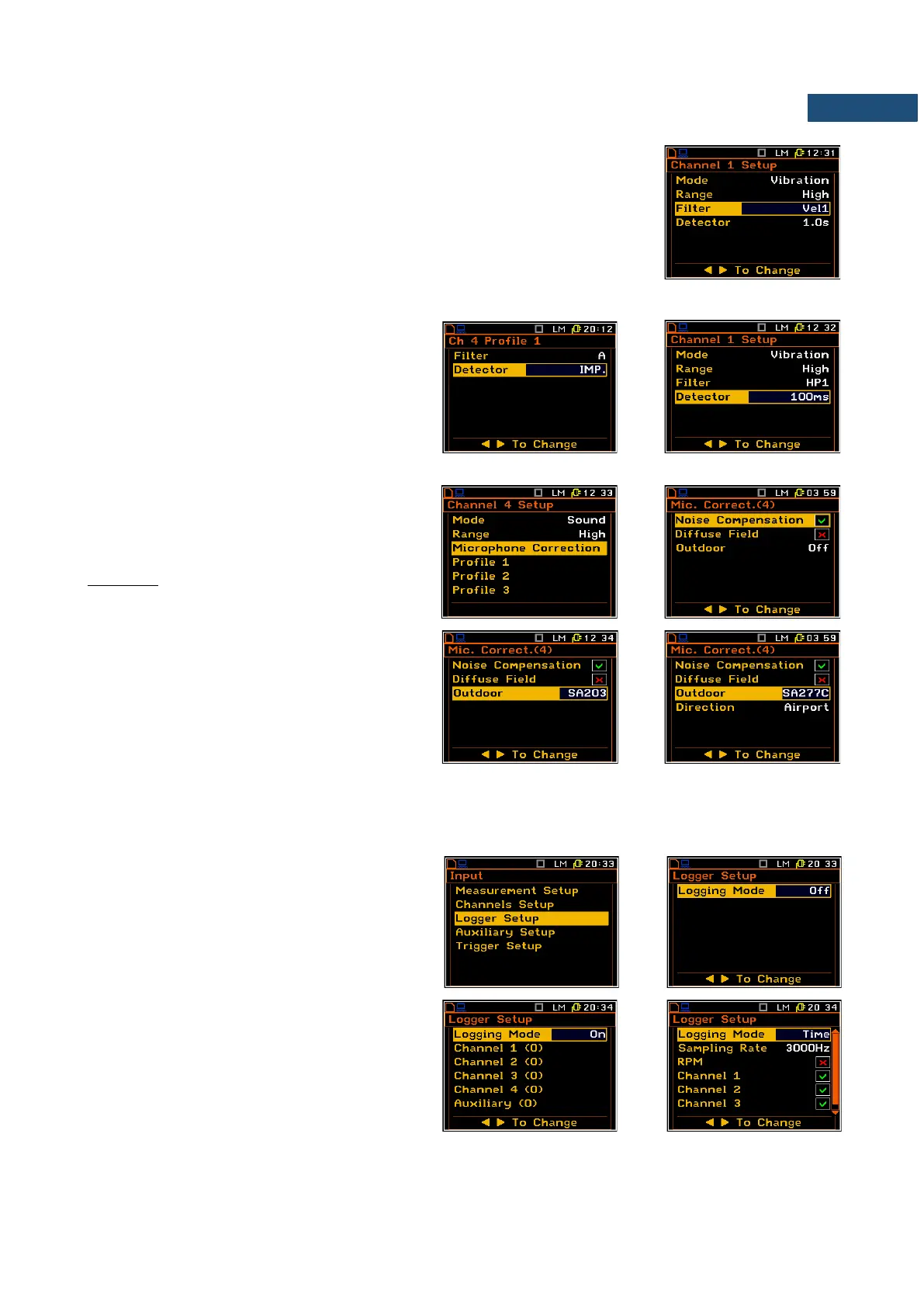
In case of vibration measurements the following filters are available in the Filter
position:
- HP1, HP3, HP10, KB, Wk, Wd, Wc, Wj, Wm, Wh, Wg, Wb, Wv and Wz (for
acceleration);
- Vel1, Vel3, Vel10 and VelMF (for velocity);
- Dil1, Dil3 and Dil10 (for displacement).
The characteristics of the filters are given in App. C.
RMS detector
The following RMS detectors are available:
- IMP., FAST and SLOW (in case of
sound measurements) and
- 100ms, 125ms, 200ms, 500ms, 1.0s,
2.0s, 5.0s, 10.0s (in case of vibration
measurements).
Microphone corrections
This position is available in Sound mode and
opens a list which enables the user to enable
Noise Compensation, Diffuse Field or in the
Channel 4 - the Outdoor correction.
In the Outdoor position, you can disable the
outdoor correction (Off) or select corrections if
you use one of the outdoor microphone kit:
SA203, SA277C or SA277D. In case of the
SA277C or SA277D outdoor microphone kit you
can also select the sound Direction for
measuring the Environment (90 degree
incidence angle) or Airport (0 degree incidence
angle) noise.
4.3 SETTING THE DATA LOGGING FUNCTIONALITY – LOGGER SETUP
The Logger Setup list enables the user to
select results to be saved in the logger memory
or to set parameters of time-domain signal
recording.
If the Logger Mode position is Off the logger
functionality is switched off. When On is
selected, it is possible to choose history results
to be saved in the instrument memory.
Time mode activates low sampling rate time-
domain signal recording to the logger file. This
option is additional and usually requires a
special activation code.



 To Next Page