3.2 ACTIVATION OF OPTIONAL FUNCTIONS
Optional measurement functions that broaden the application of the instrument can be easily installed. These
options can be initially supplied by the manufacturer or purchased later and added by the user.
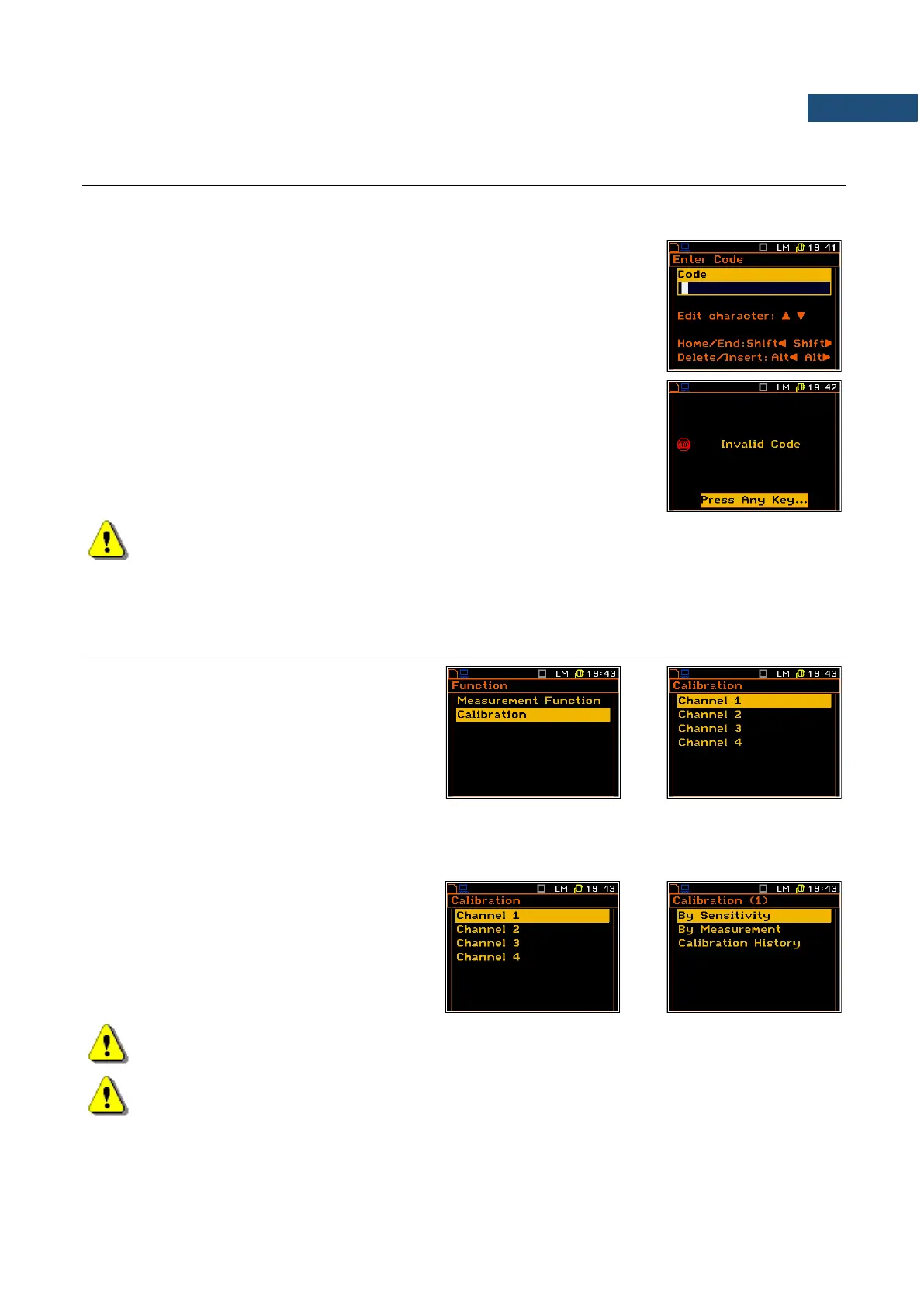
The function purchased later should be activated by the user by entering the
access code to a function in a window, which is opened during the first
execution (after pressing the <ENTER> key). The introduction of the access
code is performed in the same way as the edition of the other text variables.
The verification is made after pressing the <ENTER> key. If the entered code
was wrong, the message is displayed and the instrument waits for the reaction
of the user. After pressing the <ENTER> or the <ESC> key the information
that the function is not available is displayed and the instrument once more
waits for the reaction of the user.
Note: The number of attempts for the access code entering is limited. After three unsuccessful
attempts, the possibility of entering the code is blocked.
After successful verification of the access code, the windows described above are no more displayed. Once
activated function is always available.
3.3 INSTRUMENT’S CALIBRATION – CALIBRATION
The instrument is factory calibrated with the
supplied accelerometers and microphone for
standard environmental conditions. In case of
using other transducers calibration of the
measurement channels should be performed by
the user. Periodic calibration of standard
transducers is also required. You can calibrate
each channel individually selecting the required
channel in the Calibration menu.
3.3.1 Calibration of the instrument channels – Channel x
The Channel x menu consists of positions for
performing the calibration (By Sensitivity, By
Measurement) and checking the parameters
of previous calibrations (Calibration History).
Note: The calibration factor is always added to the results in all instrument function.
Note: The calibration level and the calibration result are expressed in different units depending on
the settings of the instrument. The metric or non-metric Vibration units are set in the Vibration Units
list (path: <Menu> / Setup / Vibration Units). Additionally, the linear or logarithmic units are set in the
Display Scale list (path: <Menu> / Display / Display Setup / Channel x / Display Scale).



 To Next Page