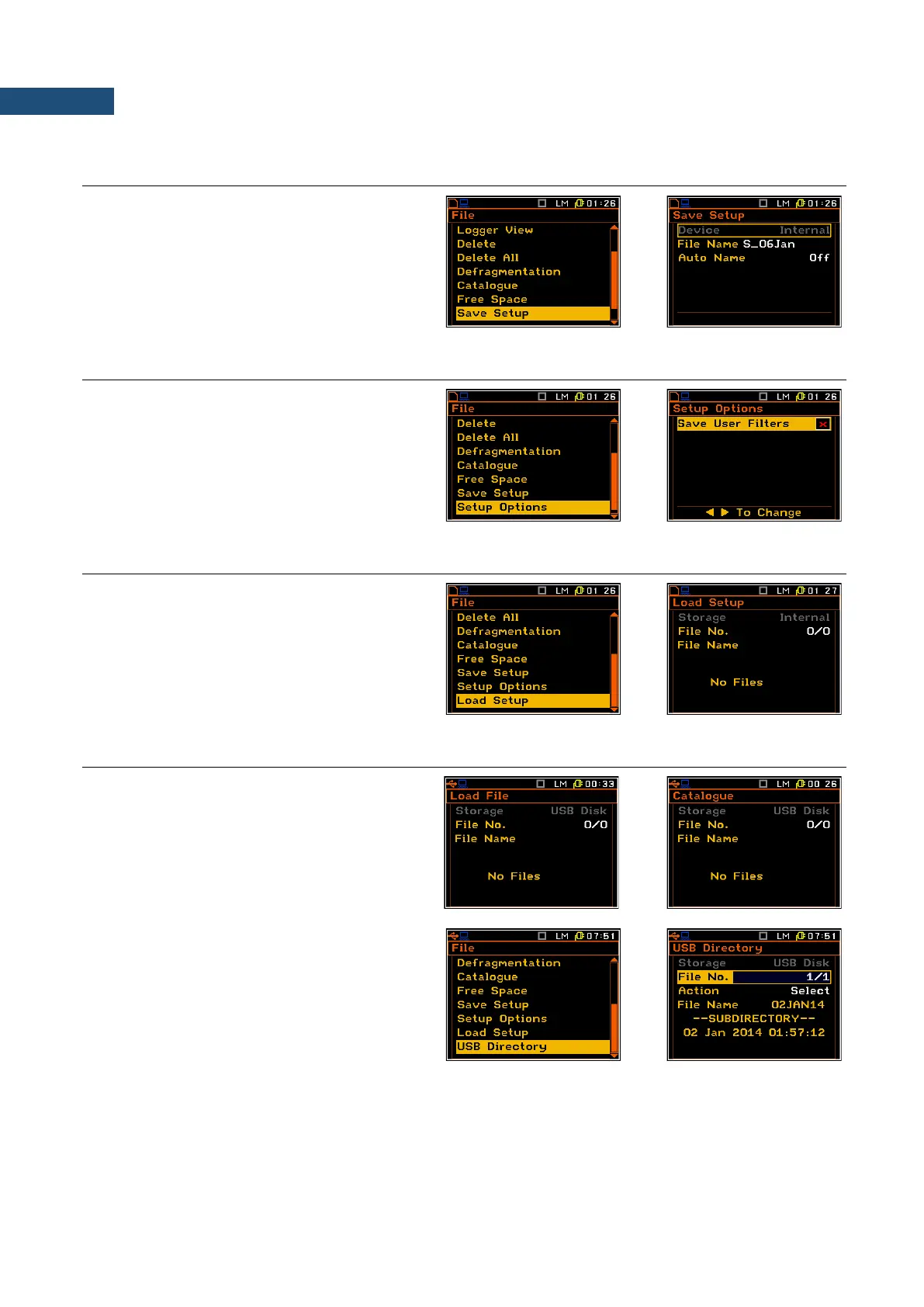
7.10 SAVING SETUP IN THE INSTRUMENT’S MEMORY – SAVE SETUP
The Save Setup position is used for storing
setups in the FLASH DISC memory of the
instrument as a file.
The Save Setup window content is similar to
the Save Results one.
7.11 OPTIONS FOR SETUP FILES – SETUP OPTIONS
The Setup Options sub-list is used for the
selection of the options for storing setup files.
The Save User Filters position is used for
saving the user filters together in the setup files.
7.12 LOADING THE FILES WITH THE CONFIGURATION – LOAD SETUP
The Load Setup position is used for loading
settings from the setup file to the instrument.
7.13 CHECKING THE CONTENTS OF THE USB MEMORY DISK – USB DIRECTORY
When USB Disk is connected and activated
(path: <Menu> / Setup / USB Host Setup) the
Internal memory became not active and all
newly created files will be saved on the
USB Disk. The Storage position in the
Load File, Catalogue, Delete and
Load Setup windows will be changed from
Internal to USB Disk.
The USB Directory position is used for
checking the contents of the USB memory disk,
creating new catalogues and selecting the
working catalogue for saving new created files.
To assigne the working catalogue for saving of
newly created files the user should select the
required File No. with the name in the
File Name position (catalogue name) and then
use Action: Select. From this time all newly
created file will be saved in this USB Directory.



 To Next Page