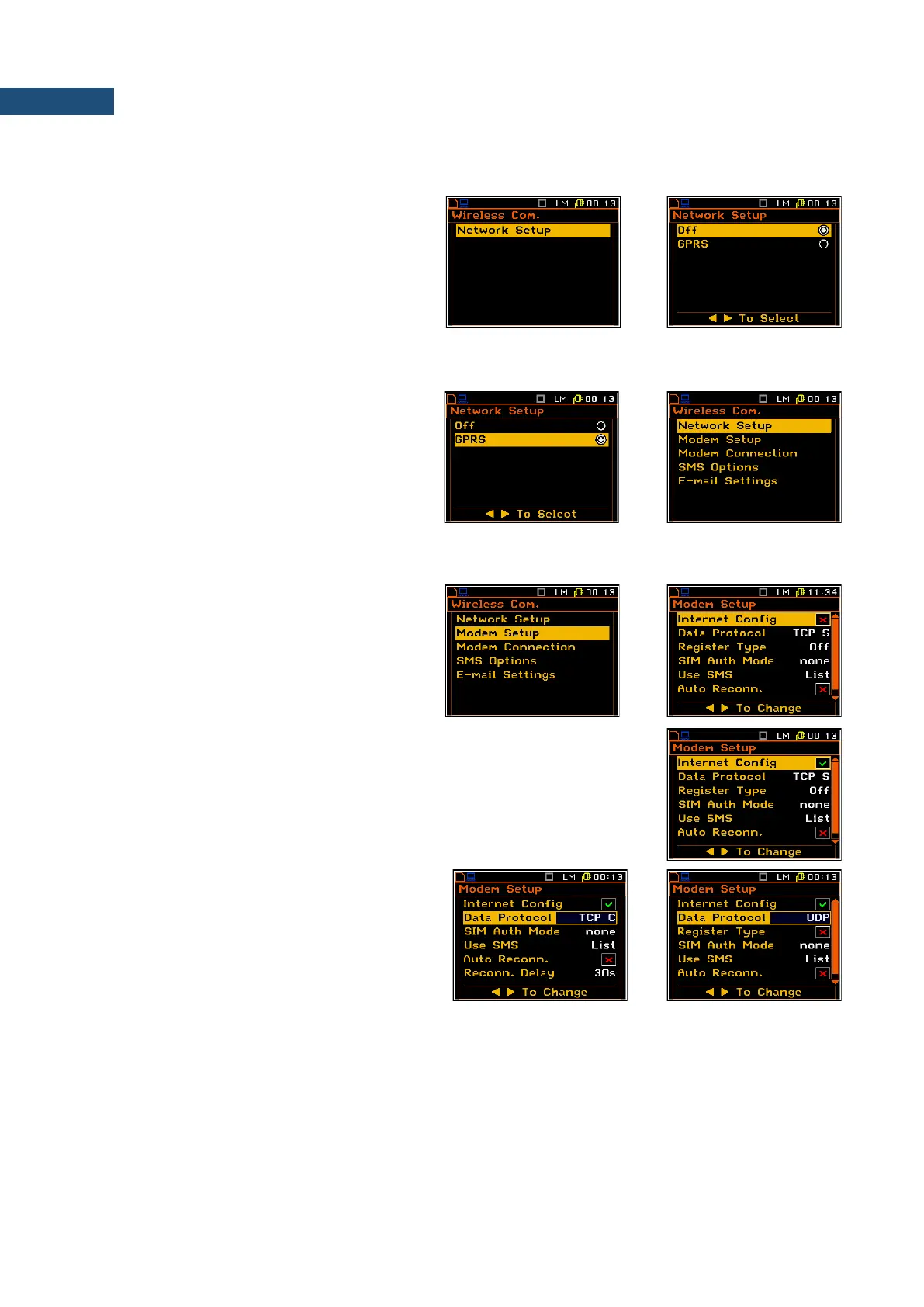
7.20.1 Selection of the network type – Network Setup
In the Network Setup window the user may
select one of the three options: Off, GPRS
and Modbus.
Depending on the settings in the
Network Setup list the Wireless Com.
screen has different sets of positions.
If the Off parameter was selected the
Network Setup window has only one
position - Network Setup.
If the GPRS network was selected the
Wireless Com. window will have five
positions: Network Setup, Modem Setup,
Modem Connection, SMS Options and
E-mail Settings.
7.20.2 Configuration of modem basic settings – Modem Setup
The Modem Setup position enables the user
to configure modem basic settings, such as
modem type and connection types.
The Modem Setup window contains the
following options:
• Internet Config – selecting this option ensures that the device is set to
automatically configure the modem. When the device is turned off with
this option set, it will attempt to configure the modem after the next turn
on.
• Data Protocol – defines connection
type for data exchange. Available types
are TCP S (server mode), TCP C (client
mode) and UDP.
• Register Type – selecting this option ensures that the device instantly attempts to register the station
provided the modem is already configured. Depending on selected Data Protocol type the values of this
parameter are different. In case when Data Protocol type is TCP S the values of this parameter are: Off,
On (registration using Connection Request Packets), AS (periodic registration on Svantek Server
Address), SMT.AS (registration on Svantek Server Address – performed each time internet connection is
initialized by the modem). In case when Data Protocol type is TCP C the Register Type position does
not appear. In the case when Data Protocol type is UDP the Register Type is limited to Off and On.



 To Next Page