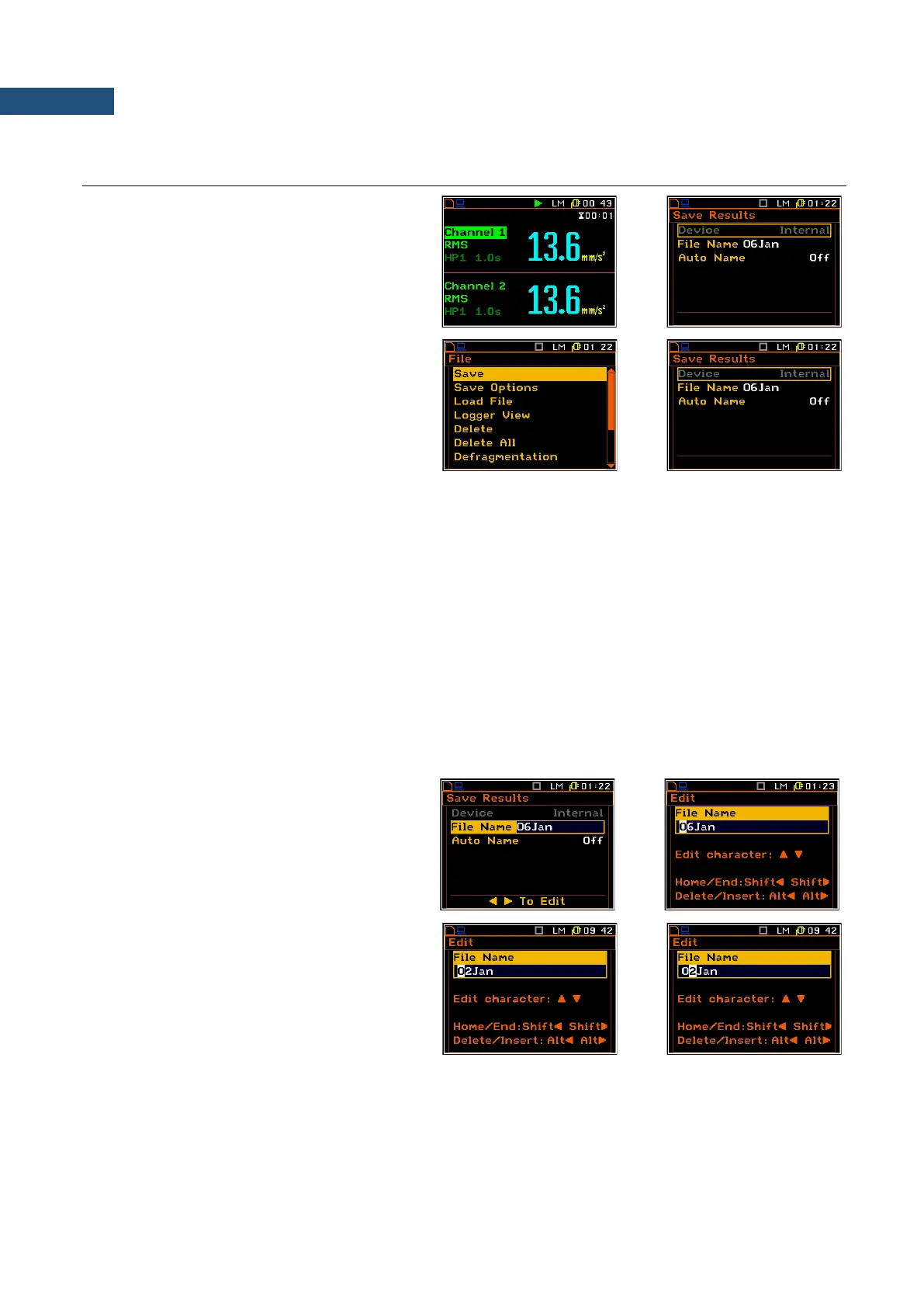
There are two options for storing result data
in the internal or external memory.
One option is to press the <Save> key right
after the measurement stop.
Another option is to use Save position in the
File list.
In both options the Save Results window
appears.
There are two available options for saving files in the Save Results window: with the edited name, or with the
name automatically changed with the name number increasing by one every time the save function is used.
These options can be selected in the position Auto Name. If Auto Name is switched off (Off) the name of the
saved file is as selected in the position File Name. This file name can be edited in the special window, which
is opened using the ► key. When the Auto Name function is set on Number, then a file is saved with the name
as displayed above, but after the last non-numeric letter of text there will be added digit 0. If there already exists
any chain of digits on the end of the file text the number that these digits create will be increased by one.
The number can be changed from 0 to N. The only limitation of the N value is the length of the file name, which
cannot be longer than eight characters. When such limitation is reached and the instrument cannot
automatically change the file’s name the only possibility is to use a new file name.
The default name for a file is displayed when first entering to this position (after power on). The default name
consists of the day and the month’s abbreviation and cannot exceed 8 characters.
The user can skip editing the file’s name and start saving the file by pressing the <ENTER> key or return to the
File list or measurement display by pressing <ESC>.
To start file editing the user has to select the
File name position and to press ◄ or ► key.
After that the special window with editing
function opens. The editing process is
presented on the Figure to the right.
Selection of the character’s position to be
edited
Select the position of the character in the
edited text using the ◄ / ► key. For the
current position the character can be changed,
position can be deleted or inserted.



 To Next Page