If the Cross Spectrum function is selected the instrument operates as the FFT analyser and the Level Meter
and in addition performs calculation of cross-spectra.
A cross spectrum is calculated for two signals measured in separate channels. In this function, the instrument
calculates and presents on the display:
- transfer function, which shows how the signal amplitude is changed between two channels,
- phase function, which shows how the signal phase is changed between two channels,
- gamma function (or correlation), which shows how trustworthy the result of the transfer function is.
To calculate all above mentioned functions you should select the reference channel, in which the source signal
is measured, and the channels, for which the cross-spectra will be calculated.
13.1 SELECTING CROSS SPECTRUM FUNCTION
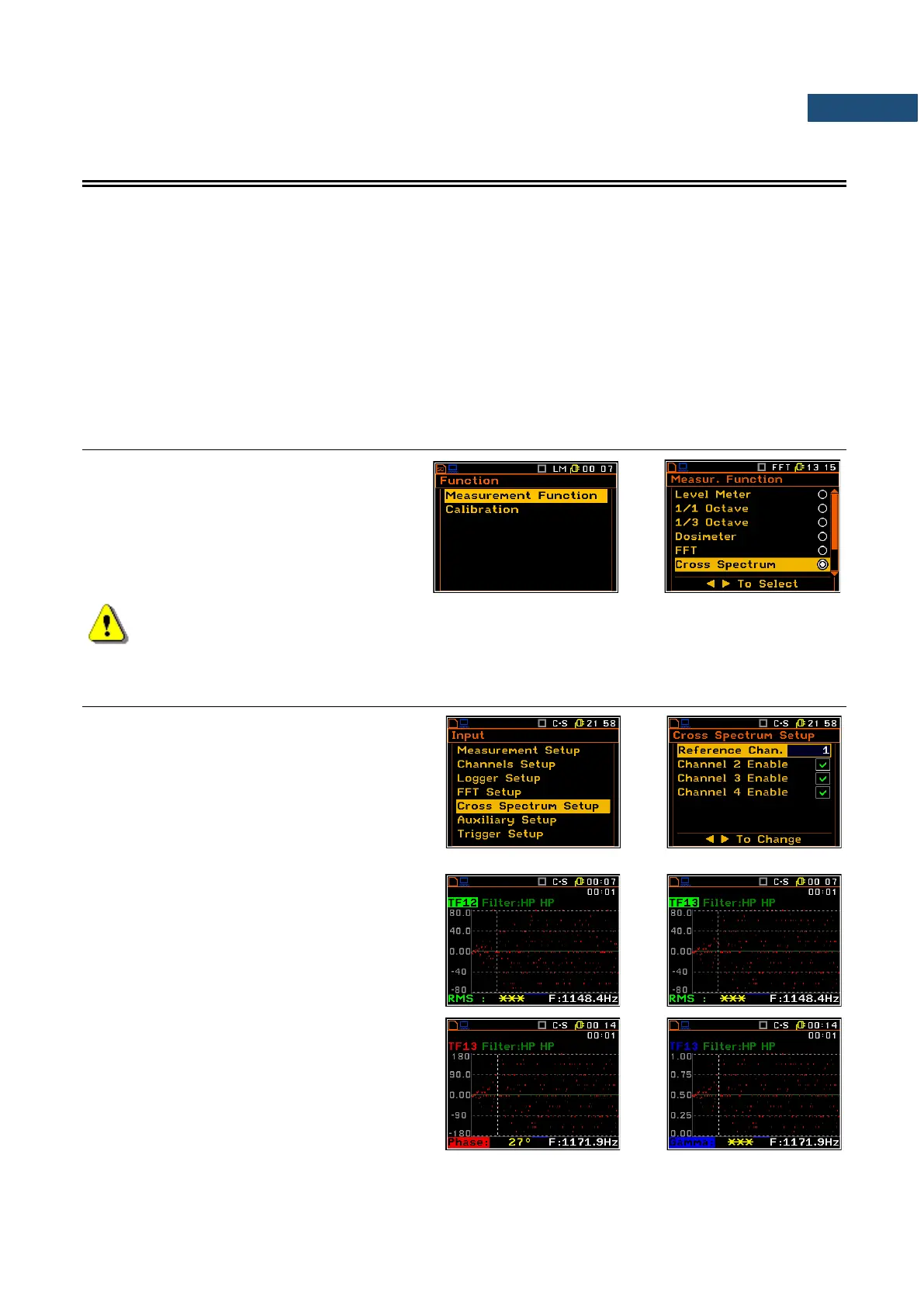
To select the Cross Spectrum function, open
the Measurement Function screen, select
the Cross Spectrum option, mark it with the
► key and press <ENTER>.
Note: It is not possible to change the current function while a measurement is taking place.
In this case the instrument displays for about 2 seconds the text ”Measurement in Progress”. In
order to change the current measurement function the instrument must be stopped!
13.2 SELECTING CHANNELS FOR CROSS-SPECTRUM ANALYSIS – CROSS SPECTRUM SETUP
When the Cross Spectrum function is
selected in the Measurement Function list
(path: <Menu> / Function /
Measurement Function) the
Cross Spectrum Setup position appears in
the Input list. This position enales the user to
select the reference channel and channels, for
which the cross-spectra will be calculated.
To change presentation of transfer function
(TF) calculated for another channels the user
has to activate the TF field and then press the
◄ / ► key with <Alt>.
To display another than RMS transfer function
the user has to change the active
RMS/Phase/Gamma field by means of ▲ or ▼
keys and change the function by means of the
◄ / ► key, pressed with <Alt>.



 To Next Page