3 FUNCTIONS OF THE INSTRUMENT – Function
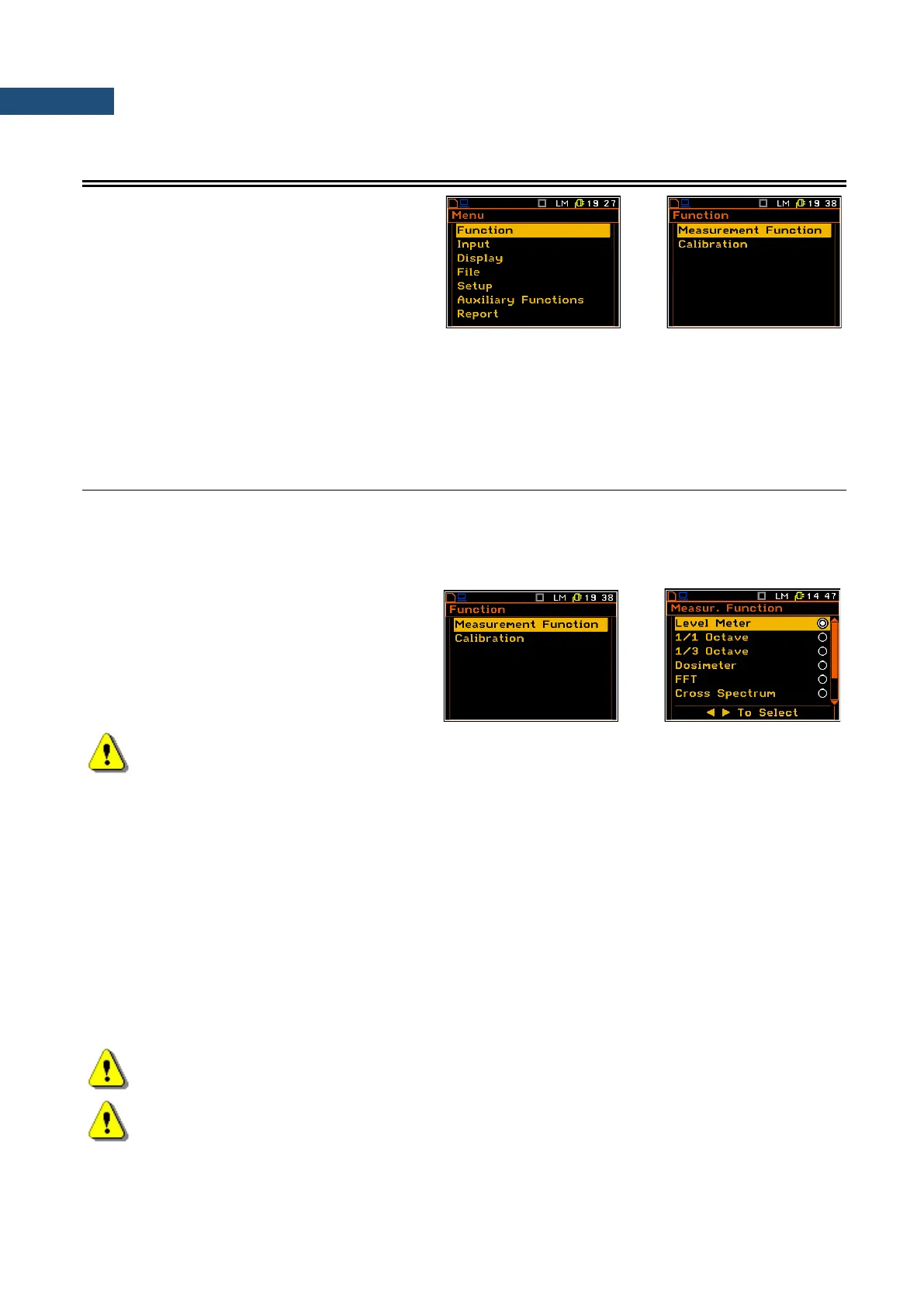
The Function list contains the elements that
enable the user to select the measurement
mode of the instrument and perform calibration
of it’s measurement channels. In order to select
the Function list the user has to press the
<Menu> key, select the Function text and
press <ENTER>.
The Function list consists of:
Measurement Function enables the user to select the mode of the instrument;
Calibration enables the user to perform a calibration of instrument’s measurement channels.
3.1 MEASUREMENT FUNCTIONS OF THE INSTRUMENT – MEASUREMENT FUNCTION
The main function of the instrument is the measurement of broad band Sound and Vibration level (Level Meter).
The 1/1 Octave, 1/3 Octave, acoustic Dosimeter, Ground Vibrations, FFT, Cross Spectrum,
Sound Intensity, RT60 and Wave Recorder, are the optional functions broadening the applications of the
instrument.
In order to select the required function the user
has to enter the Measurement Function list.
After entering the Measurement Function list,
the set of the available functions appears on
the display. Currently active function is marked.
Note: The type of measurement function and the measurement mode is displayed in the upper line
of the screen.
LM Level Meter,
1/1 1/1 Octave,
1/3 1/3 Octave,
Dos Dosimeter,
FFT FFT,
C-S Cross Spectrum,
INT Sound Intensity,
RT60 RT60,
Wave Wave Recorder.
Optional measurement functions that broaden the applications of the instrument can be easily installed. These
options can be initially supplied by the manufacturer or purchased later and added by the user.
Note: When the HAV/WBV dosimeter is enabled the D letter appears before the function
abbreviations (e.g. DLM, D1/1, DDos etc.)
Note: It is not possible to change the measurement function during a measurement run. In this case
all other functions are blocked. In order to change the mode of the instrument the current
measurement in progress must be finished!



 To Next Page