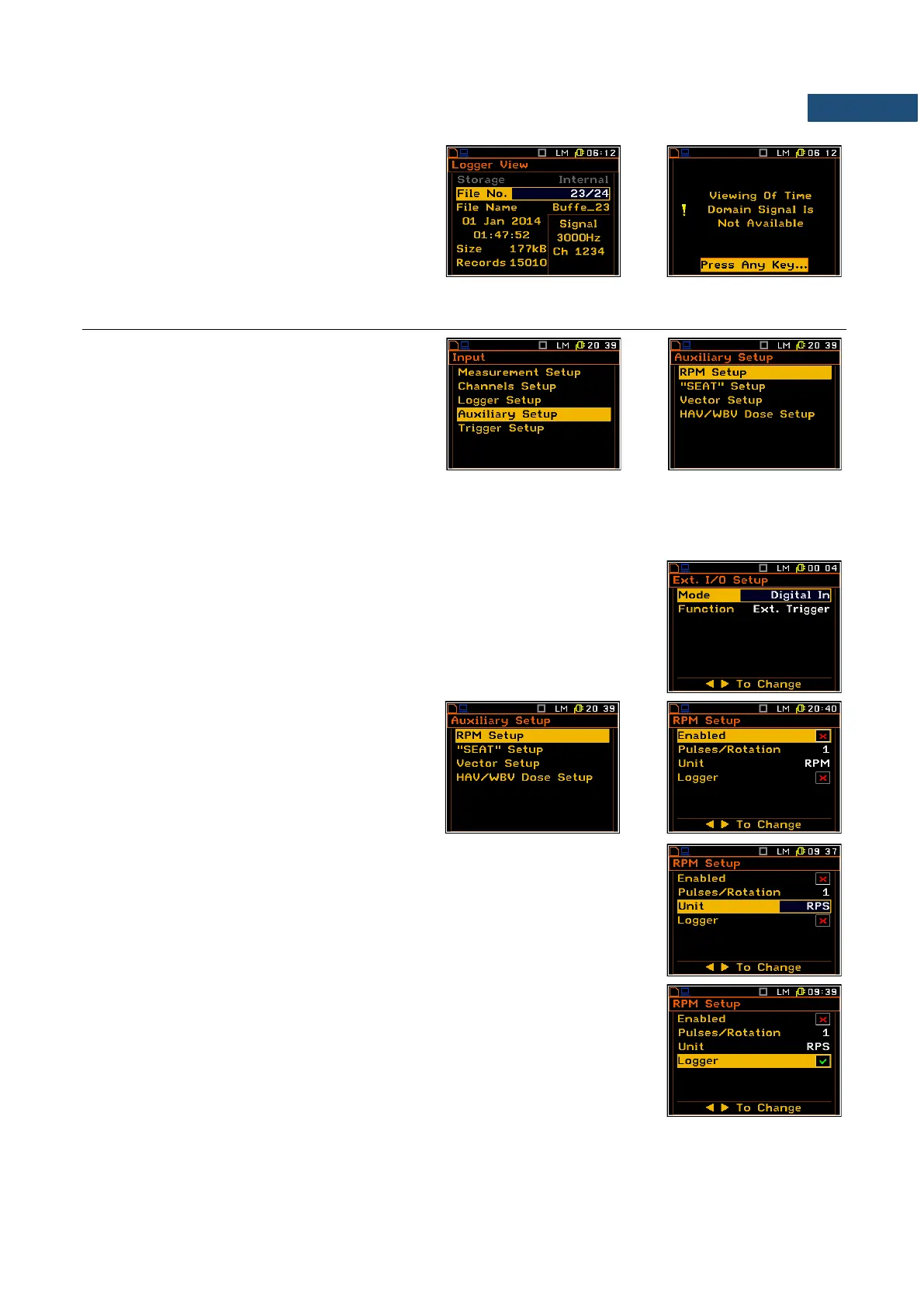
The results of the time-domain signal cannot be
viewed in the instrument, but can be examined
after downloading them to a PC using SvanPC
software. The signal is saved in .svn format
files.
4.4 SETTING PARAMETERS OF AUXILIARY FUNCTIONS – AUXILIARY SETUP
The Auxiliary Setup list consists of four
positions, which enable the user to set the
parameters of rpm measurement with the use
of taho probe (RPM Setup); measurement of
seat attenuation of vibration with the use of
special transducer, placed on the vehicle seat
(“SEAT” Setup); vector calculation
(Vector Setup) and hand-arm and whole-body
dose calculation (HAV/WBV Dose Setup).
4.4.1 Setting the RPM measurement – RPM Setup
To perform the RPM measurement the RPM probe should be connected to the
I/O socket and the I/O mode should be defined as Digital In (path: <Menu> /
Setup / Ext. I/O Setup / Mode).
The Enabled position enables the user to
switch on the RPM function.
The Pulses/Rotation enables the user to select the number of pulses /
rotations during RPM measurement. Available values are as follows: 1, 2, ..
360.
The UNIT enables the user to select the unit of the measurement. In this
position two option are available RPM – revolutions per minute and RPS –
revolutions per second.
The RPM measurement results can be saved in the logger’s file of the
instrument. The activation is made by switching on the Logger position. The
activation is possible when the Logger functionality is switched on in the
Measurement Setup list (path: <Menu> / Input / Measurement Setup /
Logger). If the Logger functionality is switched off, the position is not
accessible.



 To Next Page