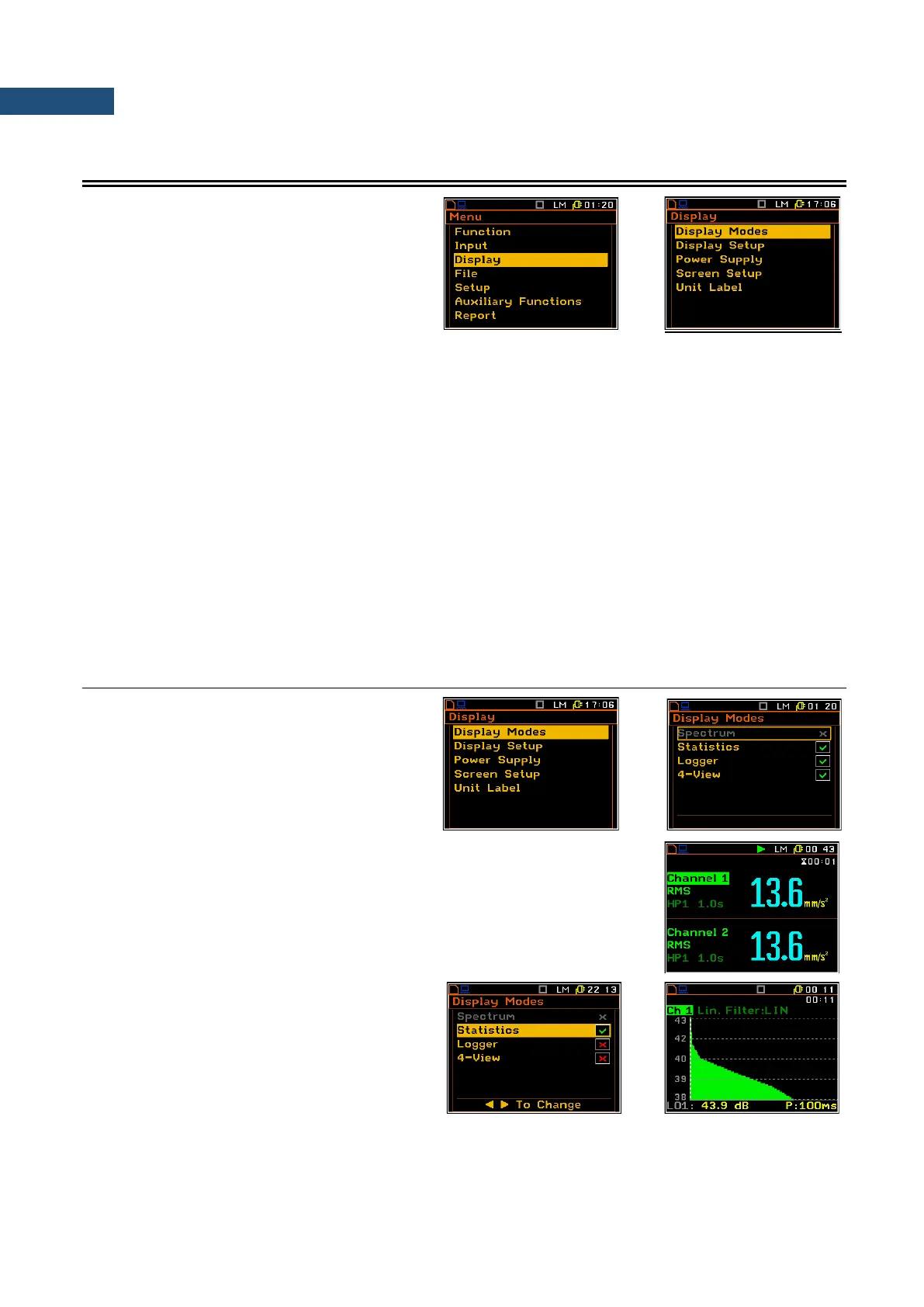
5 DATA AVAILABLE ON THE DISPLAY – Display
The Display list contains the elements that
enable the independent programming of the
display parameters. In order to open the
Display list the user has to press the <Menu>
key, select the Display text and press
<ENTER>.
The Display list is used for setting the various parameters, which are mainly dedicated for the control of the
screen display views. The list consists of:
Display Modes enables the user to select the mode of measurement results presentation;
Display Setup enables the user to change the scale in the graphical modes of result’s presentation,
to select the results presented as Total values, to choose the type of the presented
spectrum for each channel separately;
Power Supply enables the user to check the power source of the instrument and current power supply
voltage;
Screen Setup enables the user to set the brightness and the contrast of the display screen;
Modem Status enables the user to check the status of the modem. This position appears in the
SVAN 958A Firmware supporting modem and when the GPRS function is switched on;
Unit Label enables the user to check the type of the instrument, its serial number and the current
software version installed and the standards the instrument fulfils.
6.1 SELECTION OF THE MODES OF MEASUREMENT RESULTS PRESENTATION – DISPLAY MODES
The Display Modes list enables the user to
switch on or off the currently available modes
of displaying the results of measurement. The
mode of the results presentation is related to
the selection of the instrument’s function: Level
Meter (LM) or 1/1 Octave, 1/3 Octave or FFT
analyser, etc.
Two results of main presentation mode is always active and it is not possible to
switch it off.
When all display modes in the Display Modes list are switch off only the main
presentation mode with two results is available. Any attempt to switch to another
mode by means of the <Alt> and ▲ / ▼ key gives no results.
Statistics presentation mode
Statistics are calculated only for Profile 1 of
each sound channel.



 To Next Page