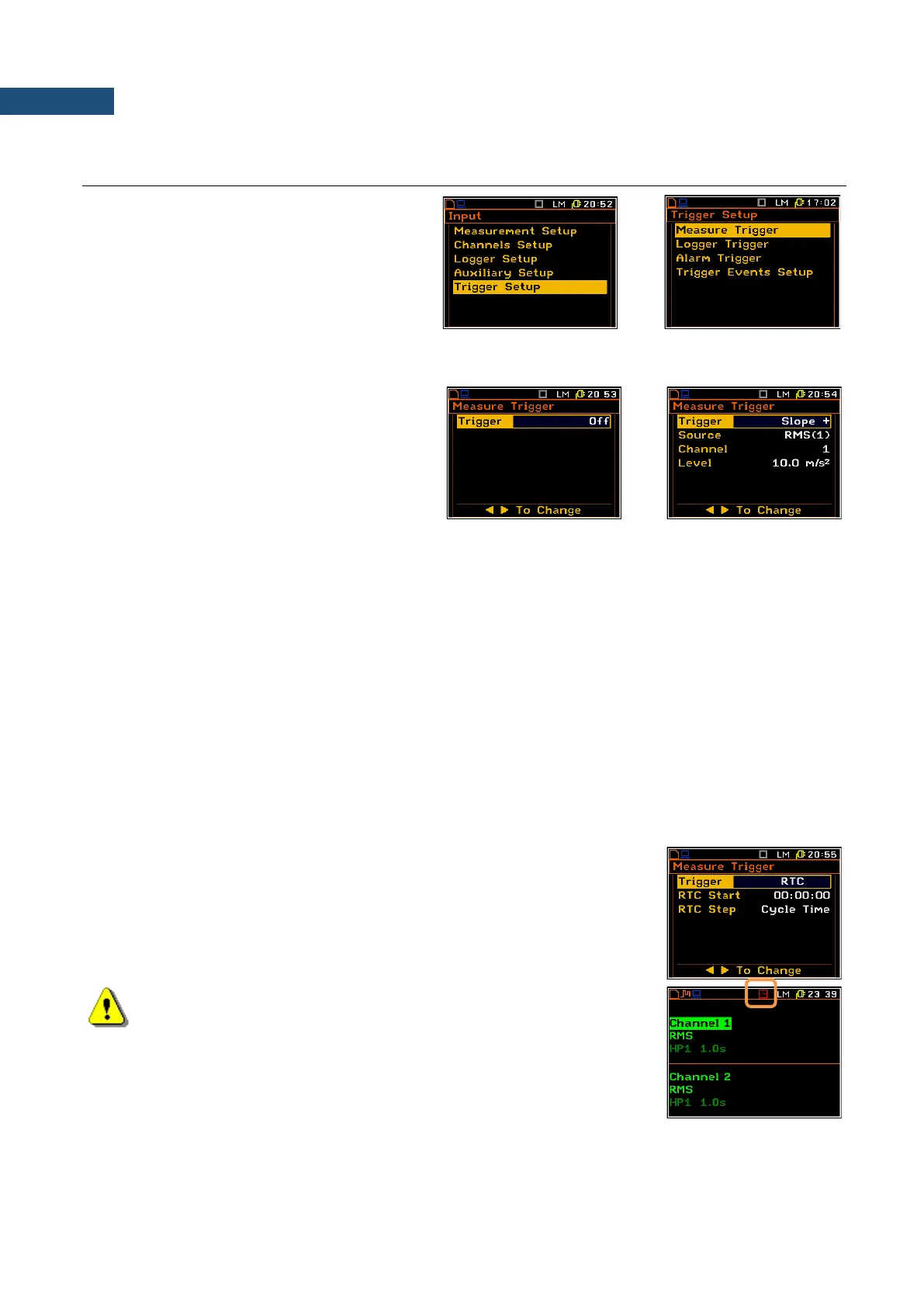
Switching the triggering on
The triggering is switched on if one of its seven
modes is selected: Slope +, Slope –, Level +,
Level –, Grad + or RTC.
In case the Slope + is selected, the measurement starts when the arising signal will pass the level determined
in the Level position. In case the Slope – is selected, the measurement starts when the falling down Source
value passes the level determined in the Level position. The measurement is stopped when the conditions set
in the Measurement Setup sub-list are fulfilled, after pressing the <Start / Stop> key or after receiving the
proper control code remotely.
In case the Level + is selected, in each second of the measurement the triggering condition is checked; the
measurement is registered only when the Source value has the greater level than this determined by the Level
position and in other cases the measurement result is skipped.
In case the Level – is selected, in each second of the measurement the triggering condition is checked; the
measurement is registered only when the Source value has the lower level than this determined by the Level
position and in other cases the measurement result is skipped.
In case the Grad + is selected, in each second of the measurement the triggering condition is checked; the
measurement is registered only when the Source value has the greater level than this determined in the Level
position and the speed of the signal changes is not less than that selected in the Gradient position. In other
cases the measurement result is skipped.
In case RTC (Real Time Clock) is selected, the trigger condition will appear in
time set in the RTC Start position. The measurement is repeated with the step
selected in the RTC Step position. The number of repetition is the number of
cycles set in the Cycles Number (path: <Menu> / Input / Measurement Setup).
Note: If the instrument works with the switched on triggering, the
appropriate icon will appear in the upper the displayline and an icon
will stay untill the triggering condition fulfilled.



 To Next Page