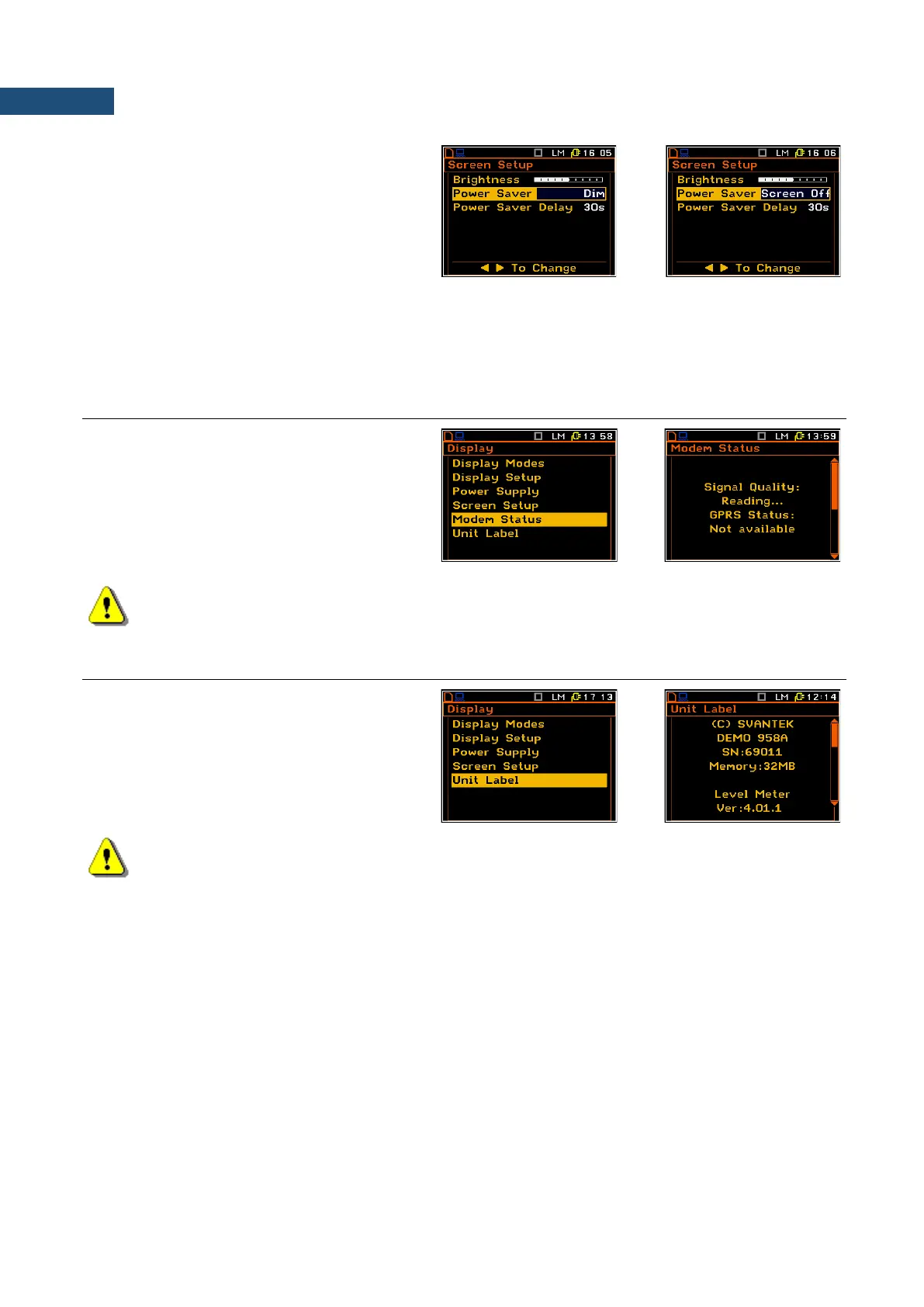
Power saver
Saving the internal source of the instrument’s
power can be achieved by reducing the
brightness of the screen whenever possible.
There are two types of the Power Saver
functions. The screen may be switched off
(Screen Off ) or dimmed (Dim). After a delay,
set by Power Saver Delay, from pressing any
key the screen is dimmed or switched off. If it
has happend, the first press of any key will
switch on the screen again.
6.5 CHECKING THE MODEM STATUS – MODEM STATUS
The Modem Status position appears in the
SVAN 958A Firmware supporting modem
and when the GPRS function is switched on
(path: <Menu> / Setup / Wireless Com. /
Network Setup / GPRS: on). It enables the
user to check the status of the modem. The
displayed text is scrolled on the display after
pressing ▲ and ▼.
Note: Before swith on the GPRS modem it is necessary to swith on the RS232 interface (path:
<Menu> / Setup / USB Host Setup).
6.6 CHECKING THE SPECIFICATION OF THE INSTRUMENT – UNIT LABEL
The Unit Label position enables the user to
check the model number of the instrument, its
serial number, the current software version
installed in it and the relevant standards,
which the instrument fulfils.
The displayed text is scrolled on the display
after pressing ▲ and ▼.
Note: The contents of the Unit Label list should be always sent to Svantek local service department
or official representative in case of any problems faced by the user during the instrument’s normal
operation in the field.



 To Next Page