7.6 TURNING OFF INSTRUMENT DUE TO LOW EXTERNAL VOLTAGE – EXT. POWER SETUP
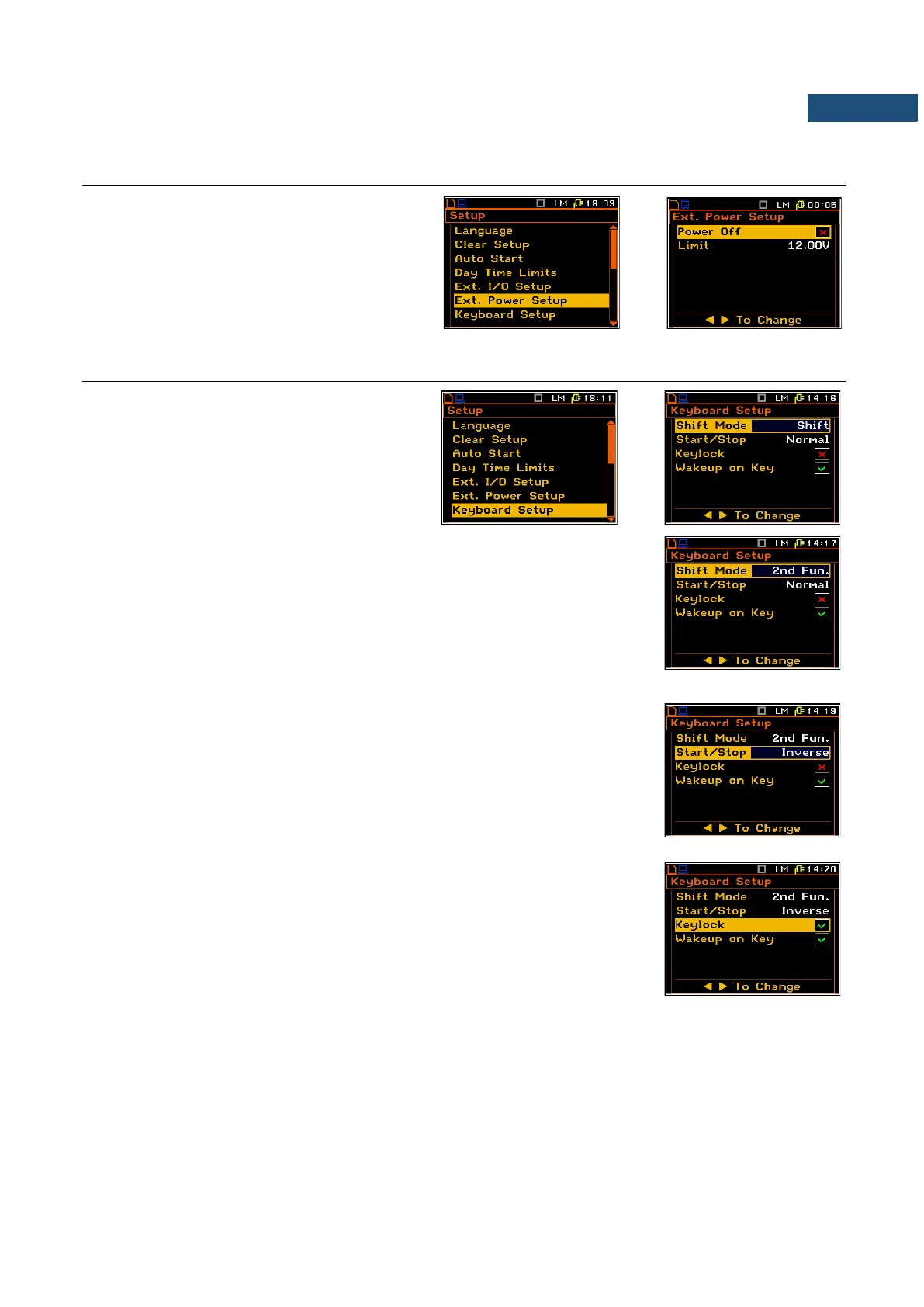
The Ext. Power Setup item allows setting the
minimum voltage of the external DC power
source, when the instrument should be
switched off automatically (Power Off) when
the voltage of the external DC power source
will be below the Limit level.
7.7 PROGRAMMING KEYBOARD – KEYBOARD SETUP
The Keyboard Setup sub-list enables the
user to programme the operation mode of the
<Shift>, <Alt> and <Start/Stop> keys and to
set the Keylock option.
<Shift> / <Alt> key mode
In the Shift Mode position the user can choose between 2nd Fun. and Shift.
When the Shift option is selected, the <Shift> and <Alt> keys operate as in
the keyboard of a computer – in order to achieve the desired result, the
second key has to be pressed at the same time as with <Shift>/<Alt>. When
the 2nd Fun. option is selected the <Shift>/<Alt> keys operate in the
sequence with the other one. This enables the user to use only one hand to
operate the instrument.
<Start/Stop> key working mode selection
In the Start/Stop position the user can choose between Normal and Inverse.
When the Normal option is selected the instrument reacts on each of the
<Start/Stop> key pressing, starting or stopping the measurements.
When the Inverse option is selected the <Start/Stop> key operates in
conjunction or in a sequence with <Shift>. The measurements are started or
stopped after pressing both keys.
Keylock option
If you check the Keylock position you will be able to lock / unlock the
keyboard with the ▲ and ▼ keys pressed simulntaneously.
Wakeup on Key option
If you check the Wakeup on Key position, then pressing any key will
deactivate the screensaver.
If you uncheck the Wakeup on Key position, pressing any key will have the
same meaning as when the screensaver is off.



 To Next Page