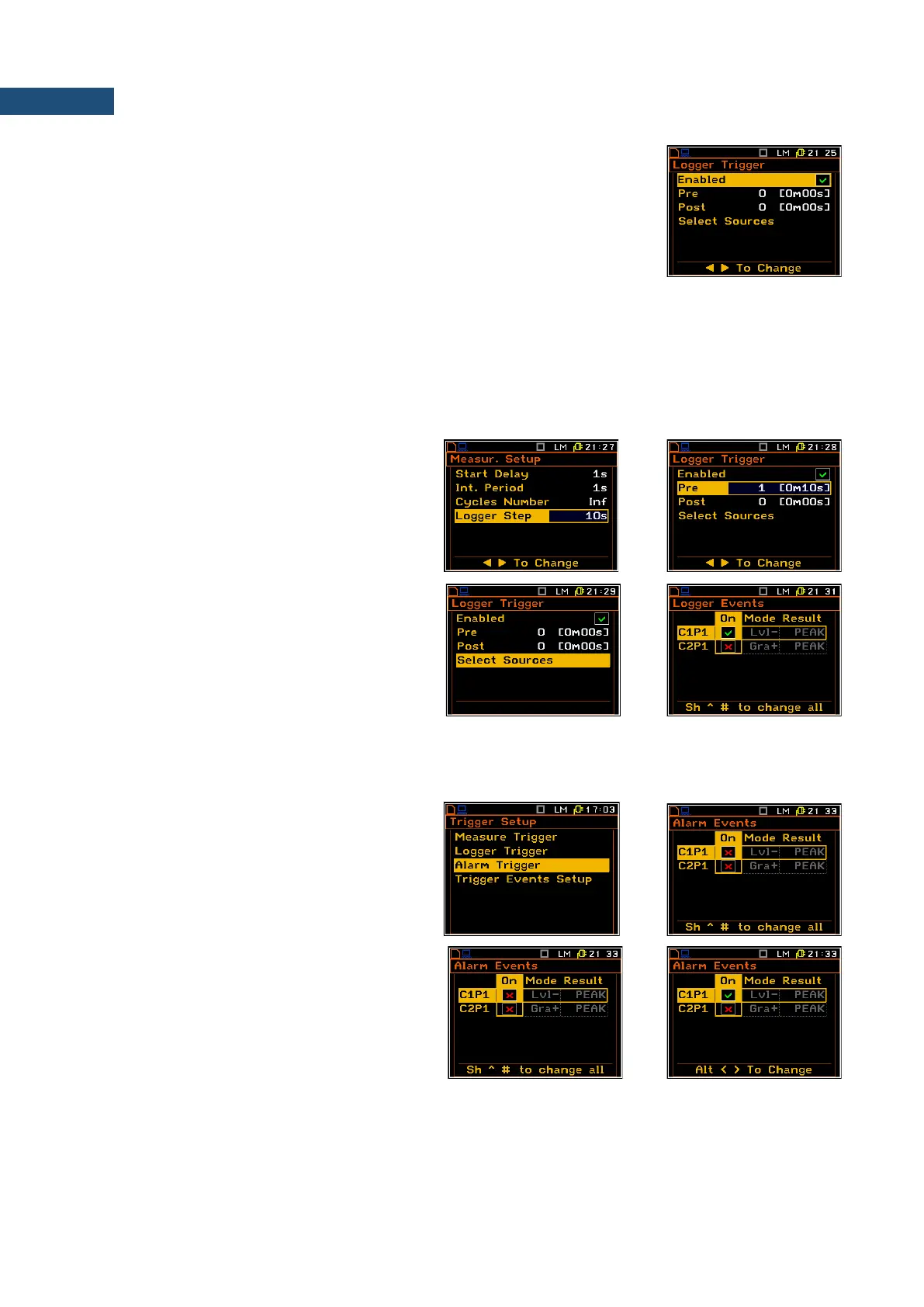
In the Logger Trigger sub-list the user may switch off or on (Enabled) the
logger triggering, determine the parameters of the triggering signal
(Select Source), select the number of the results saved in the logger before
the fulfilment of the triggering condition (Pre) and the number of the results
saved in the logger after the fulfilment of the triggering condition (Post). If the
triggering condition is fulfilled, the logger contains:
• the measurement results registered directly before the fulfilment of the triggering condition. Time of this
recording can be calculated by multiplying the value set in the Pre position by the time period taken from
the Logger Step position (path: <Menu> / Input / Measurement Setup);
• all measurement results up to the moment the triggering condition disappears;
• the results registered directly after the moment the triggering condition disappears. Time of this recording
can be calculated by multiplying the value set in the Post position by the time period taken from the
Logger Step position (path: <Menu> / Input / Measurement Setup).
Pre and post trigger recording
In the Pre/Post line the number of the results
recorded in the logger’s file before/after the
fulfilment of the triggering condition can be set.
This number is within the limit 0..20 for Pre
trigger and 0..200 for Post trigger.
Triggerring conditions selection
The Select Sources position enables the user
to define the logger events that can be used as
a triggering conditions. The logger events are
defined in the Trigger Events Setup list (path:
<Menu> / Input / Trigger Setup /
Trigger Events Setup). To open this position
the user should select it and press <ENTER>.
4.5.3 Alarm trigger setting – Alarm Trigger
The Alarm Trigger position enables the user
to program the trigger, which generates alarm
pulse on the I/O socket, if the Mode parameter
of the Multifunction I/O list is set to
Digital Out.
The Alarm Trigger position opens the list with
alarm events that can be used as a triggering
conditions for alarm pulse. The alarm events
are defined in the Trigger Events setup list
(path: <Menu> / Input / Trigger Setup /
Trigger Events Setup).



 To Next Page