If the Sound intensity function is selected the instrument operates as the FFT analyser and the Level Meter
and in addition performs calculation of crosspower spectrum.
The sound intensity measurement involves the use of two microphones located close to each other, normal to
the direction of sound energy flow. A signal analyser is used to compute the crosspower between the measured
pressures and the sound intensity is derived from (proportional to) the imaginary part of the crosspower.
The special probe with 2 microphones is used for Sound intensity measurement. Microphones are usually
named as A and B. The distance between microphones is an important parameter.
14.1 SELECTION OF SOUND INTENSITY FUNCTION
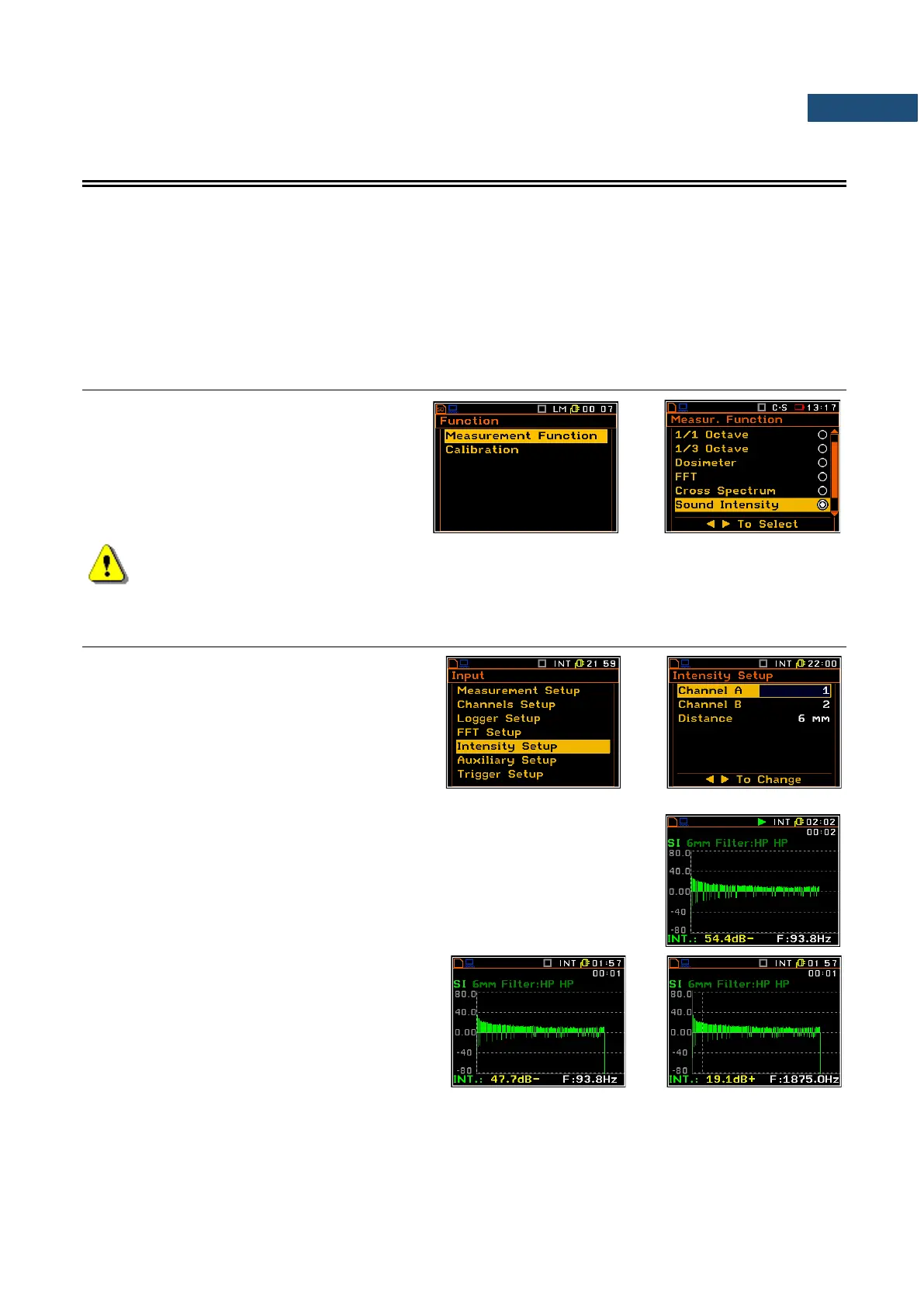
To select the Sound Intensity function, open
the Measurement Function screen, select
the Sound Intensity option, mark it with the
► key and press <ENTER>.
Note: It is not possible to change the current function while a measurement is taking place.
In this case the instrument displays for about 2 seconds the text ”Measurement in Progress”. In
order to change the current measurement function the instrument must be stopped!
14.2 SELECTION OF PARAMETERS FOR SOUND INTENSITY ANALYSIS – INTENSITY SETUP
When the Sound Intensity function is
selected in the Measurement Function list
(path: <Menu> / Function /
Measurement Function) the Intensity Setup
position appears in the Input list. This position
enales the user to select the channel for A and
B microphones and to define the distance
between the microphones.
The result of the Sound intensity is presented in the way of FFT spectrum. The
value of sound power is presented in dB, positive or negative depending on the
direction of flow.
The cursor position can be change by means of
the ◄ / ► key.



 To Next Page