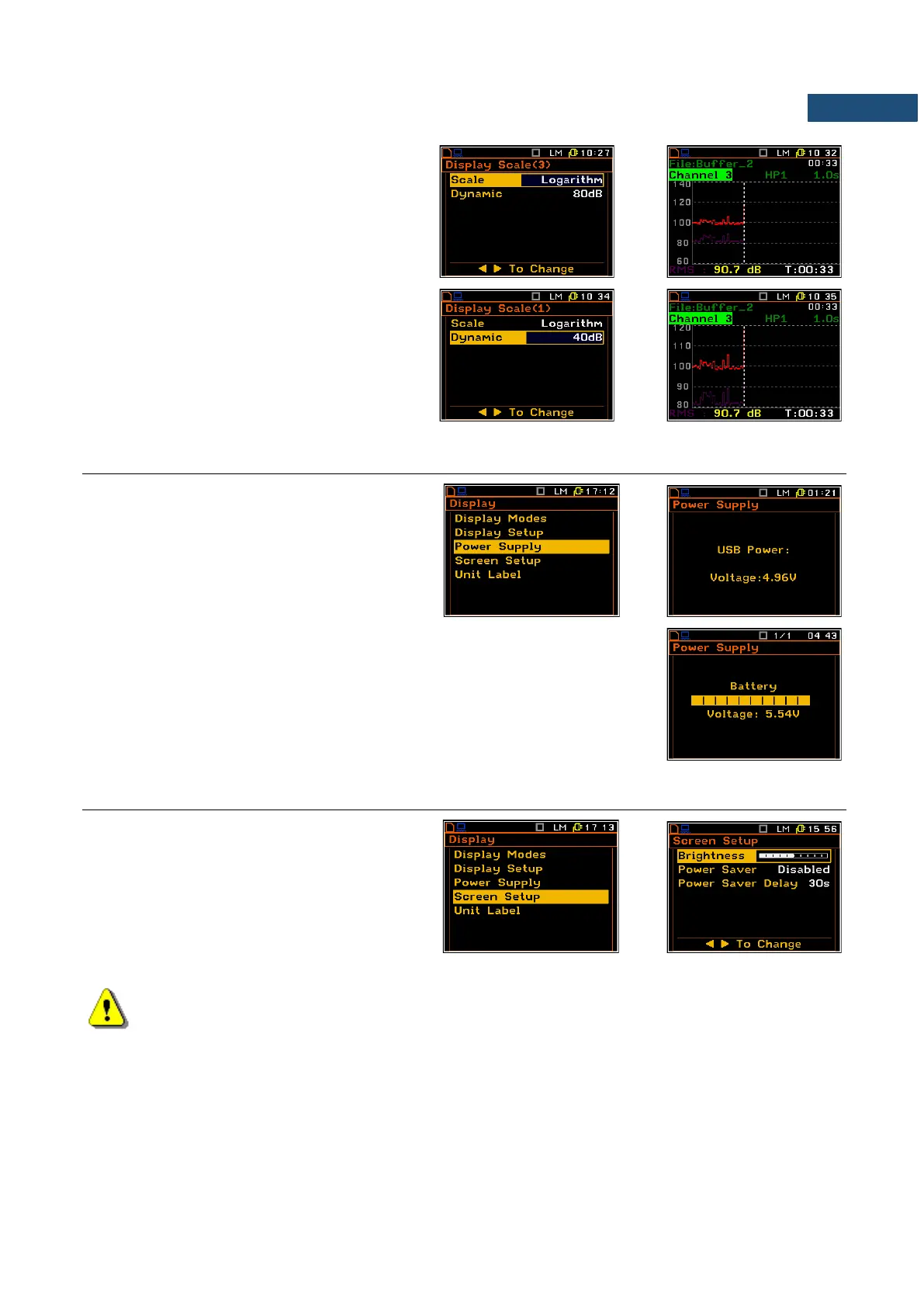
Scaling the vertical axis
If Scale is set to Logarithmic then the
Dynamic position enables the user to select
the required dynamic range scaling of the
graphical presentation mode. The user can
obtain double, four times and eight times
expansion of the vertical axis (the default
vertical axis corresponds to 80 dB, after
expansion it corresponds to 40 dB, 20 dB and
10 dB – respectively).
6.3 CHECKING THE INSTRUMENT POWERING – POWER SUPPLY
The Power Supply position enables the user
to check the power source of the instrument:
internal battery condition, source and voltage
of the external power supply, and also set the
battery type for checking their condition.
The instrument can be powered from four AA rechargeable or standard alkaline
batteries or from the USB interface when its USB Device socket is connected
by means of the cable to a PC or USB power supply such as the SA 54. The
view presented on the display for each powering sources is different. The
current battery voltage is displayed together with its approximate charging (in
the graphical form).
6.4 SETTING THE DISPLAY BRIGHTNESS AND POWER SAVER – SCREEN SETUP
The Screen Setup list enables the user to set
the brightness of the display and power saver
function.
Display brightness
The Brightness enables the user to set the
proper brightness of the display by means of
the ◄ / ► key. The user can select 20
different values of this parameter.
Note: The new value of the brightness is confirmed after each press of the ◄ / ► key (new value is
selected without any confirmation from the <ENTER> key).



 To Next Page