Note: It is necessary to switch on the sound source before starting the measurement because of
the trigger requirements. If there it is necessary to start the instrument before switching on the
sound source it is recommended to use the higher Start Delay value.
Measurements with the use of Impulse method
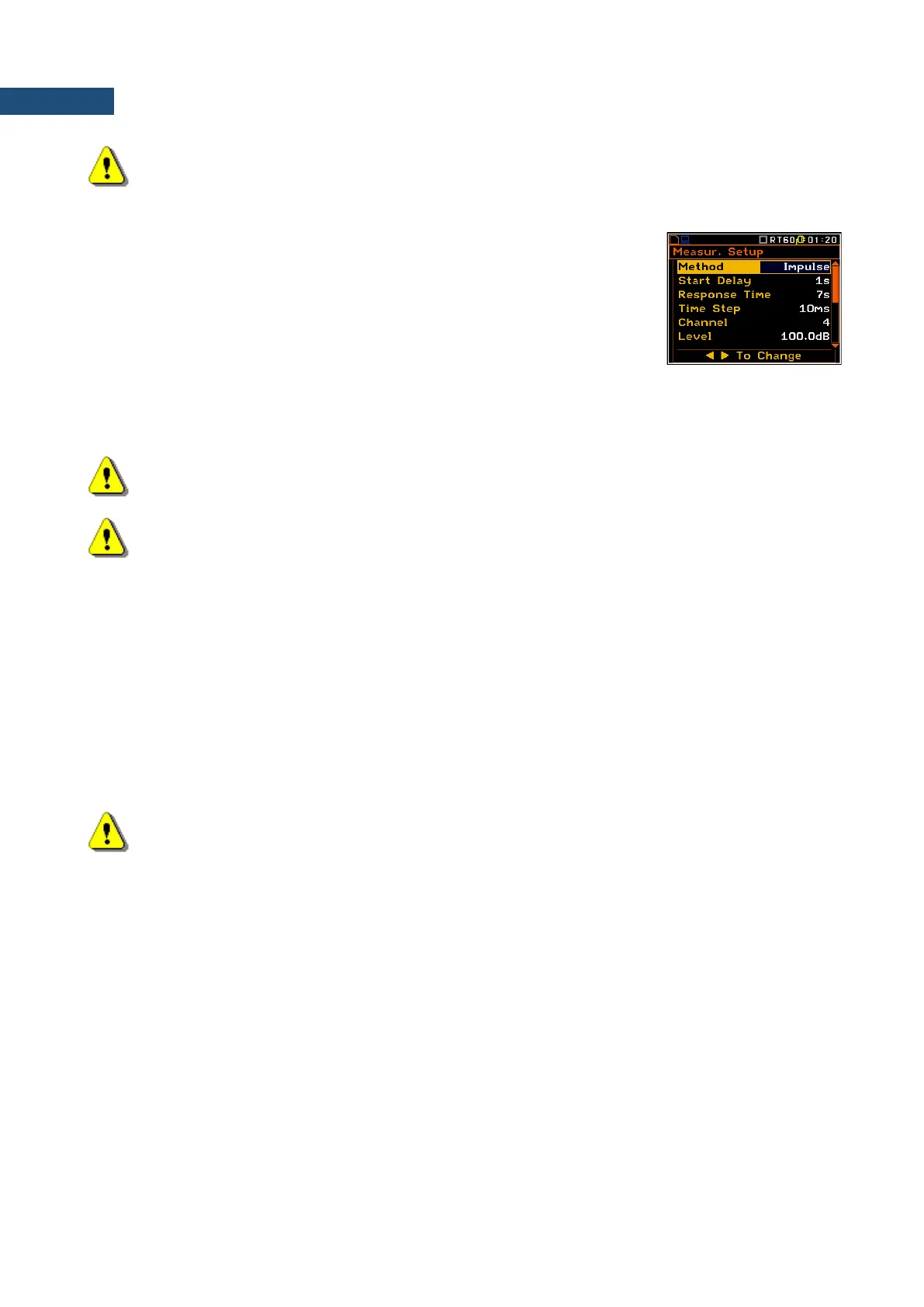
1. Set parameters for Impulse RT60 measurements. Most used setup is
presented below.
• Method: Impulse
• Response Time: 7s
• Time Step: 10ms
• Level: 100dB
• Averaging: On
• Smoothing: 3
• Noise Margin: 10.0dB
Note: The default measurement time of the decay curve registering (Recording Time) is
7 seconds. It can be insufficient in some applications. It is recommended to set this value to be at
least two times longer than expected reverberation time.
Note: The proper value of the sound level trigger threshold should be set well above
the background noise and significantly below the maximum sound level emitted by the impulse
source.
2. Place the microphone in one of the selected measurement points (for the measurement points location
see the reverberation time measurement ISO standard).
3. Start the measurement process by pressing the <Start/Stop> key. The display indicates that the
instrument is waiting for the trigger condition fulfilment.
4. Fire the impulse sound power source. If the trigger condition is fulfilled the instrument starts to collect
data.
5. After the data recording process ends, the instrument starts the calculation of the reverberation time
results.
6. To save results press the <Save> key or use the File menu option.
Note: During the data collections in the investigated room all other sources of sound should be
suppressed to not affect the measurements.
15.5 VISUALIZATION OF THE RT 60 MEASUREMENTS RESULTS
The RT60 measurement results for all 1/3 octave bands and three Total values can be viewed in three different
presentation modes:
1. Table of EDT, RT20, RT30 and User results;
2. Bar plot of EDT, RT20, RT30 and User results;
3. Plot of sound pressure level decay curves.
The user may switch between the presentation modes by means of the <Alt> and ▲ / ▼ key.



 To Next Page