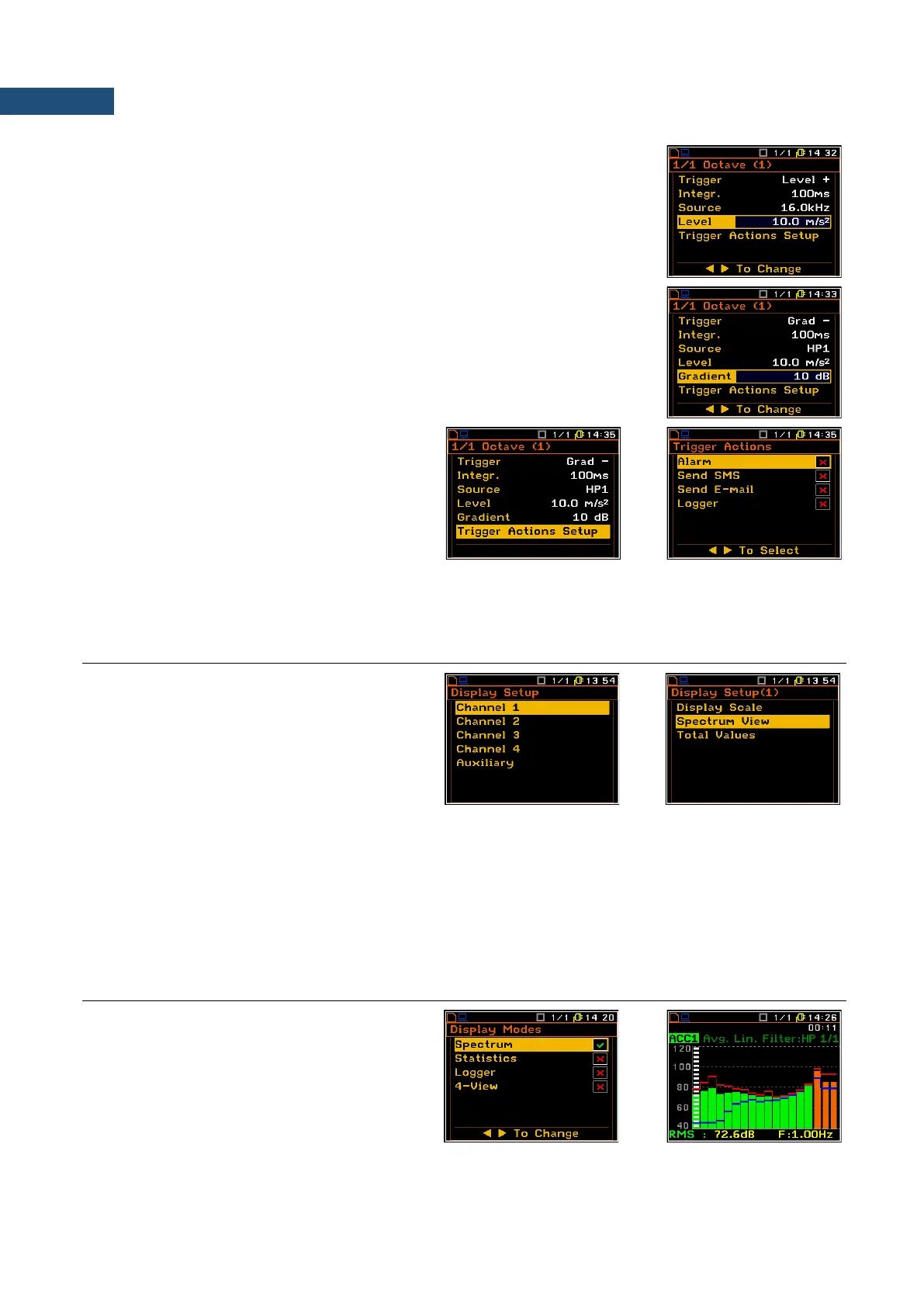
Threshold definition
The Level position enables the user to select the value of threshold for
triggering condition in therange of 60 dB to 200 dB for Sound input and of
1.00 mm/s
2
to 10.0 km/ s
2
for vibration input. The vibration units can be set in
the Display Scale window (path: <Menu> / Display / Display Setup /
Channel x / Display Scale).
Speed of the triggering signal change
The Gradient position appears when the Grad - or Grad + trigger is chosen.
The speed of the triggering signal changes can be set from 1 dB to 100 dB
range. Speed is defined as dB per Logger Step.
Selecting trigger actions
The Trigger Action Setup position enables the
user to select the trigger actions for defined
condition: Alarm, Send SMS, Send E-mail and
Logger.
If selected the trigger action will appear in the
Logger Events, Alarm Events,
SMS Alarm Conditions and
E-mail Alarm Conditions lists by default.
10.4 DISPLAY OPTIONS IN 1/1 OCTAVE AND 1/3 OCTAVE ANALYSIS MODE
The Display Setup list is used for setting the
various parameters which are mainly dedicated
for the control of the spectrum view. The
following lists contain the elements that
influence the presentation of the results of
1/1 Octave and 1/3 Octave analysis:
Display Modes enables the user to switch on the spectrum presentation mode;
Display Setup / Channel x enables the user to select options for spectrum presentation:
Display Scale to change the scale of the vertical axis of the graphical presentation;
Spectrum View to choose the type of the spectrum to be presented;
Total Values to select parameters for Total Values presentation.
10.5 PRESENTATION OF 1/1 OCTAVE AND 1/3 OCTAVE ANALYSIS RESULTS
The Spectrum position of the Display Modes
list is accessible with 1/1 Octave and 1/3 Octave
functions.
When Spectrum mode is switched on the
measurement screen in Spectrum visualisation
mode is as shown here.



 To Next Page