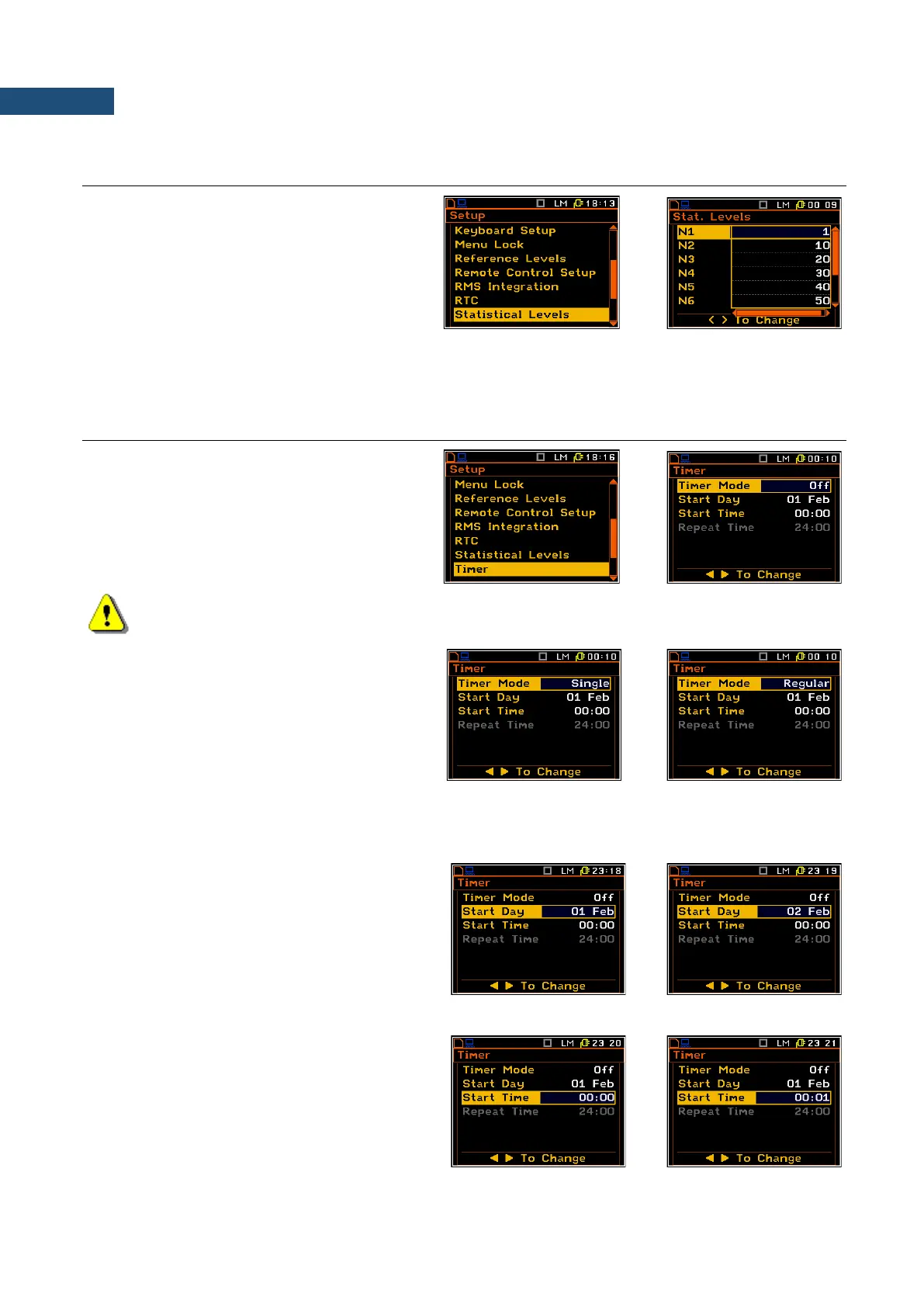
7.14 SELECTION OF STATISTICS LEVELS TO BE SAVED IN A FILE – STATISTICAL LEVELS
The Statistical Levels enables the user to
select ten statistics from one hundred
calculated in the instrument, which are to be
displayed and saved in a file together with the
main results of the measurements.
The next ststistical levels are defined by
default: 1, 10, 20, 30, 40, 50, 60, 70, 80 и 90.All
values should be in the range [1, 99]. Each
statistical level can be set independently from
others.
7.15 PROGRAMMING THE INSTRUMENT’S INTERNAL TIMER – TIMER
The Timer enables the user to programme the
internal real time clock trigger to act as a
delayed start timer. The instrument can be
switched on automatically (up to 1 month
ahead) at a pre-programmed time and perform
the measurement with the same settings used
before the instrument was switched off.
Note: After starting by the timer and performing series of measurements the instrument is not
switched off automatically. The instrument should be turned off manually!
Selecting the mode of the timer function
The timer can be switched off (Off), switched
on only once (Single), or switched on many
times regularly (Regular) with the period
between two consecutive measurements set in
the Repeat Time line as 24 hours. It means
that the instrument will be switched on once a
day at the same time until the user disables the
timer function.
If the instrument is switched on by means of Timer then the “clock” icon appears on the screen.
Day of the measurement start
The Start Day position determines the date for
the measurement to start. The timer can be
programmed up to one month ahead and
during the date setting the current state of the
Real Time Clock is taken into account. The
required date can be selected by means of the
◄ / ► key.
Time of the measurement start
The Start Time position determines the time
for the measurement to start. The required
hour and minute can be selected by means of
the ◄ / ► key.



 To Next Page