The Wave Recorder mode is an optional function of the SVAN 958A instrument, which is working in parallel
with the Level Meter and additionally provides signal recording directly on the USB disc in the common used
file format.
16.1 SELECTING WAVE RECORDER FUNCTION
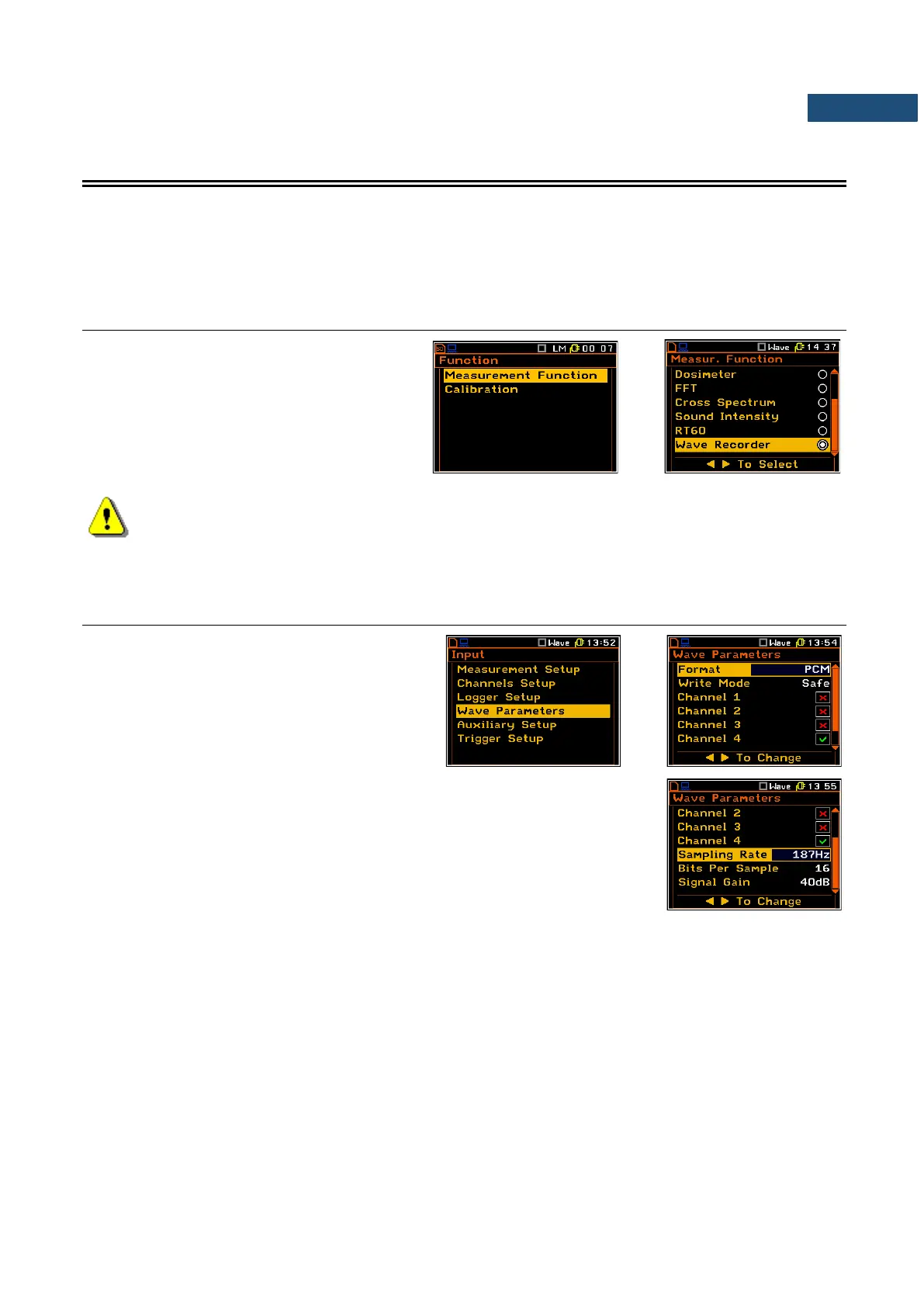
In order to select the Wave Recorder function
the user has to enter the Function list by
pressing the <Menu> key, then select the
Measurement Function position and open it
by pressing <ENTER>. In the
Measurement Function list the user has to
highlight the Wave Recorder option, mark it
by ► key and then press <ENTER>.
Note: It is not possible to change the current function while a measurement is taking place.
In this case the instrument displays for about 2 seconds the text ”Measurement in Progress”. In
order to change the current measurement function the instrument must be stopped!
16.2 CONFIGURING WAVE RECORDING PARAMETERS – WAVE PARAMETERS
When Wave Recorder function is selected in
the Measurement Function list the position
Wave Parameters is available in the Input list.
The Wave Parameters position opens the list, where it is possible to define the
format of wave recording (PCM or Extensible), select channels of signal
recording (Channel x), select the frequency of sampling (Sampling Rate:
187Hz, 375Hz, 750Hz, 1500Hz, 3000Hz, 6000Hz, 12kHz, 48kHz) and
Bits Per Sampling parameter (16 or 24). In case of 16 bits per sampling it is
possible to define also Signal Gain value (from 0dB to 40dB).



 To Next Page