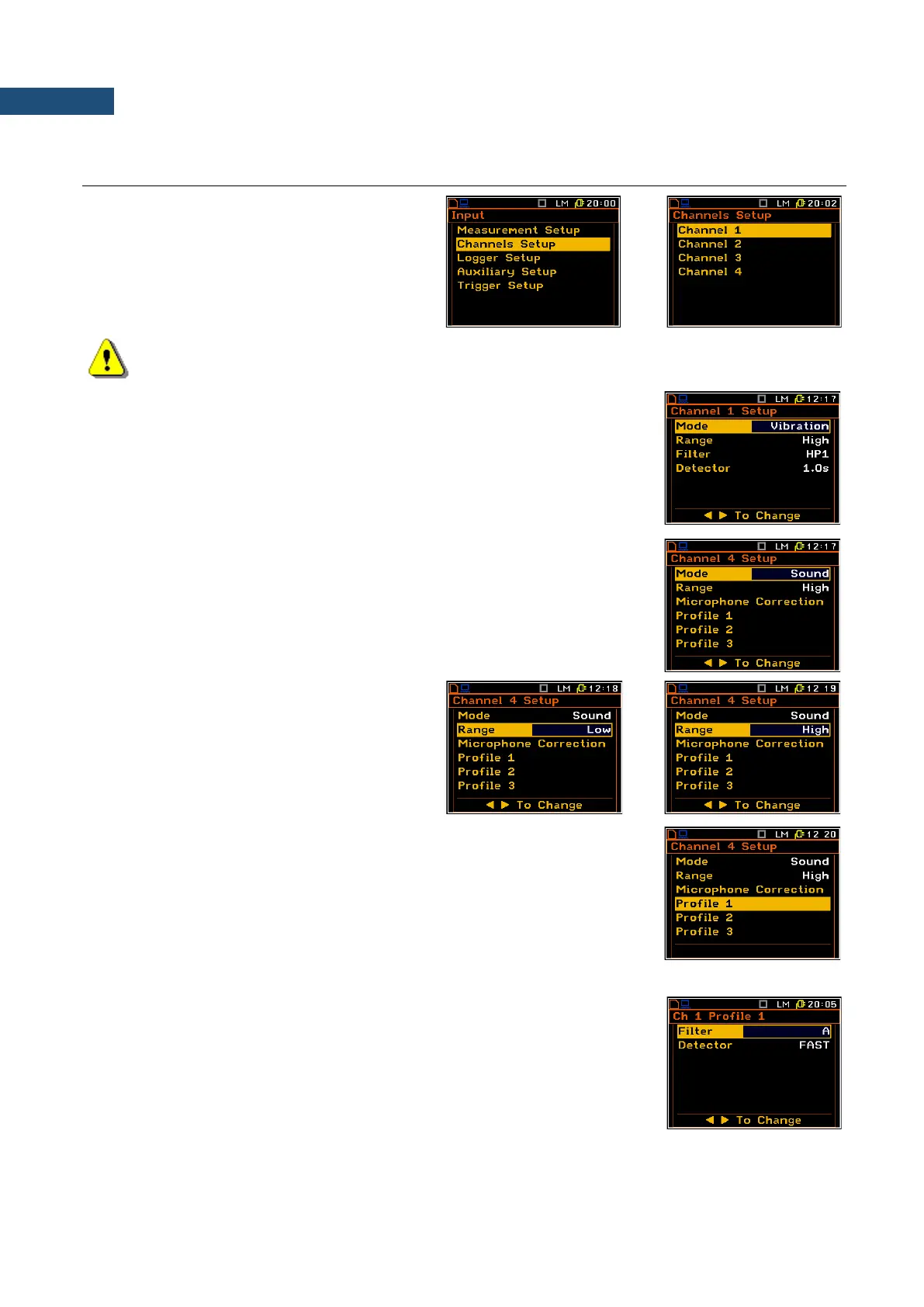
4.2 SETTING PARAMETERS FOR CHANNELS – CHANNELS SETUP
The Channels Setup position enables the user
to program four channels of the instrument.
Note: Changing the channel parameters is not possible when the measurement is running. The user
has to finish the current measurement.
Measurement mode
The Mode position defines the type of measurement for this channel: Vibration
or Sound.
In case of the vibration mode, you can select the measurement range (Range),
weighting filter (Filter) and detector time constant (Detector) in the same list.
In case of the sound mode, you can select measurement range (Range),
correction for used microphone (Microphone Correction) and to set weighting
filter (Filter) and detector time constant (Detector) for three profiles (Profile x).
Measurement range
The Range is used to set one of the available
measurement ranges in the instrument: Low and
High.
More detailed the ranges are described in the
Appendix С.
Weighting filter
The weighting filters selection way differs for the sound and vibration
measurement modes of the instrument.
In case of sound measurements the filter is selected in the Profile x list (path:
<Menu> / Input / Channels Setup / Channel x Setup / Profile x / Filter) where
the following filters are available:
• LIN Class 1 according to the IEC 61672-1 standard for “Z” filters,
• A Class 1 according to the IEC 651 and IEC 61672-1 standards,
• C Class 1 according to the IEC 651 and IEC 61672-1 standards,
• G Class 1 according to the ISO 7196 standard.



 To Next Page