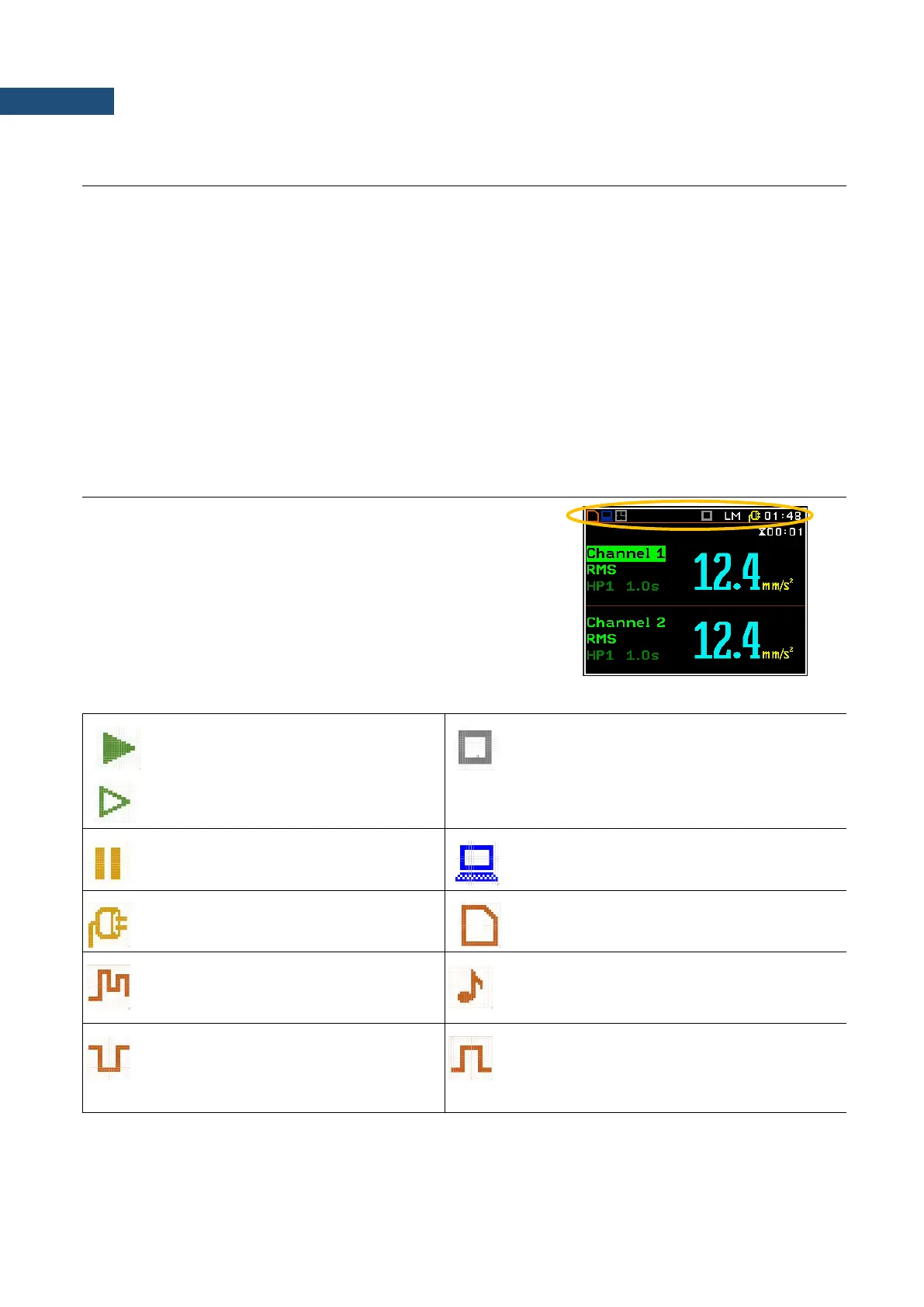
The default settings (set up by the manufacturer) for the channels are as follows:
Channel 1 - Vibration mode; 316 m/s
2
range; HP1 weighting filter, 1.0 s RMS detector;
Channel 2 - Vibration mode; 316 m/s
2
range; HP1 weighting filter, 1.0 s RMS detector;
Channel 3 - Vibration mode; 316 m/s
2
range; HP1 weighting filter, 1.0 s RMS detector;
Channel 4 - Sound mode; High range; no Microphone Correction; Profile 1: A weighting filter, FAST
RMS detector; Profile 2: C weighting filter , FAST RMS detector; Profile 3: LIN weighting filter,
FAST RMS detector.
The user can change all the above mentioned settings using the Channel x lists (path: Menu / Input
Channels Setup / Channel x). The instrument remembers all made changes. Return to the default settings (set
up by the manufacturer) is possible after the execution of the Factory Settings position available in the
Auxiliary Setup list.
Description of the instrument state
Additional information about the instrument’s state is given by
means of the row of icons visible in the top of the display.
The type of measurement function and the measurement mode
(LM, 1/1, 1/3 etc.) as well as real time clock (RTC) is also displayed
in the same line together with icons.
The meanings of the icons are as follows:
“measurement” icon is displayed when
the measurement is running, and the icon
shape is changing from self to contoured.
“stop” icon is displayed when the measurement
is stopped.
“pause” icon is displayed when the
measurement is paused.
„USB” icon is displayed when there is a
successful USB connection with the PC.
“plug” icon is displayed if an external
power is connected to the 7-16V socket.
“Internal memory” icon is displayed when
internal memory is assigned for file saving.
„logging” icon is presented when current
measurement results are logged into the
logger file.
„wave” icon is displayed when the wave
recording is active (wave files with extension
WAV are saved automatically).
„level-” icon is displayed when the “Level-
” trigger is waiting for a condition fulfilment.
The icon appears alternately with the
„measurement”, „logging” or „wave” icons.
“level+” icon is displayed when the “Level+”
trigger is waiting for a condition fulfilment. The
icon appears alternately with the
„measurement”, „logging” or „wave” icons.



 To Next Page