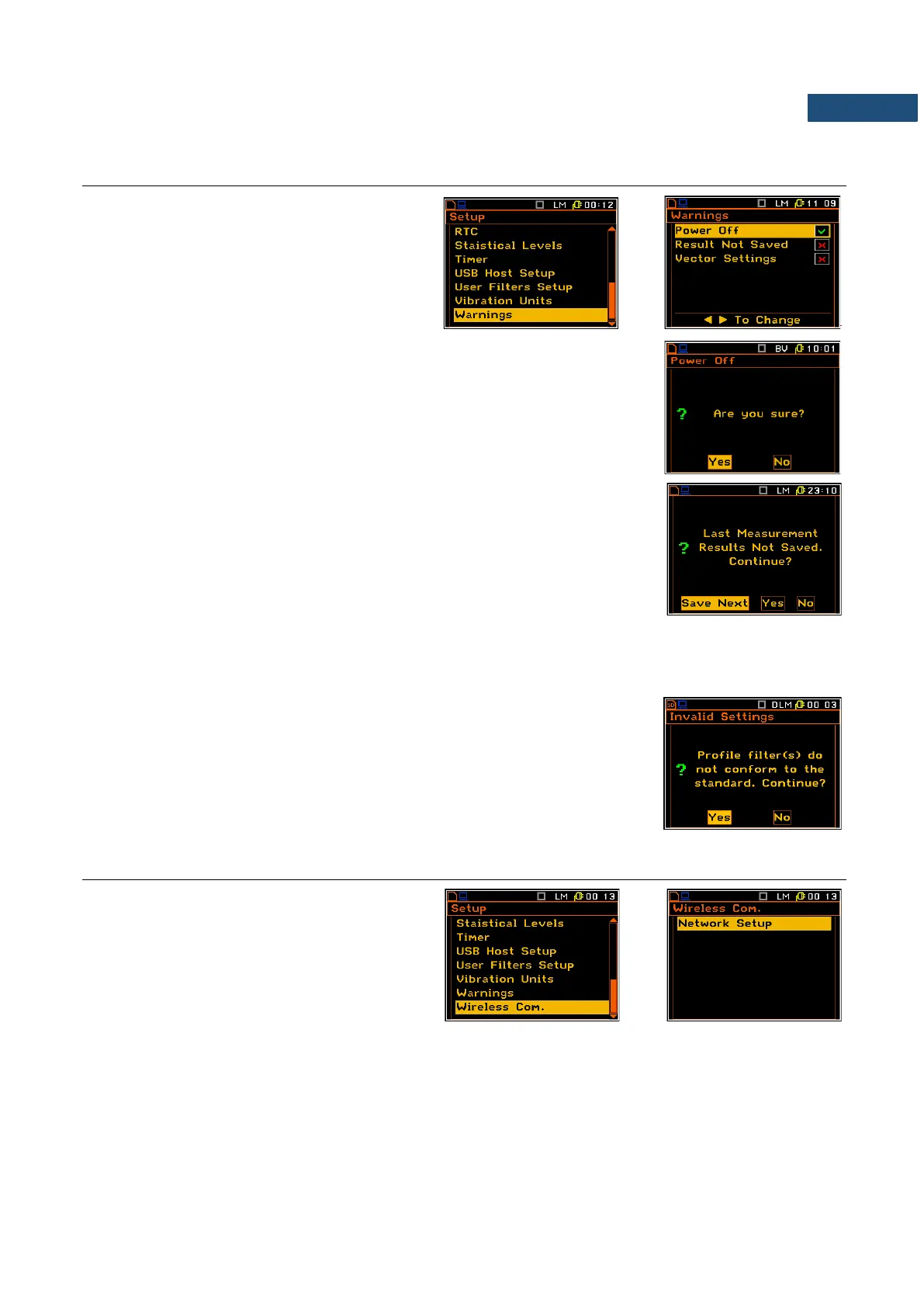
7.19 WARNINGS SELECTION – WARNINGS
The Warnings sub-list enables the user to
select the messages, which could be
displayed during the normal operation of the
instrument.
If the Power Off parameter is switched on, the special warning is displayed in
case you attempt to turn the instrument off.
You should select Yes or No and press <ENTER>.
When the Results Not Saved position is swithed on the special warning is
displayed after pressing the <Start/Stop> key if the result of the previous
measurement was not saved in a file.
The question Continue? appears with the warning message. There are three
options: Yes, No or Save Next. If Yes is chosen, the instrument returns to the
active mode of result presentation starting the new measurement process. If
No is chosen, the instrument returns to the active mode of measurement
result’s presentation without starting the new measurement process.
If Save Next option is chosen, then the measurement results are saved with the previous name with increased
by one number.
The vector settings warning
When the Vector Settings position is swithed on the special warning is
displayed if the Mode parameter, selected in the Vector 1-3 or Vector 4-6 lists,
do not conformed to the standard.
7.20 PARAMETERS OF REMOTE COMMUNICATION – WIRELESS COMMUNICATION
The Wireless Com. position enables the
user to select the network type and set the
parameters of the data transmission.
This position appears in the SVAN 958A
Firmware supporting modem.



 To Next Page