The user may zoom in/out the frequency scale
at the cursor position by means of the ◄ / ►
key, pressed with <Shift>.
12.5 SETTING THE SCALE OF THE SPECTRUM RESULTS PRESENTATION – DISPLAY SCALE
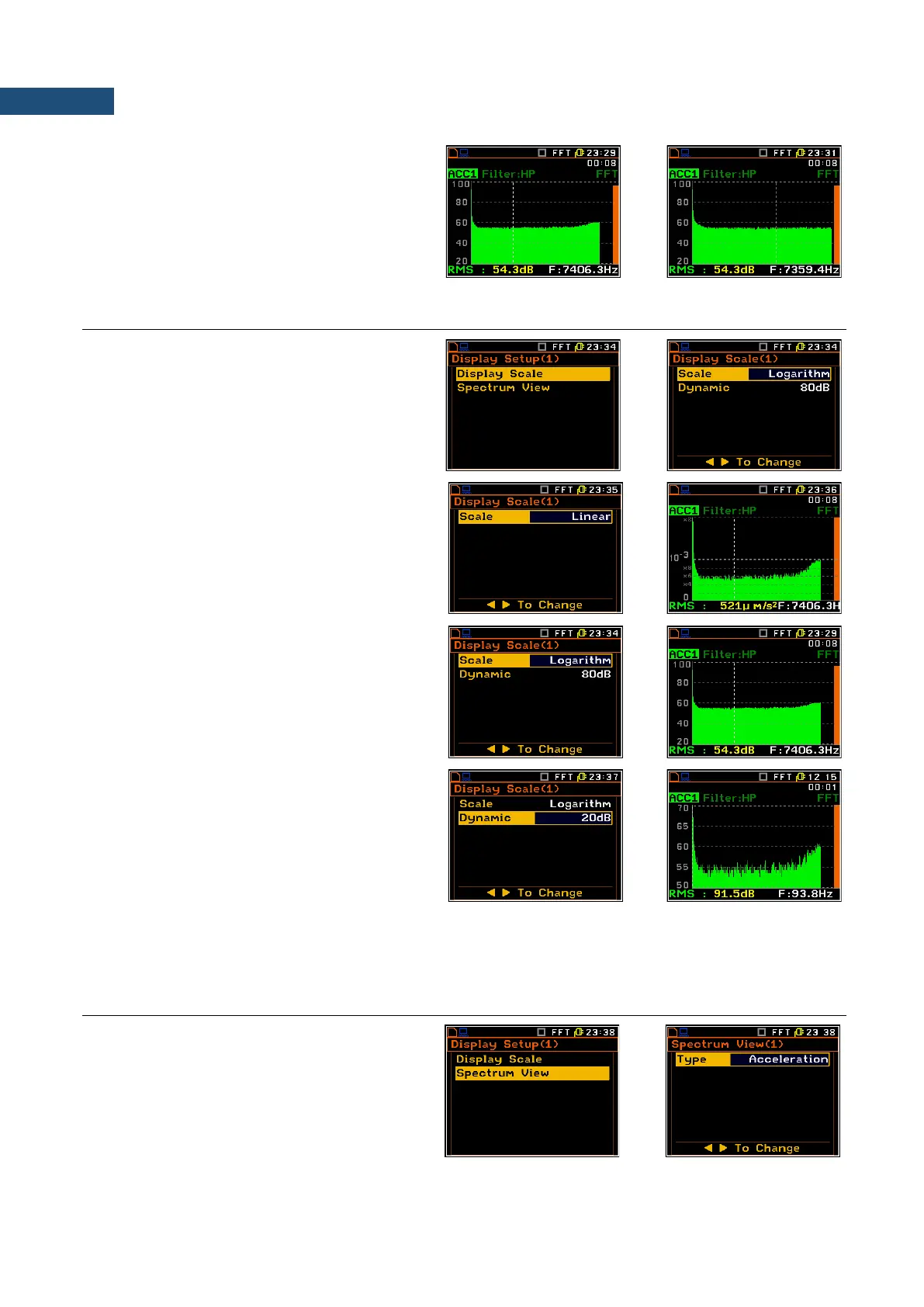
The Display Scale sub-list enables the user
to change the Y-axis scale in the spectrum
presentation mode for each channel
separately.
Scale of the measurement results
presentation
Two options are available for the Scale
position: Linear and Logarithm.
In case of Linear the Y-scale of spectrum
presentation is linear.
In case of Logarithm the Y-scale of spectrum
presentation is logarithmic and the
measurement results are expressed in
decibels (the results are related to the values
set up in the Reference Level sub-list (path:
<Menu> / Setup / Reference Levels).
Scaling the vertical axis
If Scale is set to Logarithmic then the
Dynamic position enables the user to select
the required dynamic range scaling of the
graphical presentation mode. The user can
obtain double, four and eight times expansion
of the vertical axis (the default vertical axis
corresponds to 80 dB, after expansion it
corresponds to 40 dB, 20 dB and 10 dB –
respectively).
12.6 SETTING PARAMETERS OF THE SPECTRUM PRESENTATION – SPECTRUM VIEW
In the Spectrum View list the user can select
the spectrum type for vibration input
(Acceleration, Velocity or Displacement) or
to view type of spectrum for sound input
(RMS).



 To Next Page