The statistics are not calculated for the vibration measurements.
Note: This position was created to save the memory of the instrument in the case when
the knowledge of the statistics is not necessary. Each registration of the statistics requires 600 bytes
of the memory!
Saving minimum and maximum values in the spectrum
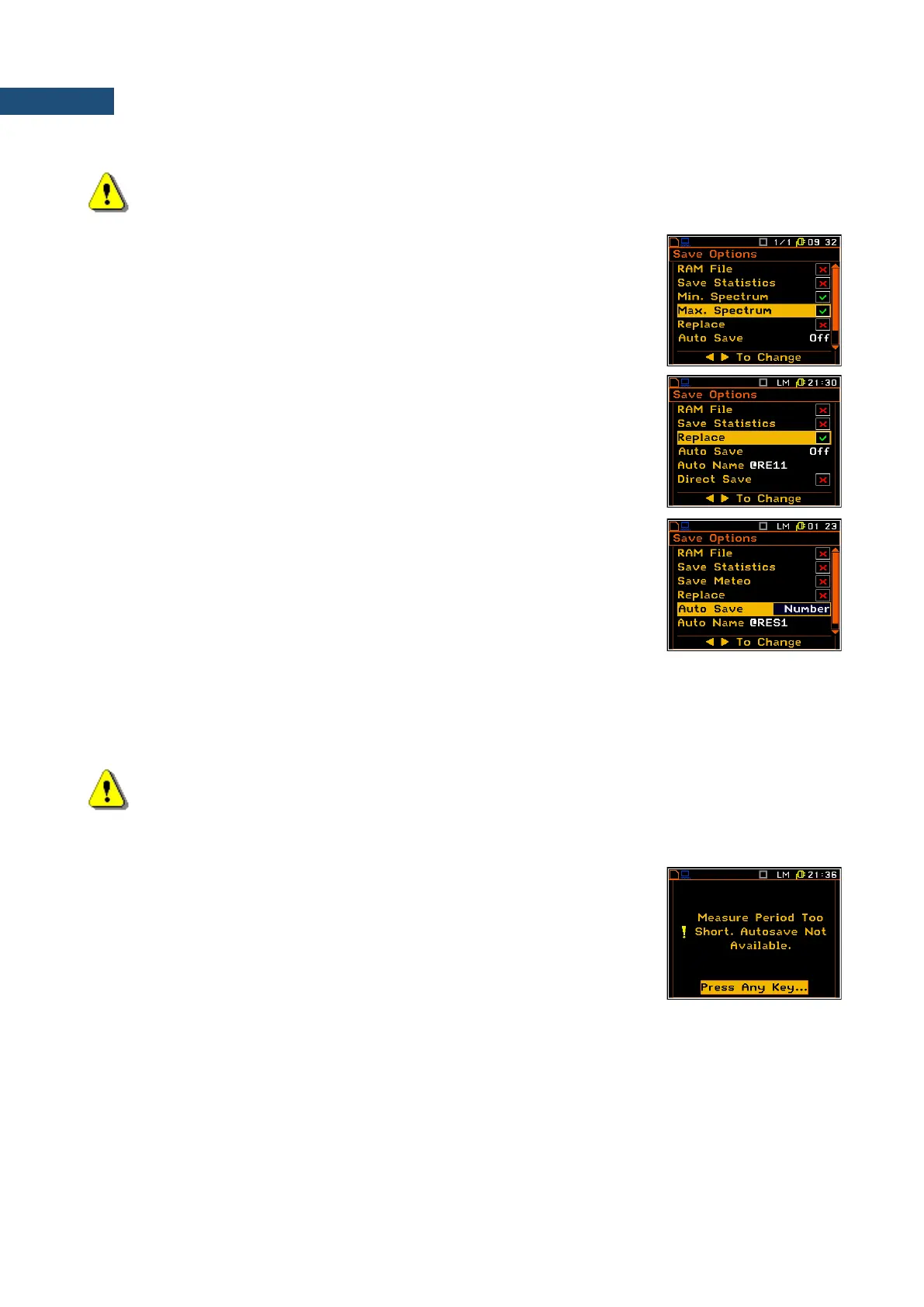
The Min Spectrum or/and Max Spectrum appears on the display in case of
1/1 Octave and 1/3 Octave mode and it enables the user to save the lowest
or/and highest values of the instantaneous spectrum (calculated with 100-
milliseconds time step), which occurred during the Int. Period set in the Input
list (path: <Menu> / Input / Measurement Setup)
Replacing existing files
The result of the attempt to save the file with the name, which already exists
in the memory, depends on the setting of the Replace parameter. It is
possible to erase the old file and to save the new one with the same name if
the position is active. The message is displayed that such operation is not
available in case when this position is not active – see the description of the
Save function.
Controlling measurement results savings
Using the Auto Save the user can set the self-saving of the measurement
results or to switch off this possibility. This position was also established in
order not to waste too much memory of the instruments when the self-saving
is not necessary.
The window for the edition of the base name for the self-saved files is opened
(the Auto Name) after pressing the <ENTER> key in the case when the
Auto Save position is activated. The name of the Auto Save files is up to
eight characters long starting with the special character @.
When Auto Save is switched to Number the Save Meteo position appears
in the list. If this position is switched on the meteo results from meteo station
will be saved by Auto Save function.
Note: The Auto Save function can be performed only in case when the Int. Period value (path:
<Menu> / Input / Measurement Setup) is not less than 25 seconds. If it is less than 25 seconds, the
measurement results are not saved and this is indicated with the message! There is only one
exception - when the Repetition Cycles number (path: <Menu> / Input / Measurement Setup) is
equal to one, the Auto Save function is executed disregarding of the value of the integration period.
When the Int. Period is too short for the Auto Save option or the
Repetition No. is not equal to one the following message appears on the
display.
When the Auto Save option is active, after starting the measurements by pressing the <Start/Stop> key the
results are saved in the file with the selected name.
Another measurement is started after pressing the <Start/Stop> key again. The measurement is stopped after
the selected Meas. Cycle Time (path: <Menu> / Input / Measurement Setup). The numbers of the next saved
named files are automatically incremented by one. The same remarks are valid in this case as already stated
in the description of the Save Next function.



 To Next Page