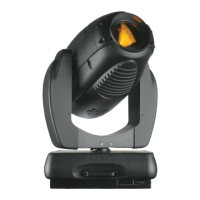
VARI❋LITE® - VL3500™ WASH LUMINAIRE SERVICE MANUAL
28 02.9686.0010 0
Color/Dimmer/Strobe Assembly Replacement
VL Part No: 21.9686.0400
Repair Procedure
Step 1. Disconnect luminaire AC input cable from power source. As shown in Figure 2-7, stand the
luminaire on the upper enclosure. Use the orientation of the backcap label to determine the
top and bottom of luminaire head.
WARNING: Before performing this modification, remove all power sources from the luminaire.
Step 2. Loosen the four quarter-turn fasteners and remove the top head cover. Likewise, remove the
bottom head cover.
Step 3. Tilt the luminaire so the top of the backcap faces upward and front lens points downward.
The Head-cable Interconnect must be facing up and the fans facing down.
CAUTION: Be careful not to damage wiring during the next step.
Step 4. Note the location of the wire ties on the head cable assembly. Carefully cut the two wire ties
that hold head cable assembly together. Cut the two wire ties that attach the head cable
assembly to the Color/Effect/Strobe module.
Step 5. At the Head Cable Interconnect, disconnect the head cables from both sides of the headers
(4 cables). Disconnect the fan cable connector.
Step 6. At the yoke on the MCB side, remove four 6-32 x 5/16" PPB screws and remove the yoke
cover. Carefully pass the cable assemblies you disconnected in Step 5 back through the tilt
tube.
Step 7. As shown in Figure 2-7, remove the four 6-32 x 3/8" PPZ SEMS screws that hold the Color/
Effect/Strobe module to the two attachment points on each side rail.
CAUTION: Be careful not to damage the wires or the module during the next step.
Step 8. To clear the opening between the attachment points on the right side rail, lift the Color/
Effect/Strobe module up and tilt it slightly toward the rear to enable the two motors on the
bottom of the module to pass through the openings between the attachment points.
Step 9. Replace color/dimmer/strobe assembly in reverse order.


 To Next Page