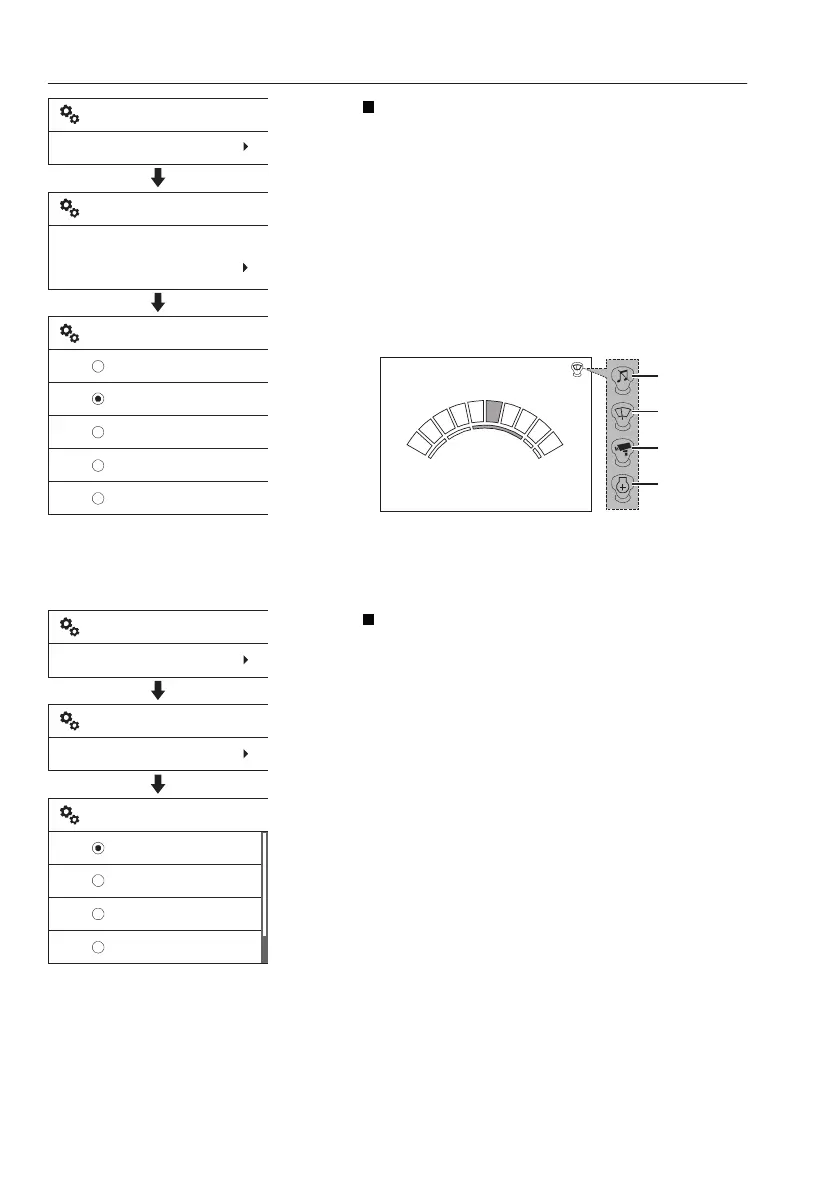
Joystick shortkey: Operator can use a function
easily with a button of the left control lever. See
page
95
for the position of the button.
It also allows selection of a function from 5
different functions. The operator can select a
function from 5 different functions with the
arrow buttons. When pressing the SELECT
button, the marked function is set. The screen
reverts to the former screen displaying the
name of the newly selected item.
Also the selected item is displayed with a
symbol on the IC (Instrument Cluster).
15:56
G
I
F
H
P
1600 rpm
V1140821
1
2
3
4
1 Audio mute
2 Wiper
3 Camera
4 Power max
Language
Supported languages are listed in the screen in
the form of their own languages.
Use the arrow buttons to scroll up and down to
find your specific language. Press the SELECT
button to select the chosen language. The
screen reverts to the former screen displaying
the newly selected language.
V1137902
Setup
Joystick shortkey
Set joystick shortkey:
Audio mute
Joystick shortkey
None
Camera
Power max
Audio mute
Wiper
Set joystick shortkey
V1137903
Setup
Language
Language
English
English
Deutsch
Español
한국어
Language select
60
Instrument panels
Display unit


 To Next Page
 Loading...





