Chapter 1 Overview
Menu fields
WCDMA Options Version 6.20
23
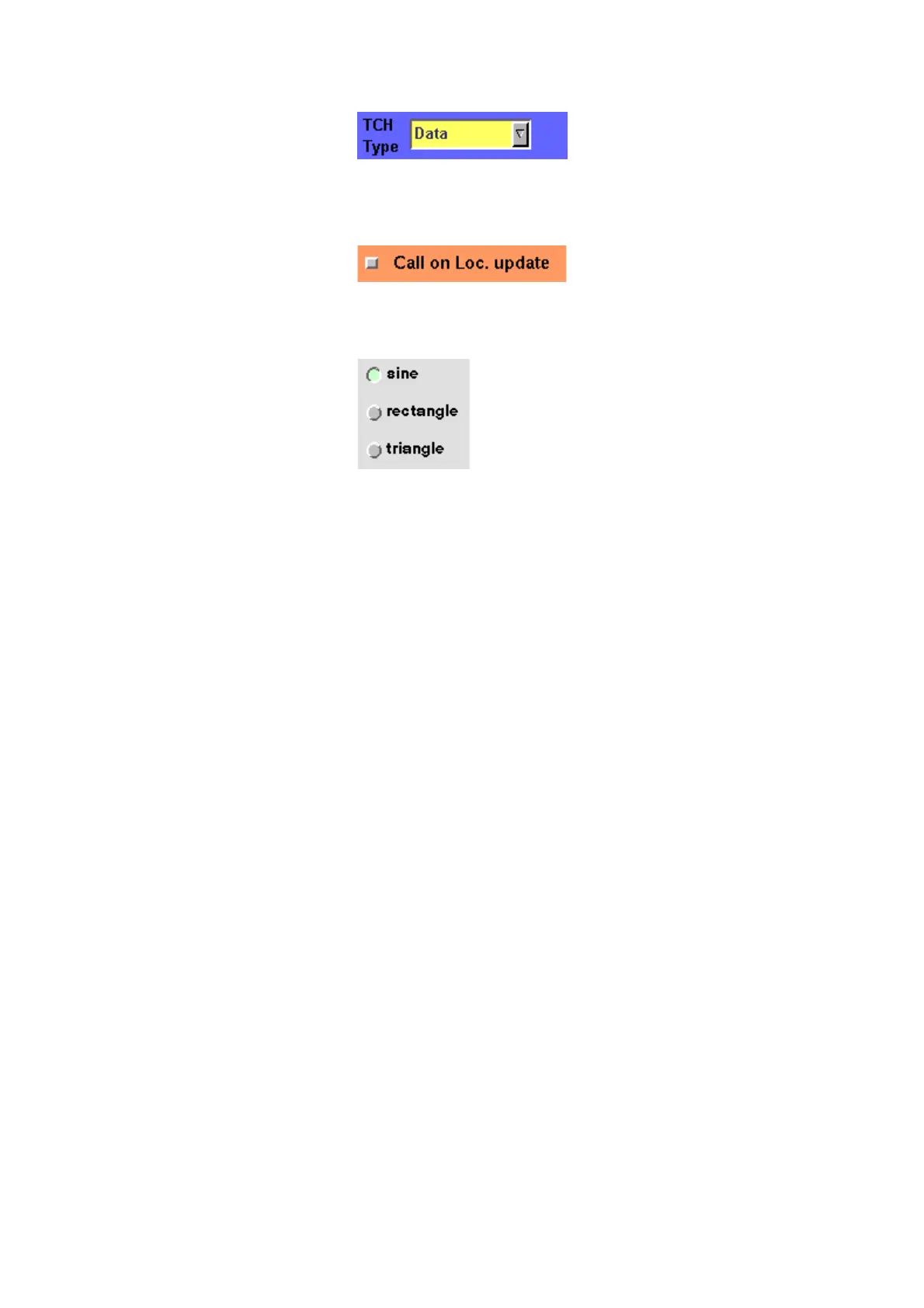
Example: TCH Type – This selection field
enables you to choose a specific TCH type
from a list.
– Check boxes only need a simple yes or no. The ‘yes’ is indicated by a green
check box. To activate or deactivate the function, click on it with the mouse
or go the field and press E
NTER.
Example: The
Call on Loc. update check
box is unchecked. This means that the
function will not be performed.
– Radio buttons allow you to select between different options, similar to
selection fields.
Example: Of the audio generator radio buttons in the
picture, the sine function has been selected and the other
functions are inactive. By selecting the rectangle func-
tion, sine would automatically be deselected.
Select a function by clicking on the appropriate radio
button, or move to the radio button with the cursor keys
and press E
NTER.
Navigating to an entry field
Jump to the required area using the function keys P
GUP or PGDN.
Select the entry field you want to make changes on with the help of the L
EFT
or R
IGHT cursor keys.
The selected entry field is inverted to make it easily visible on-screen.
Entering values on numeric entry fields
There are two ways how to work with numeric entry fields: either you enter the
value using the 4400’s numeric keys or you use the selection key. The achievable
results are basically the same. However, there is no entry discard function when
you use the selection key.
– Enter the required value using the numeric keys of the 4400.
While the entry field is open, entered values can also be edited using the
B
ACK function key.
To confirm the changes, push the E
NTER function key. If your entry should
be out of the possible data range, the 4400 will prompt you with
Data out
of range
in the status area of the current menu.
To discard the changes, just leave the entry field using the L
EFT or RIGHT
cursor keys.
– Instead of typing in a new value, you may also turn the selection key to
increase or decrease the current value of the entry field. The U
P or DOWN
cursor keys also increase or decrease the value.
Note: The cursor keys have a built-in ‘autorepeat function’. This means that
the value on the entry field will be incremented respectively decremented by
one step on a short push or by a couple of steps if you push the key for a
longer period of time.



 To Next Page