Chapter 2 WCDMA Call Mode
Testing User Equipment on WCDMA channels
62 WCDMA Options Version 6.20
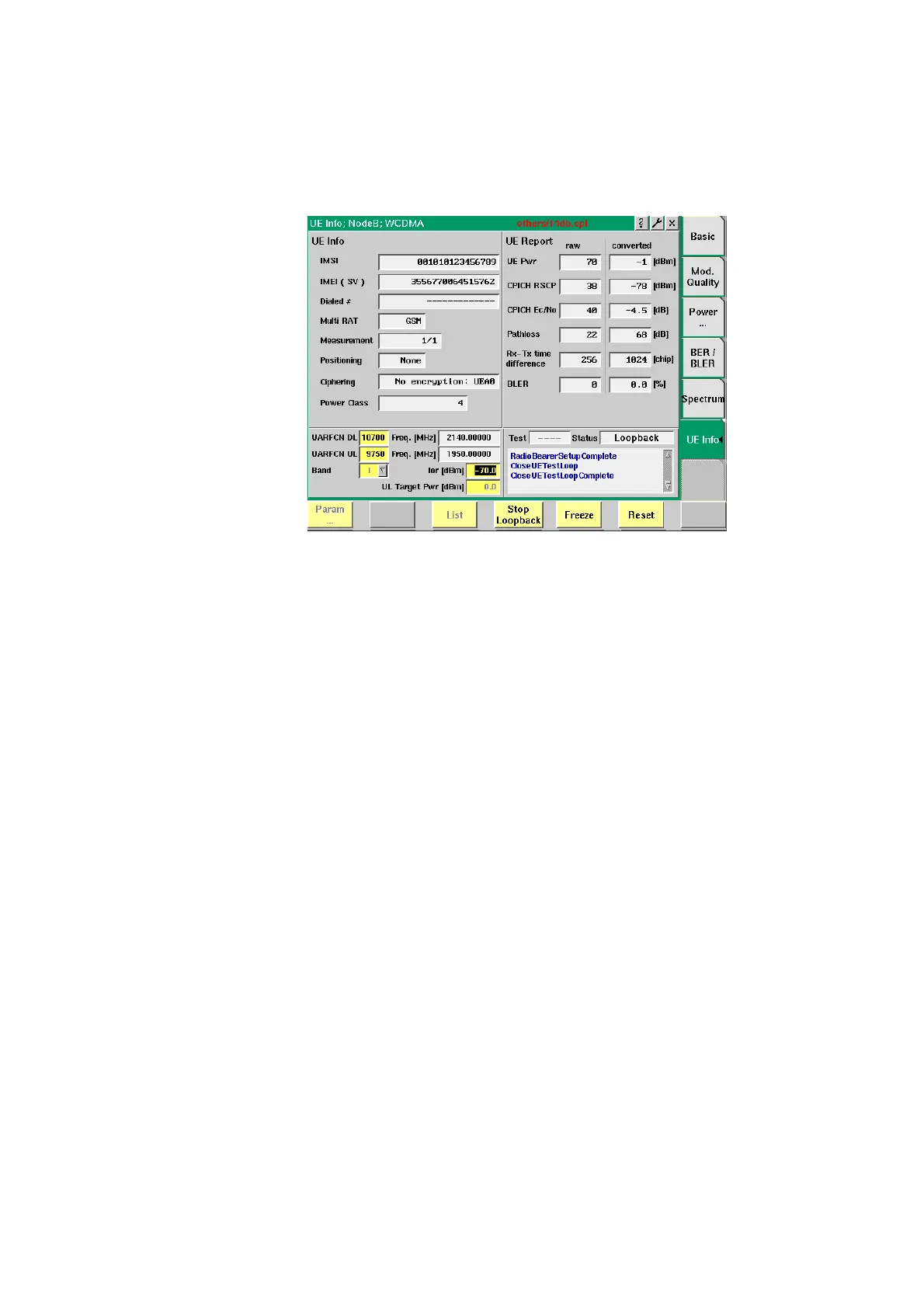
The UE Measurement Report area displays results of the measurements taken by
the UE and transmitted to the Node B simulated by the 4400.
To gain access to this menu, select the [UE Info] marker tab.
How to read the UE Info results display
IMSI
Displays the International Mobile Subscriber Identity of
the UE under test. This number uniquely identifies the
UE’s subscriber and can consist of up to 15 digits. It
includes the Mobile Country Code (MCC), the Mobile
Network Code (MNC) and up to 10 digits of user identifi-
cation information.
IMEI (SV)
Displays the International Mobile Equipment Identity of
the UE under test. This number uniquely identifies the UE
and is indicated on the back of the mobile. The UE sends
the IMEI automatically to the network when prompted
for it.
Dialed #
Following an UE-originated call, the 4400 displays the
number that was initially dialed on the mobile.
This display field will remain empty unless the call has
been originated by the mobile.
Multi RAT
This field indicates whether the UE supports more than
one Radio Access Technology (RAT), e.g. WCDMA and
GSM. If this is the case, the additional technology stan-
dard supported is displayed here.
Measure-
ment
If the UE supports more than one RAT as explained
above, this field indicates whether compressed mode is
needed for UL and DL. In compressed mode signalling is
stopped when searching for a GSM cell for example.
Positioning
Indicates the positioning system used: GPS, Network or
None.



 To Next Page