Phaser 6125/6130 Color Laser Printer Service Manual 8-39
Service Parts Disassembly
Left Imaging Unit Restraint Block
(PL4.1.98)
1. Remove the Left Side Cover (page 8-17).
2. Remove the Main Drive Assembly (page 8-52).
The following procedure applies to both the upper and lower Imaging
Unit Restraint Blocks.
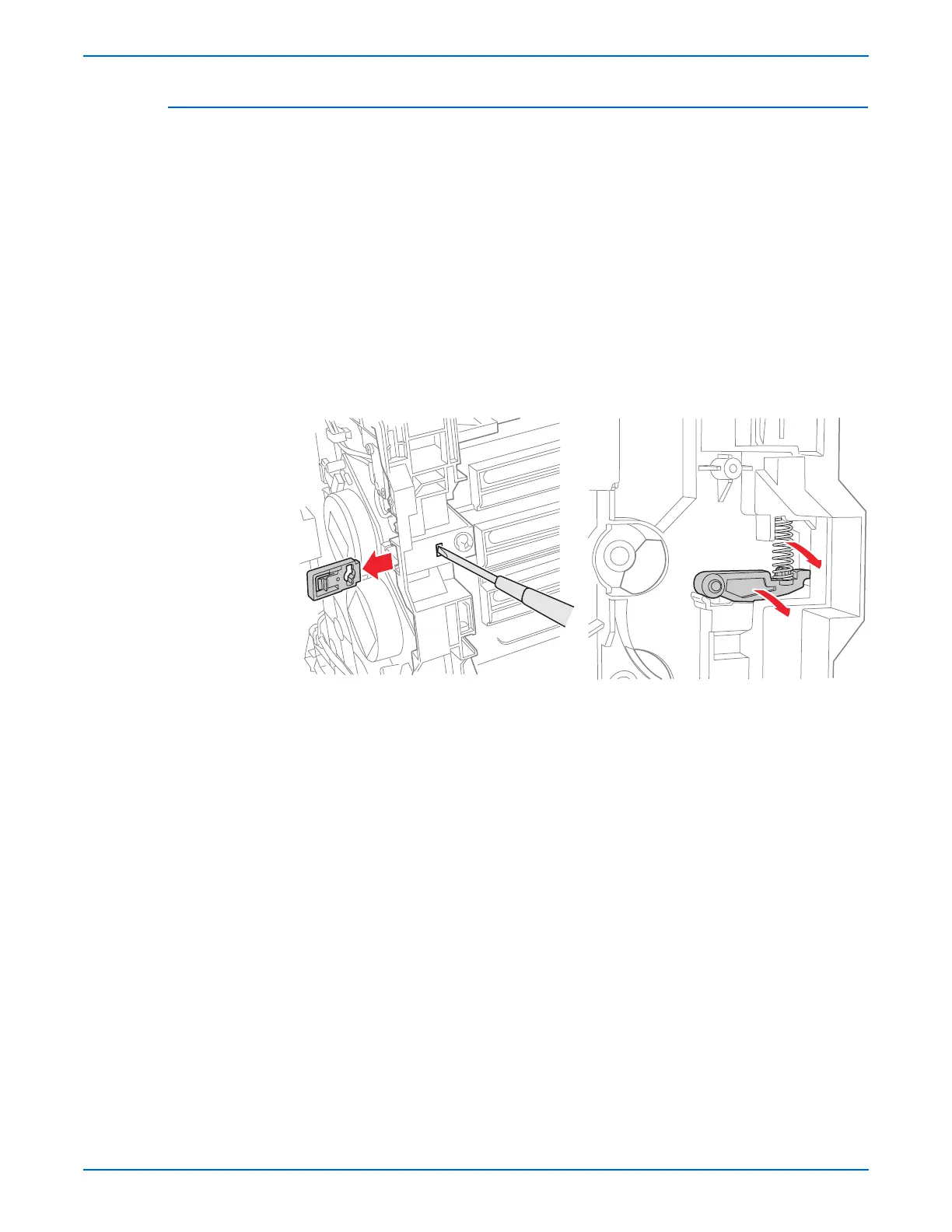
3. Use a miniature screwdriver to release the hook on the Imaging Unit
Restraint Block.
4. Remove the Imaging Unit Restraint Block from the printer.
5. Remove the Imaging Unit Spring from the printer.
6. Rotate the Imaging Unit Lever slightly and remove it from the printer.


 To Next Page
 Loading...













