8.
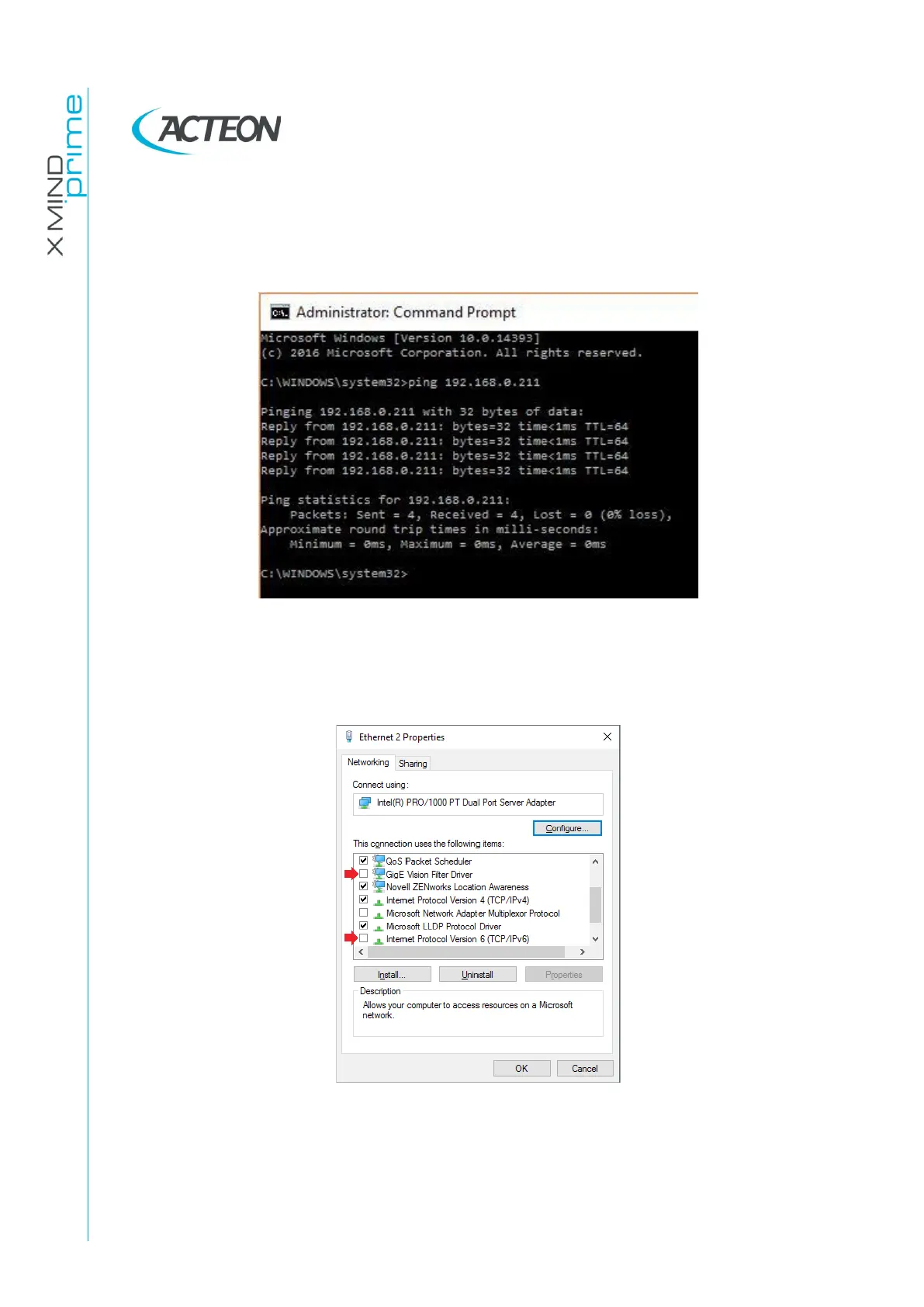
To check that the connections are properly configured, with the unit ON, run a
command prompt and type “ping 192.168.0.211”. Press Enter and verify that
the unit reply to the ping as shown in the figure below.
If the ping does not reply, swap the two network cables on the NIC ports and
repeat the ping test.
If the problem is still present, unflag the items “GigE Vision Filter Driver” and
“Internet Protocol Version 6” from the properties of all the network adapters.















 To Next Page