11.
If not centered adjust the offset according to paragraph.11.2.11.
12.
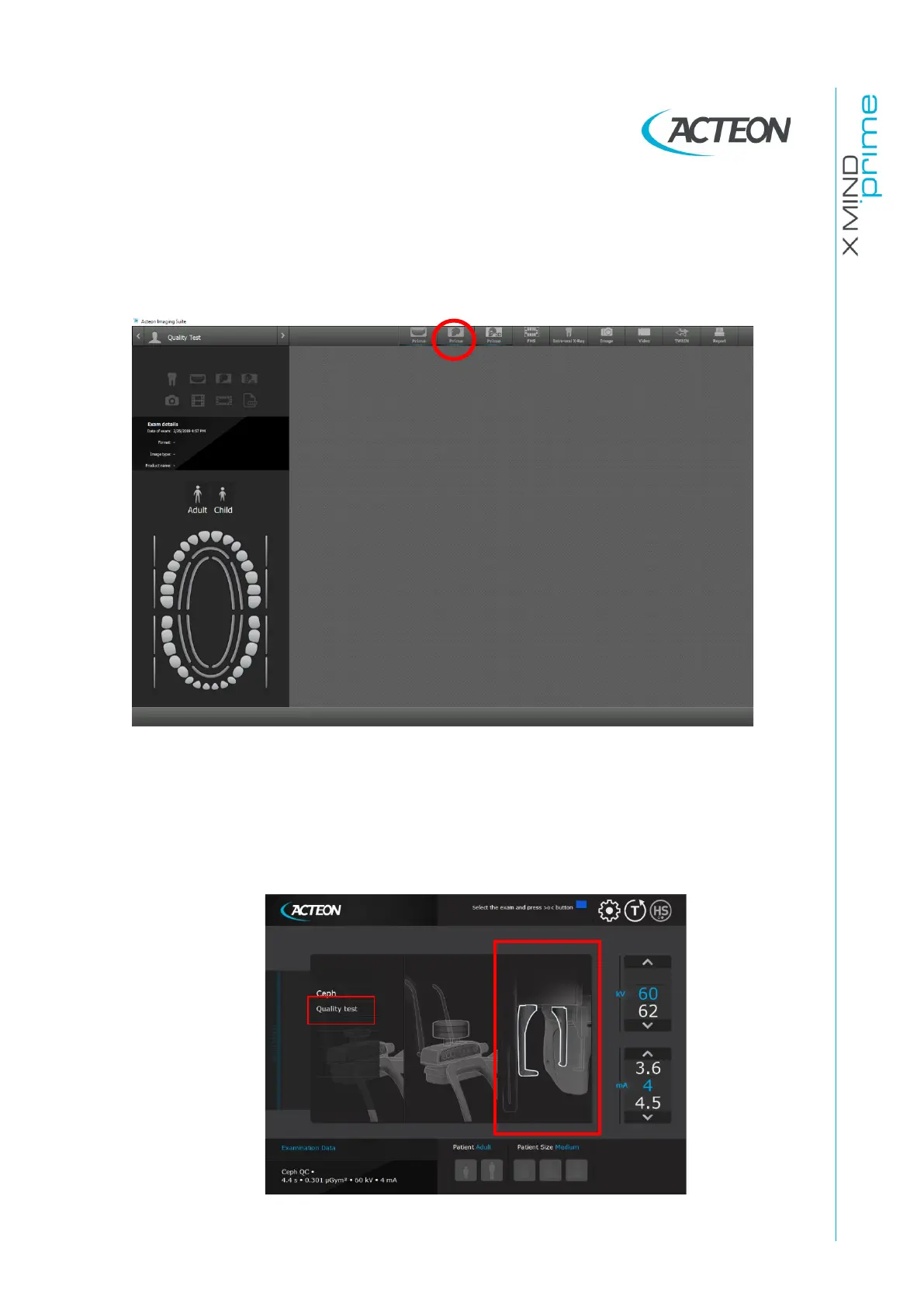
If the x-ray beam is properly centered open AIS software and open the patient
"Quality Test". If not present, create a new patient (Name: "Quality"; Family
name: "Test").
13.
From the "ACQ" toolbar, select the GUI icon to open the virtual keyboard.
14.
Remove any object (e.g. centering tool) from the chin rest.
15.
Rotate the ceph head support in the lateral position.
16.
On the main menu of the virtual interface, select "Quality test" exam, the
following image will be displayed:















 To Next Page