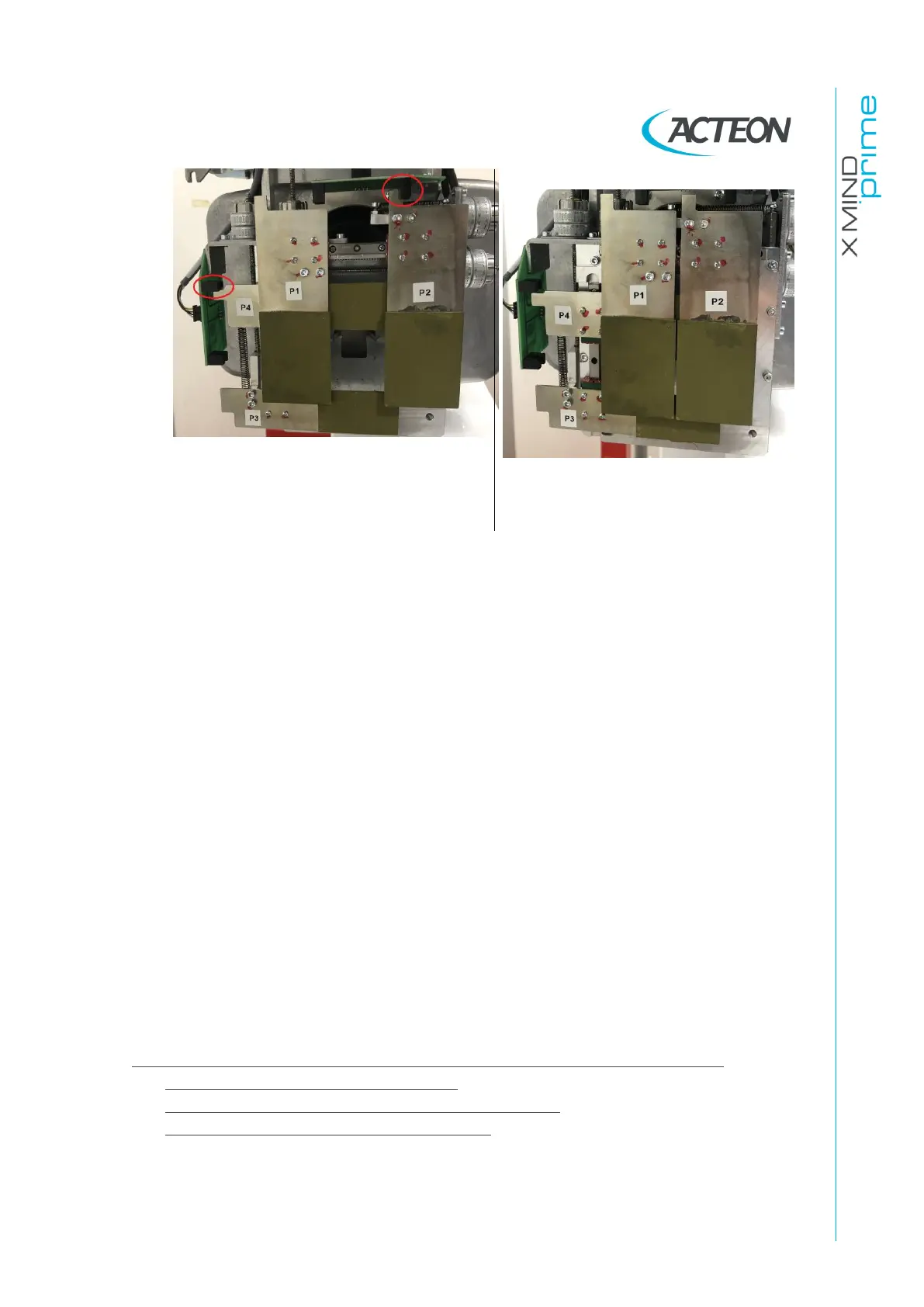
Centering emission collimator position
Note that the P2 and P4 blades are
positioned close their light barriers
IF the collimator movements are NOT OK, refer to errors E650-E661 (see
paragraph 9.2.6.10)
-
If the error is still present, verify the X-ray beam alignment (see paragraph
11.2.9).
3.
Verify if a radiopaque object is present in the X-ray field, remove it and verify if
the problem is still present
4.
Verify the collimator offsets stored in the EEPROM (compare them with the
ones reported on the set parameters tables provided with the unit
documentation).
IF the offsets does not matches, fix them (see paragraph 8.4)
5.
Perform the X-ray beam alignment check tests described in paragraph11.2.9.1.
6.
IF the acquired images are completely white (without X-rays), perform the
exposure parameters verifications with non-invasive and then with invasive
method (paragraph 7.13.2). If the non-invasive method is NOT OK but the
invasive method is OK, replace the tubehead.
Contact Technical Service providing the following additional information:
-
Software logs (see paragraph 11.2.1.1)
-
Last RAW files folder stored (see paragraph 11.2.1.5)
-
Panoramic, ceph and 3D static acquisitions















 To Next Page