Service Manual – Corrective maintenance
SERVICE MANUAL • X-MIND prime 3D • (19) • 11/2019 • NXMPEN080A
11.
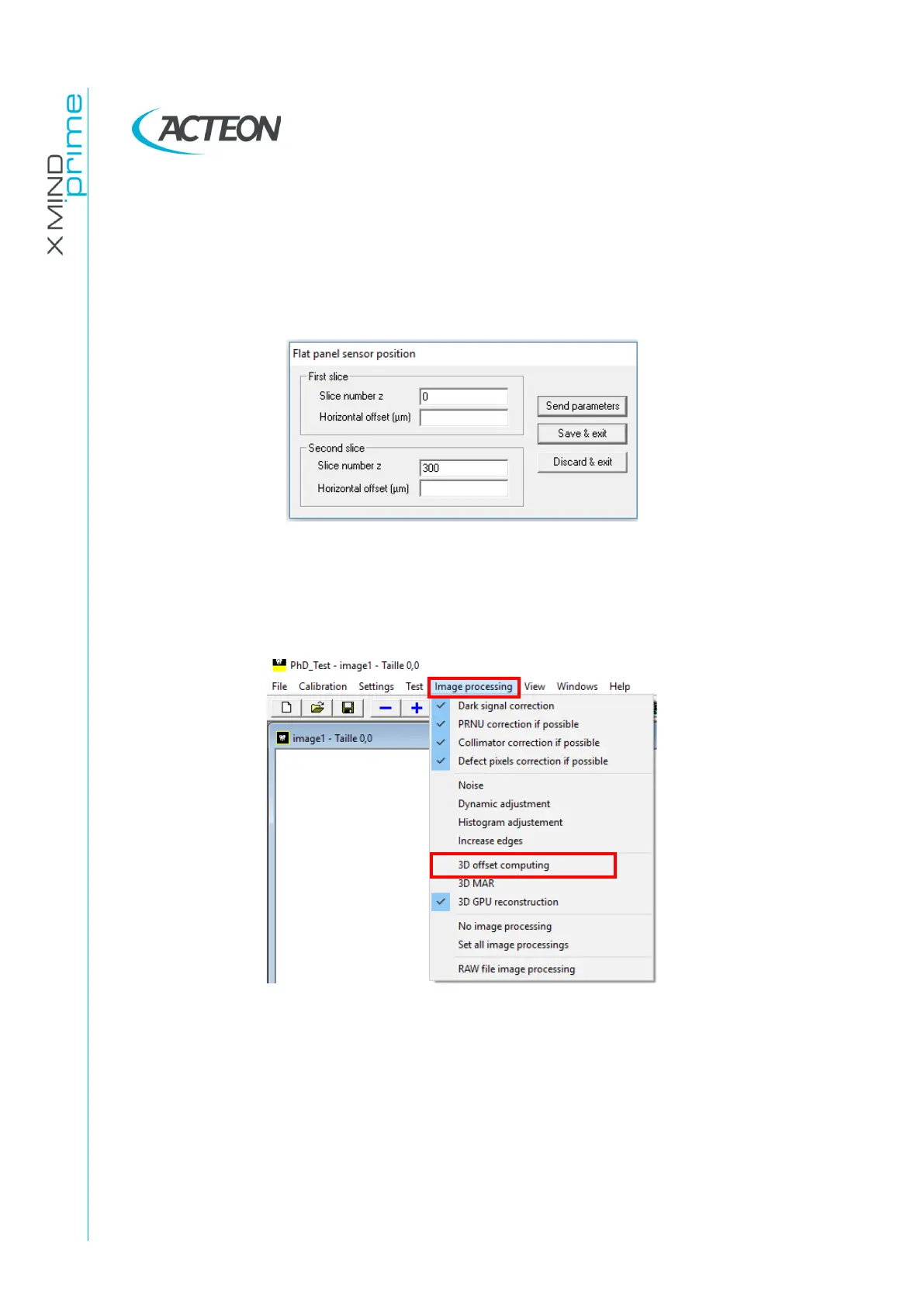
In the panel "First slice" insert the values Slice number z = 0 and Horizontal
offset (µm) = HORIZONTAL_OFFSET_UM previously chosen for slice number 0.
In the panel "Second slice" insert the values Slice number z = 300 and Horizontal
offset (µm) = HORIZONTAL_OFFSET_UM previously chosen for slice number
300.
12.
Click on "Send parameters".
13.
Click on "Save & exit”.
14.
Disable in the menu "Image processing" the "3D offset computing" and reboot
the X-Mind Prime 3D.
15.
Verify that the offset is properly applied following the instructions at paragraph
7.11.















 To Next Page