Service Manual – Corrective maintenance
SERVICE MANUAL • X-MIND prime 3D • (19) • 11/2019 • NXMPEN080A
11.2.11.2
Y ceph offset
Checks
1.
Verify if the numerical value of the “Y ceph offset” stored in the unit EEPROM
memory (see paragraph 8.4) is the same one reported by the equipment
parameters table (supplied as paper copy with the unit documentation – see
paragraph 14.1). If it’s not the same correct it.
2.
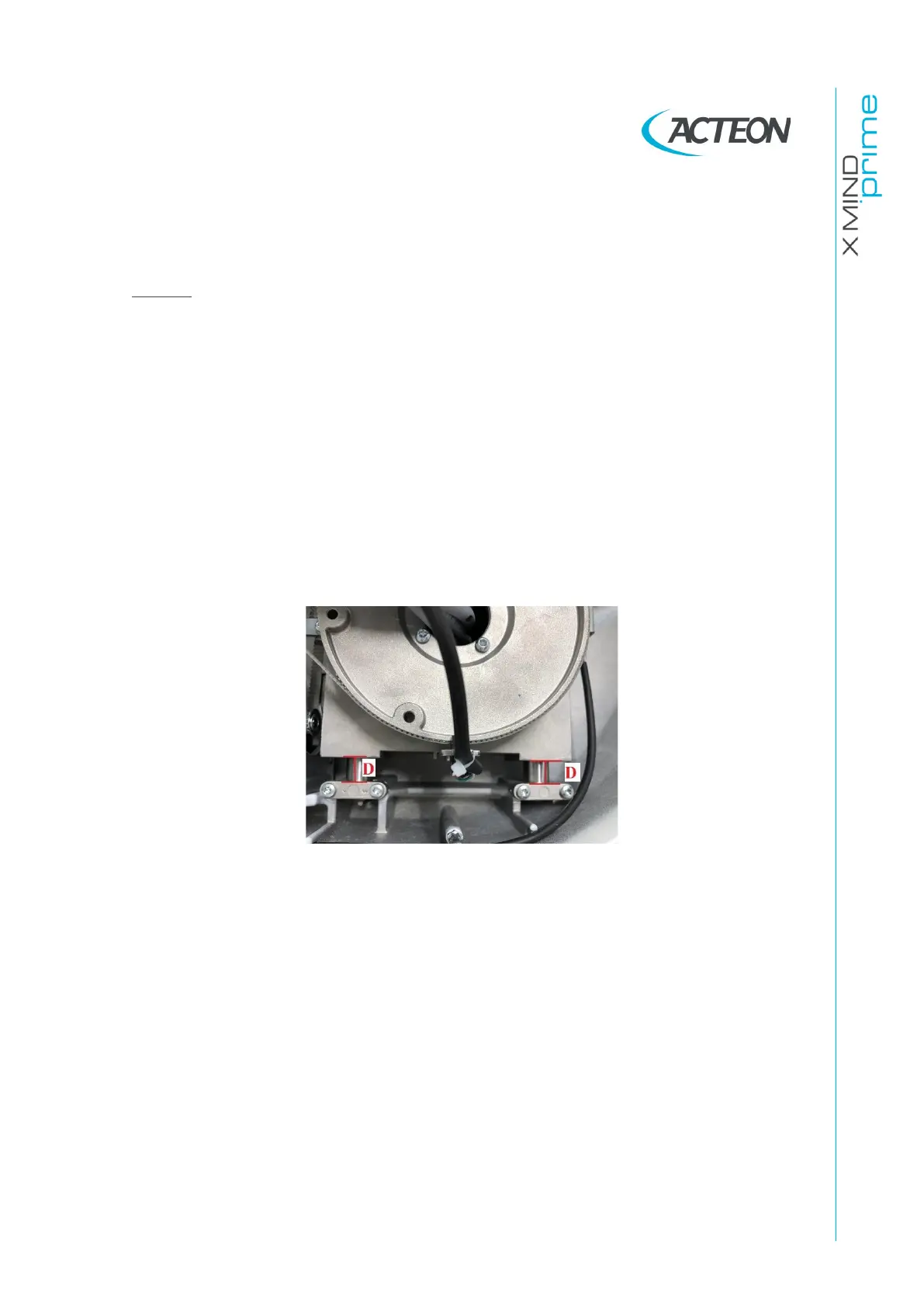
Remove the unit upper covers (see paragraph 7.4.3), select a “Ceph” exam,
prepare the unit to take a ceph exam, once the unit is positioned and ready
to make an exposure (green keyboard LED steady ON) and verify that the
distance between the slide of the Y axis and the back run limits (D in the
following figure) is:
D=13mm± 2mm















 To Next Page