Service Manual – Corrective maintenance
SERVICE MANUAL • X-MIND prime 3D • (19) • 11/2019 • NXMPEN080A
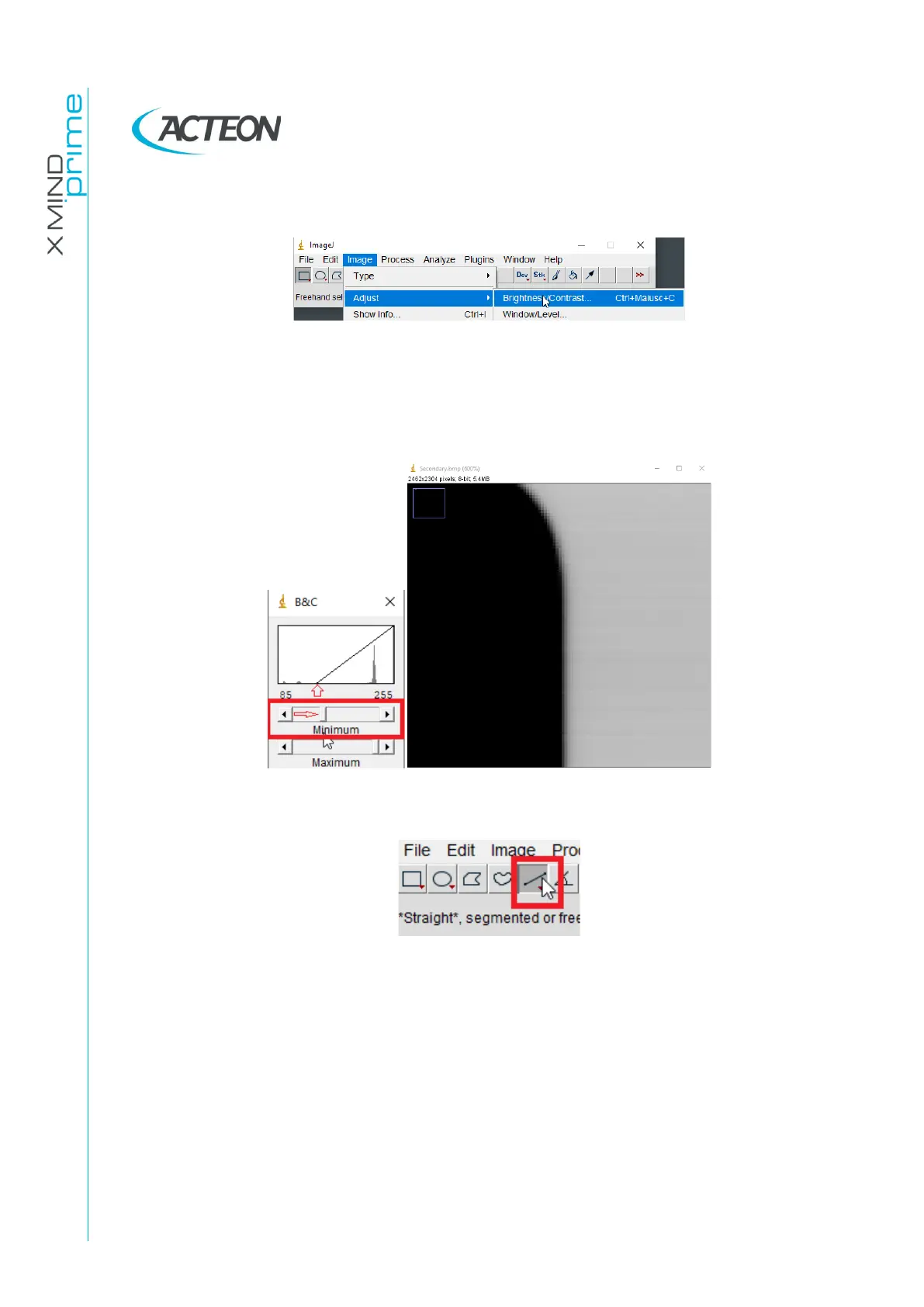
11. Click on Image→Adjust and open the Brightness/Contrast… tool
12. Adjust the “Minimum” level with the cursors, in order to enhance the contrast of the
edge and obtain and image where the edge between the irradiated and the
collimated areas are clearly defined
13. Select the straight-line tool in the ImageJ tool set















 To Next Page