Collecting Support Data using Shell
This window allows collection of additional information. Select options as
needed for troubleshooting.
• Navigate with the arrow or TAB keys.
• Toggle option selection with the SPACEBAR.
• Select with the ENTER key.
Step 4 After the desired options are selected, select OK.
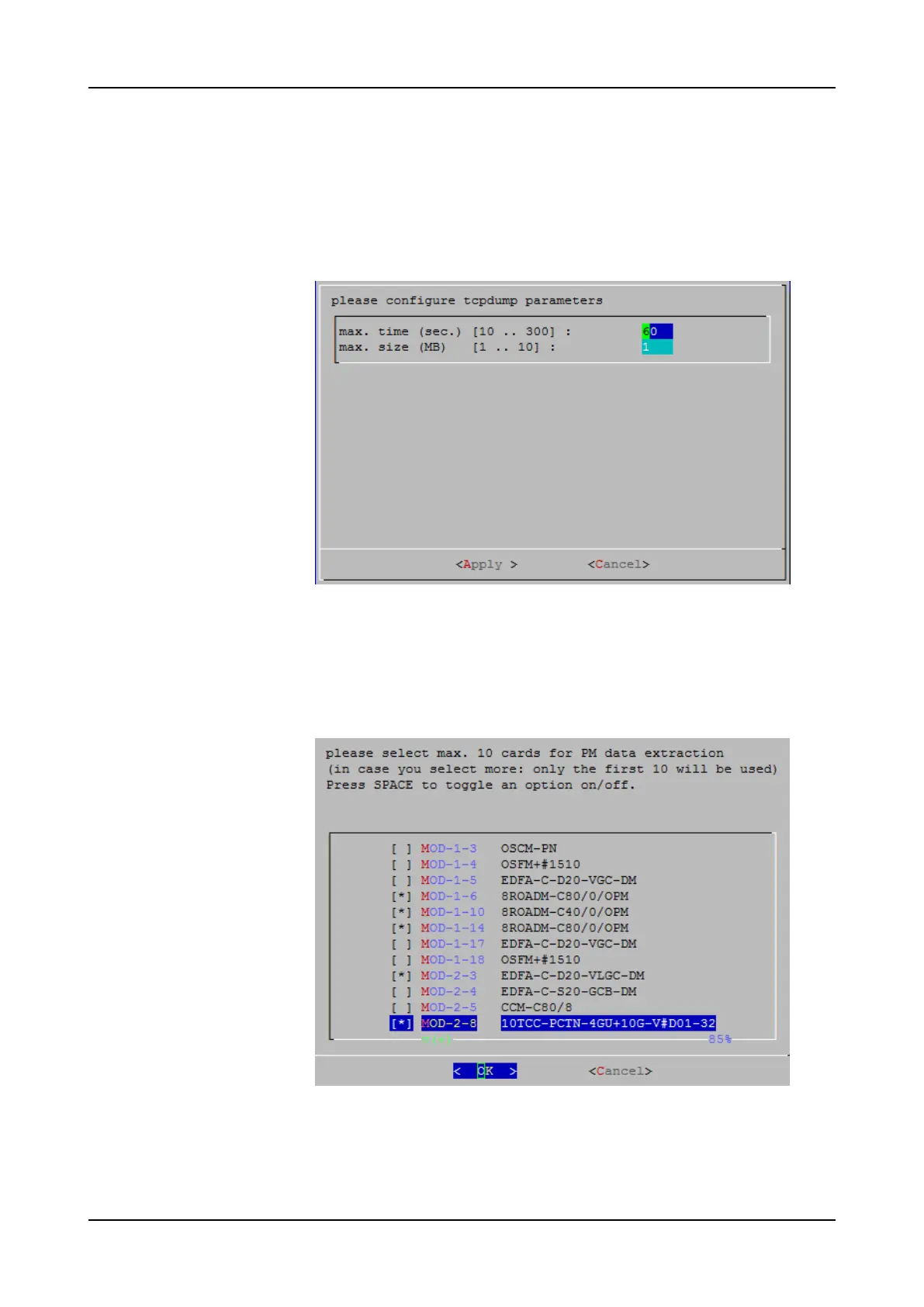
The window to configure “tcpdump” parameters is displayed:
Usually, no changes are necessary. However, if support-data collection
generates an error, increase these values.
Step 5 Select Apply.
• If option “b” was
not
selected in Step 4, support-data collection is started.
Proceed to Step 7.
• If option “b”
was
selected, the following window appears:
This window displays all active modules. However, a maximum of 10 modules
may be selected.
Step 6 Select up to 10 modules for performance monitoring data collection and select
OK.
780 FSP 3000R7 Maintenance and Troubleshooting Manual - Product Release 16.2 - Document Issue A



 To Next Page