10
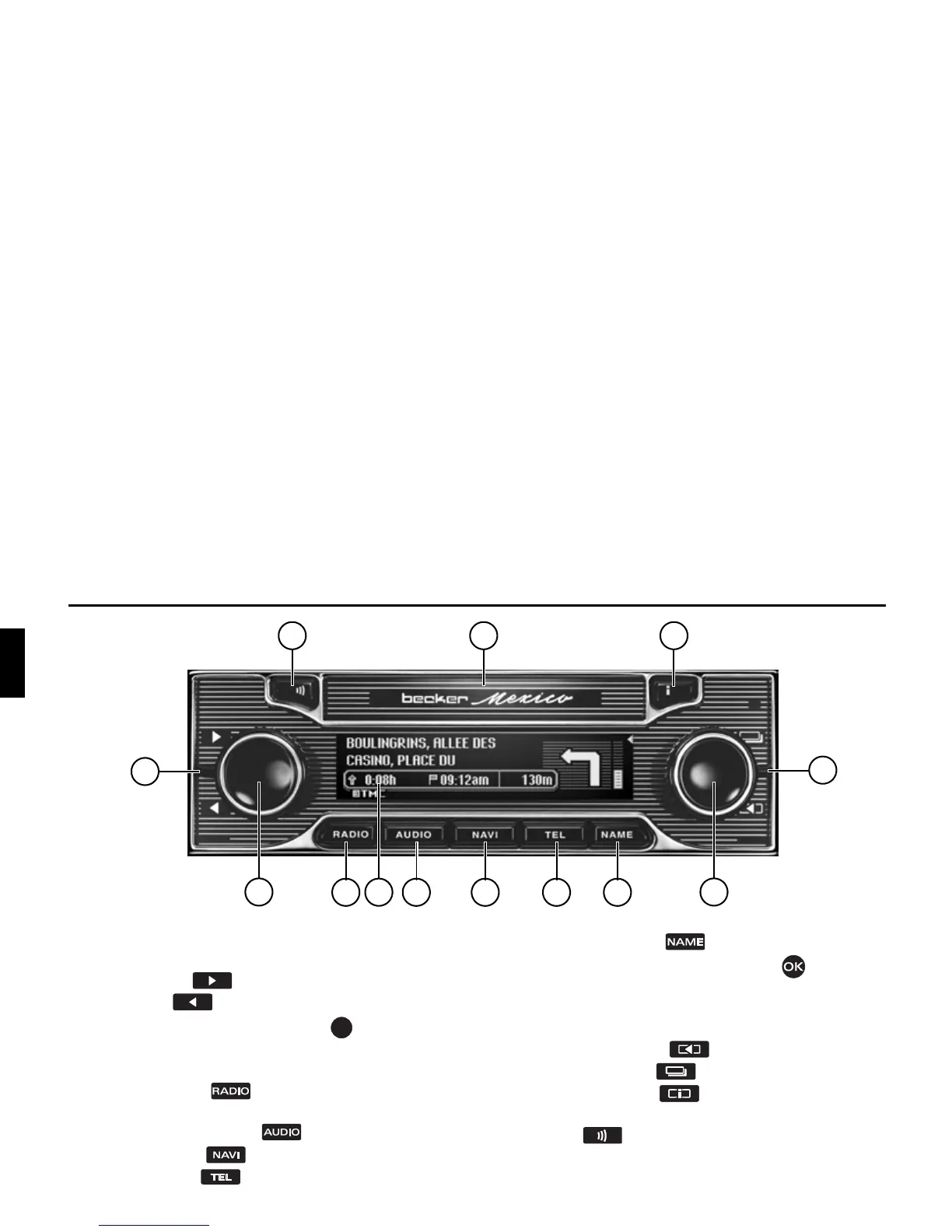
Overview of controls
2
13 12
1
10
3
4
11
5 6 7 8
9
Overview of controls
1 Lever on left
Changing radio stations and audio tracks
Down = button
Up = button
2 Left-hand rotary control/push button
Press = switch on/off
Turn = volume setting
3 Select radio mode
4Display
5 Select CDC/memory card
6 Select navigation
7 Select telephone
8 Select address book
9 Right-hand rotary control/push button
Press = Confirm
Turn = Scroll through lists and menus
10 Lever on right
Down = back button
Up = status button
11 Information button
12 Slot for memory cards and SIM card
13 Button
Pressing briefly activates voice dialogue
Pressing and holding opens the slot for memory cards














 To Next Page