44
Navigation mode
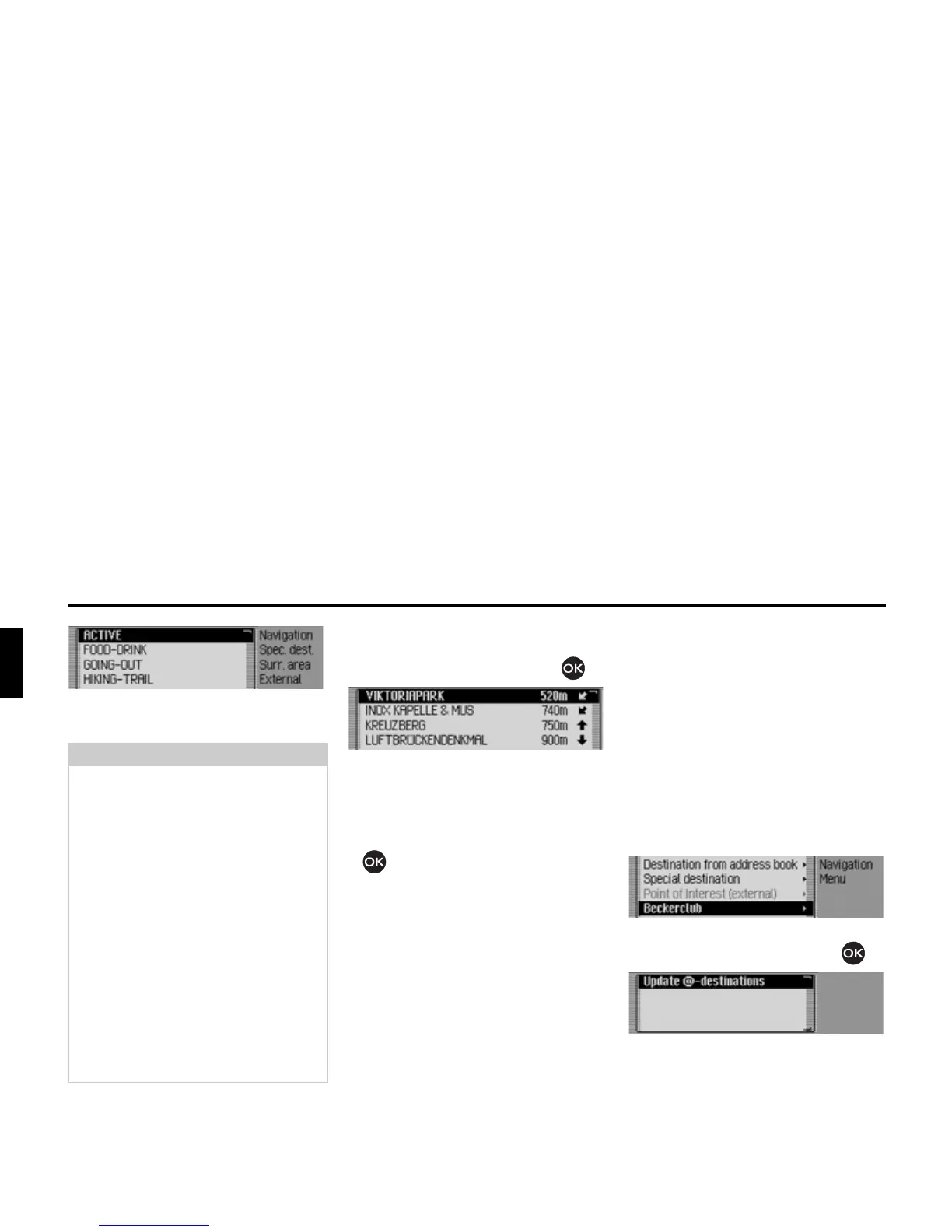
The categories that can be selected are
then displayed.
X Select the desired category.
X Confirm your selection by pressing
the rotary control/ push button .
The available points of interest for the
previously selected category are dis-
played.
X Turn the rotary control/push button
and then press the rotary control/
push button to select the required POI.
Route guidance to the selected point of
interest is initiated.
Beckerclub
You can save destinations in the Becker-
Club via the internet. See “BeckerClub”
on page 147. You can load these destina-
tions to your Mexico (internal phone
and SIM-Access only).
Loading/updating @-destina-
tions
X In the Navigation main menu, select
the
%HFNHUFOXE entry.
X Confirm your selection by pressing
the rotary control/ push button .
The @-destinations menu is displayed.
The destinations loaded to date and
8S
GDWH#GHVWLQDWLRQV
are displayed.
X Select the 8SGDWH#GHVWLQDWLRQV entry.
Notes:
• The categories and points of interest
shown in the illustrations are exam-
ples. The actual display is dependent
upon the storage medium containing
POIs that is used.
• If the set system language is identical
to one of the languages available on
the storage medium, the categories
are displayed in this language. If there
is no correspondence, the categories
are displayed in all available lan-
guages. This can be recognised from a
country code in front of the category.
• You can display information on POIs
as described in “Information about
points of interest” on page 42.














 To Next Page