57
Navigation mode
Settings
You can make various settings for navi-
gation in the settings.
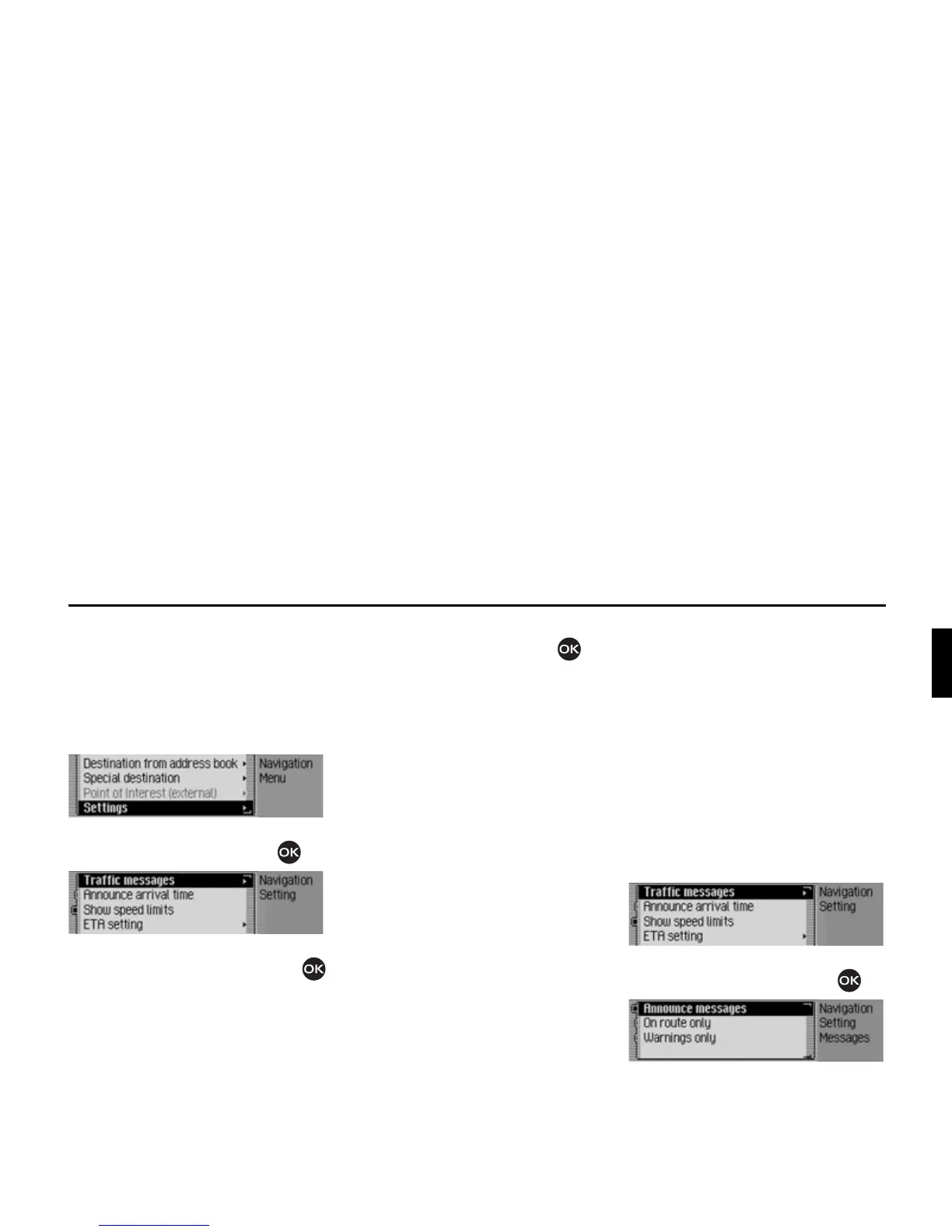
X In the Navigation main menu, select
the
6HWWLQJ entry.
X Confirm your selection by pressing
the rotary control/push button .
The Settings menu appears.
X Turn the rotary control/push button
to select one of the following options:
7UDIILFPHVVDJHV,
$QQRXQFHDUULYDOWLPH,
6KRZVSHHGOLPLWV,
(7$VHWWLQJ or
8QLWRIPHDVXUH
X Confirm your selection by pressing
the rotary control/push button .
•
7UDIILFPHVVDJHV
You can specify whether or not traffic
announcements should be read out
automatically by the unit and, if so,
which ones.
•
$QQRXQFHDUULYDOWLPH
You can specify whether the calculated
time of arrival should be announced
automatically once the route has been
calculated/recalculated.
•
6KRZVSHHGOLPLWV
If the function is on, the system will
inform you of the maximum permissi-
ble speed limit for the route along
which you are travelling during route
guidance, insofar as this information
is available.
•
(7$VHWWLQJ
You can configure the calculation of
the ETA. ETA stands for Estimated
Time of Arrival.
•
8QLWRIPHDVXUH
You can convert the calculation of the
distances from metric (display in metres
and kilometres) to imperial (display in
yards and miles) system and vice versa.
Traffic announcements
You can specify whether or not traffic
announcements should be read out auto-
matically by the Mexico and, if so,
which ones.
X In the Settings menu, select the 7UDIILF
PHVVDJHV
entry.
X Confirm your selection by pressing
the rotary control/push button .
X You may now select $QQRXQFH PHV
VDJHV
, 2QURXWHRQO\ or :DUQLQJVRQO\.














 To Next Page