30
Navigation mode
Entering the destination
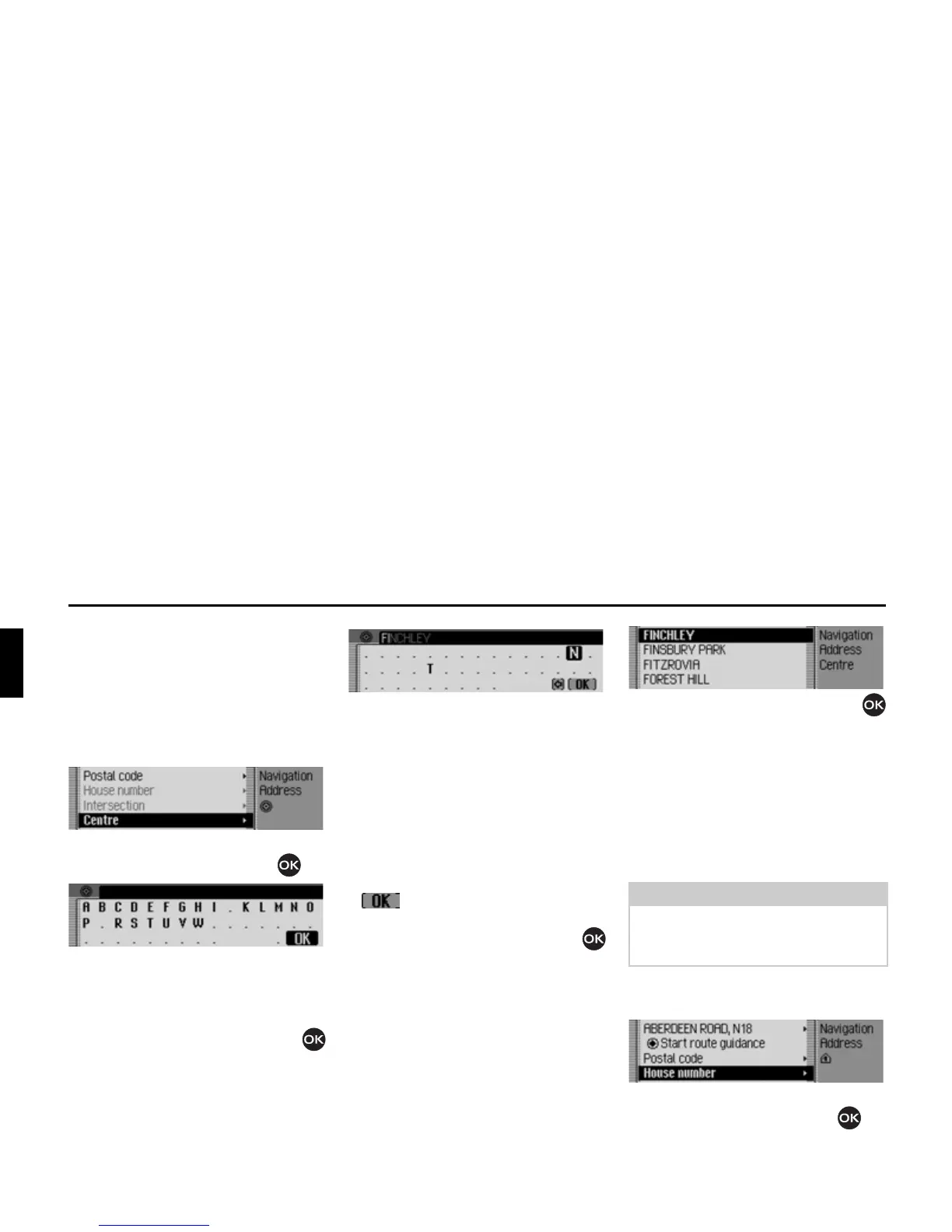
town centre
Instead of navigating directly to a road,
you can also navigate to a town centre.
X In the Enter Destination menu, select
&HQWUH.
X Confirm your selection by pressing
the rotary control/push button .
The data entry menu for the centre
appears or, if fewer than 10 centres are
available in the town, the unit switches
directly to the centre list.
X Turn the rotary control/push button
and then press the rotary control/push
button to select each letter one after the
other.
The last letter entered is highlighted. To
help, the name of the centre closest to
the previous entry is displayed. The
Mexico offers only the possible remain-
ing letters for selection. If no other
entries are available, the Mexico com-
pletes the centre name automatically.
Accept entry:
X In the data entry menu, select the
symbol.
or
X Press the rotary control/push button
and hold it down for at least 2 seconds.
If you have entered an incomplete centre
name, the centre list appears.
X Turn the rotary control/push button
and then press the rotary control/push
button to select the required centre.
You can now start route guidance by
selecting
6WDUWURXWHJXLGDQFH.
Entering house number for
destination road
X In the Enter Destination menu, select
+RXVHQXPEHU.
X Confirm your selection by pressing
the rotary control/push button .














 To Next Page