161
Address book
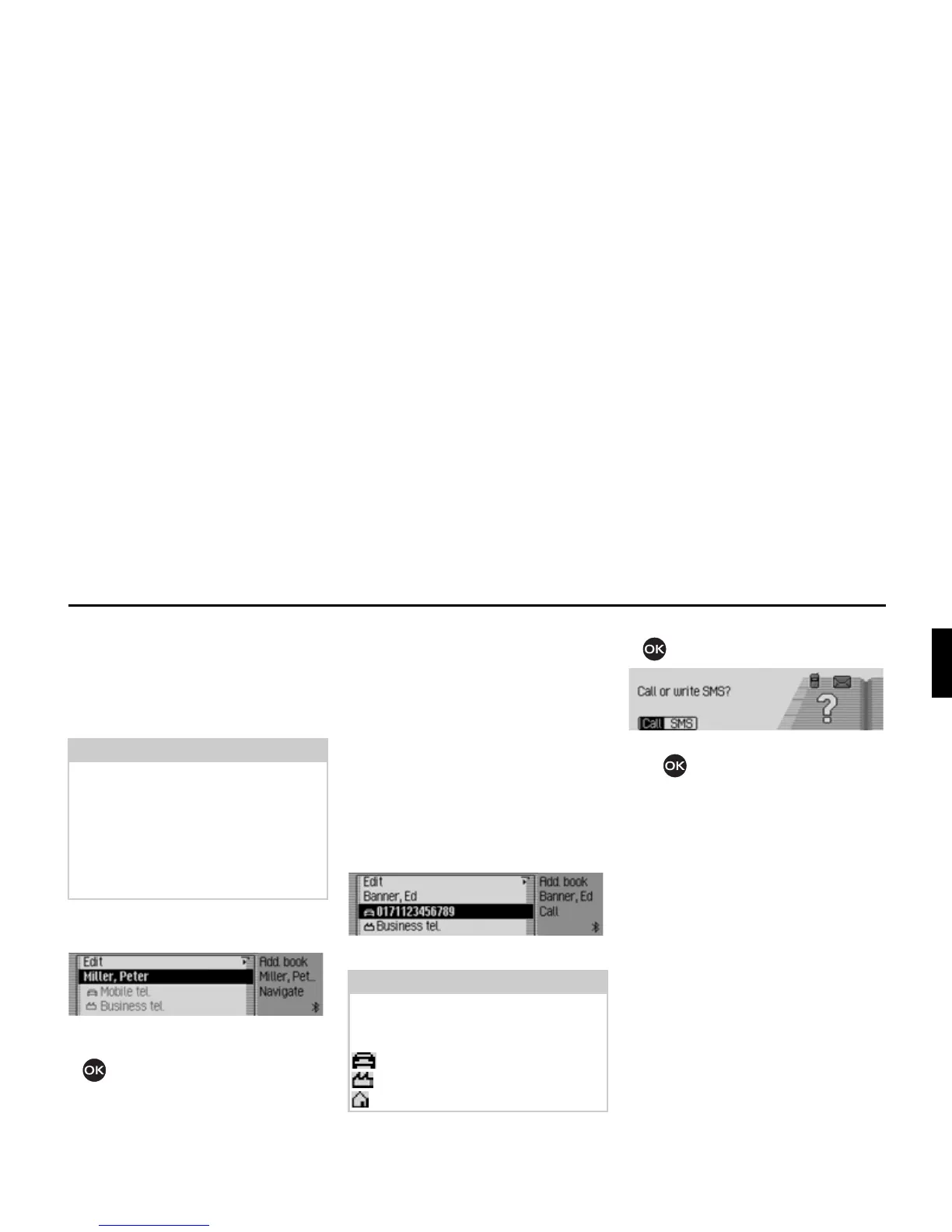
Navigating to an address book
entry
You can start route guidance to an
address for an address book entry from
the address book.
X Find the address book entry for which
you wish to start route guidance.
X Select the name or a part of the address.
X Press the rotary control/push button
.
Route guidance to the destination will be
initiated.
Calling an address book entry/
sending SMS
From the address book you can start
a call to a telephone number stored in the
address book entry or start to compose
an SMS (internal phone and SIM-Ac-
cess only).
X Find the address book entry contain-
ing the telephone number you wish to
call or to which you wish to send an
SMS.
X Select the desired telephone number.
X Press the rotary control/ push button
.
X Turn the rotary control/ push but-
ton to choose either
&DOO or 606.
Depending on the option selected, a call
to the selected number is started or the
input menu for a new SMS is opened.
Note:
Route guidance is only possible if an
address which supports navigation has
been assigned to the address book
entry.
If an address book entry supports navi-
gation,
1DYLJDWH appears on the right of
the display.
Note:
Up to three telephone numbers can be
saved. These are marked with different
symbols.
stands for mobile phone number.
stands for business number.
stands for private number.
6040
6046














 To Next Page