143
Internet (WAP) function
Creating access profile
You can create an access profile your-
self.
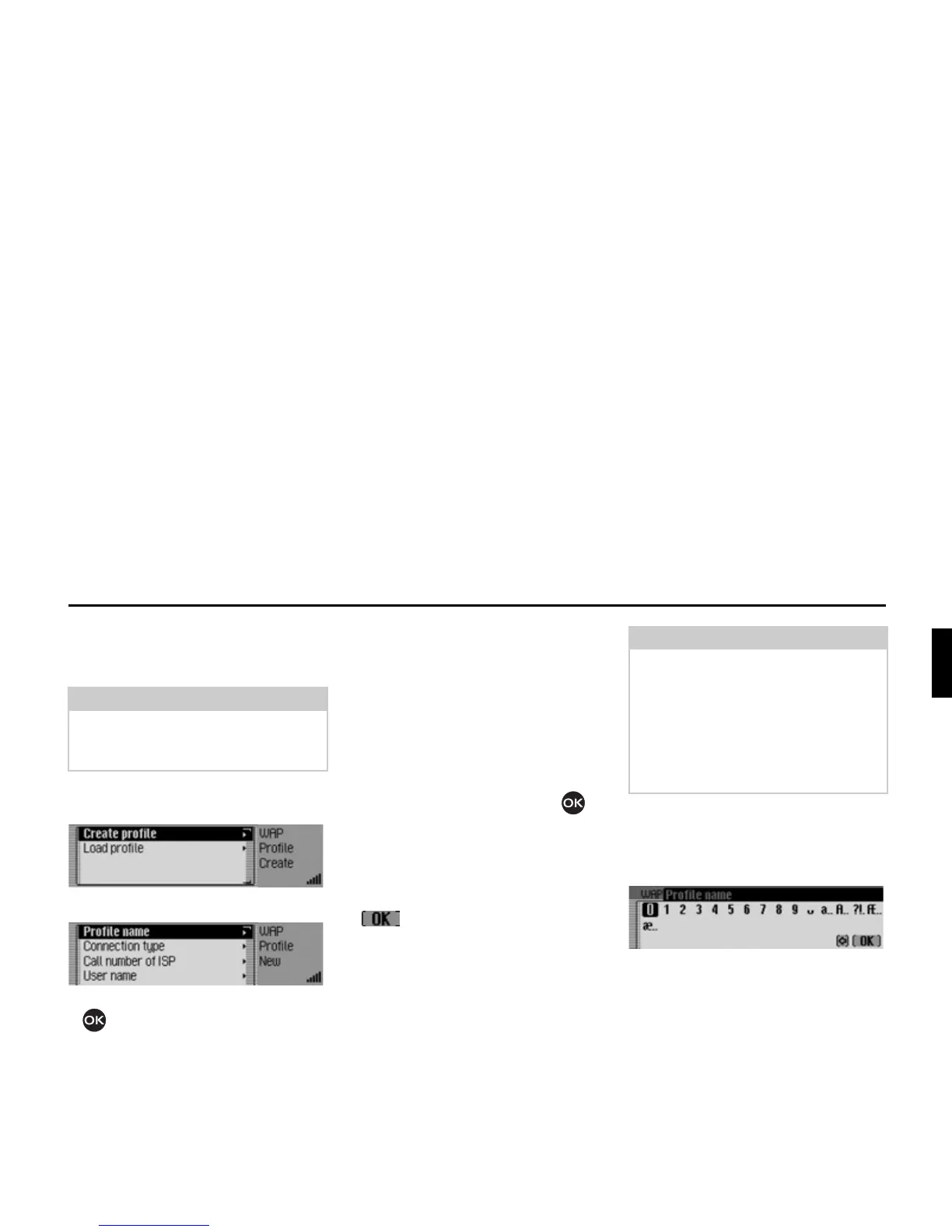
X Open the list of access profiles.
X Select the &UHDWHSURILOH entry.
X Select the &UHDWHSURILOH entry.
X Turn the rotary control/push button
to select one of the following op-
tions:
3URILOHQDPH,
&RQQHFWLRQW\SH,
&DOOQXPEHURI,63 (for ,6'1 and $QDORJXH
connection types only),
$31 $FFHVV 3RLQW 1DPH (for the *356
connection type only),
8VHUQDPH,
3DVVZRUG,
3UR[\,3DGGUHVV,
3UR[\,3SRUW,
3UR[\XVHUQDPH,
3UR[\SDVVZRUG,
+RPHSDJH,
7LPHRXW or
5HDG\.
X Confirm your selection by pressing
the rotary control/ push button .
X Enter the required information at the
relevant points. Please refer to the in-
structions on entering data in “Data
entry menus” on page 13.
X Confirm your entry by selecting the
symbol.
X Once you have entered all the neces-
sary data, select the
5HDG\ entry.
The access profile is then saved.
Profile name
You can now enter any name of your
choice for the profile.
X Select the 3URILOHQDPH entry.
The input menu appears.
X Enter the information.
Connection type
Here you can select the connection type.
X Select the &RQQHFWLRQW\SH entry.
Note:
The information you need to create
a profile can be obtained from your pro-
vider.
Notes:
• In some cases it may not be necessary
to enter all the information.
• The predefined values for
3UR[\,3DG
GUHVV
and 3UR[\ ,3 SRUW should prefe-
rably not be altered.
• There is no check performed to check
the correctness of the data entered.
5204














 To Next Page