124
Mail messages
• 606HGLWRU
You can use this function to open the
SMS input menu to compose a mes-
sage and send it.
•
6DYHG606
You can use this function to open
saved SMS messages and edit them.
•
6HQW606
You can use this function to open sent
SMS messages and edit them.
• 6KRZIUHHVSDFH
You can use this function to check the
amount of memory used for SMS
messages.
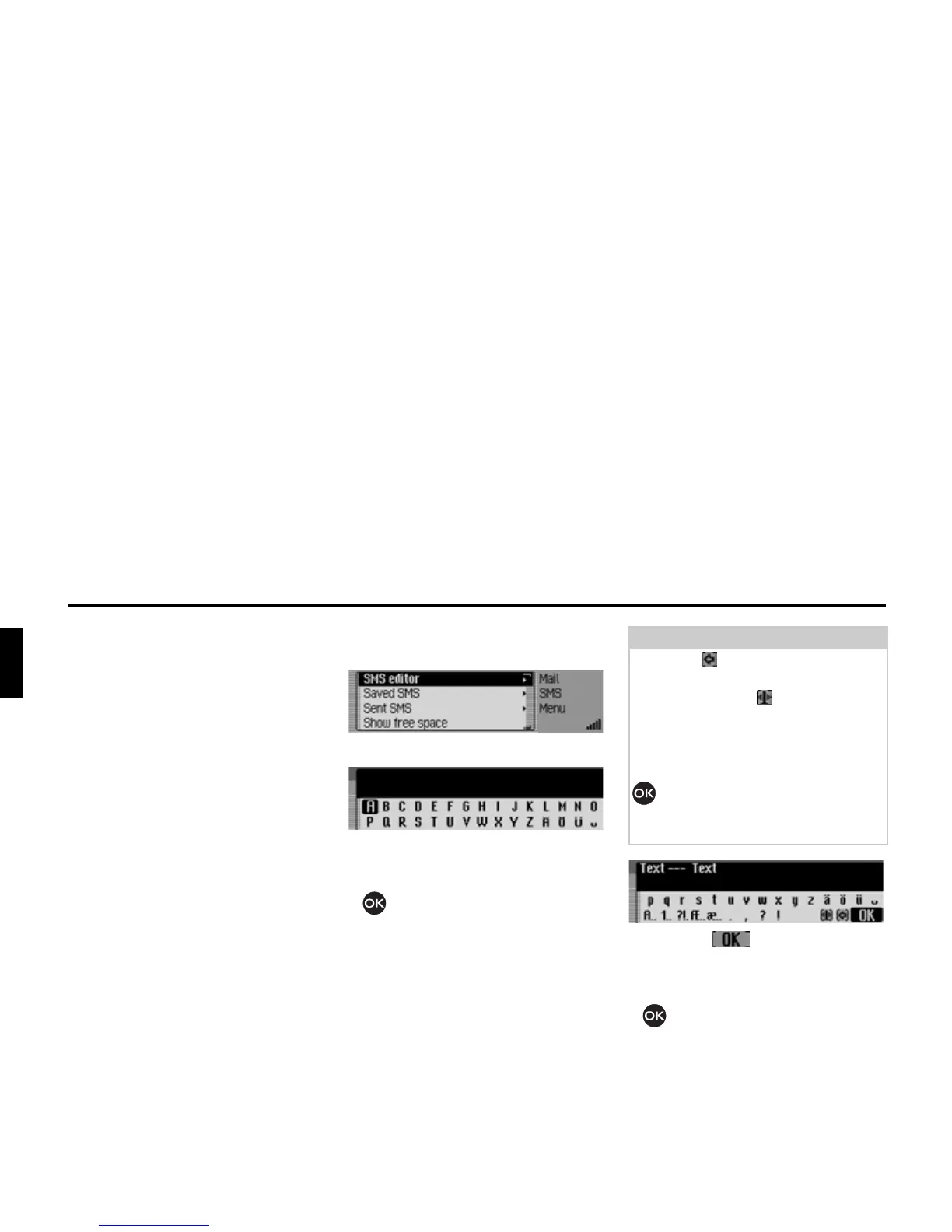
Composing SMS
X Open the SMS main menu.
X Select the 606HGLWRU entry.
The SMS input menu appears.
X Turn the rotary control/push button
and then press the rotary control/
push button to select the letters and
characters for the message one after
the other.
X Select the symbol from the in-
put menu.
or
X Press the rotary control/ push button
and hold for at least 2 seconds.
5114
5107
Note
Select the symbol to delete the last
character in the entry.
After selecting the symbol, you can
move the input cursor to any position in
the text you have already written and
continue writing at this point after
pressing the rotary control/push button
again.
Please also refer to the description in
“Data entry menus” on page 13.
5115














 To Next Page