142
Internet (WAP) function
Entering a URL
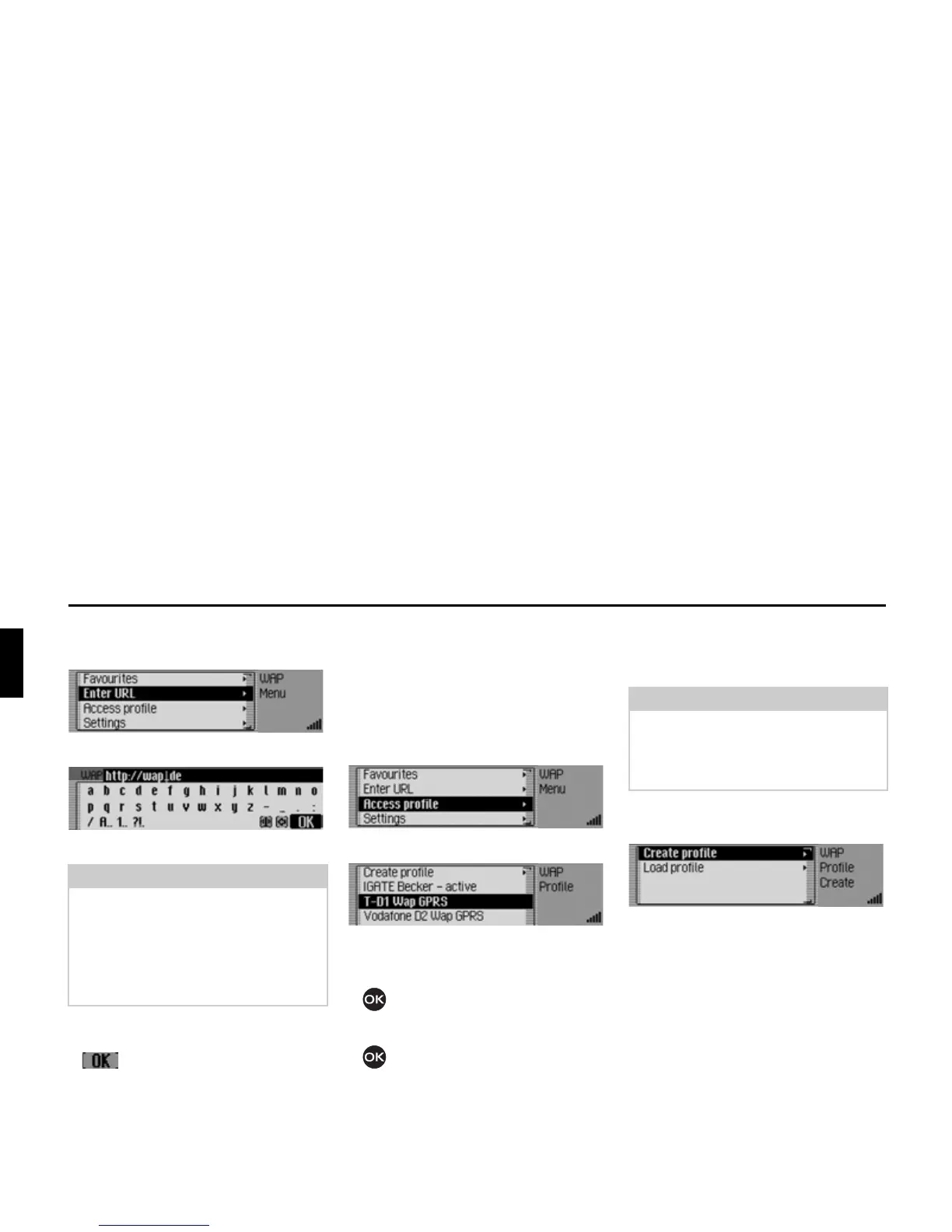
X Open the WAP main menu.
X Select the (QWHU85/ entry.
The input menu for the URL appears.
X Enter the desired URL.
X Confirm your entry by selecting the
symbol.
A WAP connection is established and
the required WAP page is opened, if
possible.
Access profiles
Using this function you can load precon-
figured access profiles or create and edit
access profiles yourself. Some profiles
have been preconfigured at the factory.
X Open the WAP main menu.
X Select the $FFHVVSURILOH entry.
The list of access profiles is displayed.
X Turn the rotary control/push button
to select from the various access
profiles.
X Press the rotary control/push button
to activate the required profile.
Loading access profile
You can load preconfigured access pro-
files from the Beckerclub page.
X Open the list of access profiles.
X Select the &UHDWHSURILOH entry.
X Select the /RDGSURILOH entry.
The WAP browser is opened and the
Beckerclub option page for managing
profiles is opened.
X Select the desired profile here.
The profile is transferred following
a confirmation.
Note:
The cursor is positioned between the
URL beginning, which has already
been entered as a suggestion, and the
URL ending. You can modify these
suggestions as described in “Settings”
on page 146.














 To Next Page